The images show the German app. Captions in quotes remain as in the app.

Table of contentsOpen/close

TEAM & STAFF

Working hours & absences.
Understanding times. Reconcile absences.

Review hours worked, decide on absence requests and prepare the monthly time-record closure. Robin has a missing clocking entry; Mara confirms what happened before correcting the day.

To the overview

For department management, hotel management and human resources departments

Working hours & absences with fictitious data.
Original product components with invented data · simplified demo framework
WHERE CAN I FIND THIS?

Personnel → „Arbeitszeiten“ · „Abwesenheiten“ · „Abschlüsse“

Go to setup

OVERVIEW

Accompany the team well.

Select the task you currently want to complete. The features you see depend on your hotel's activation and your role.

Working hours in the demo hotel.

What was actually worked on?

Working hours

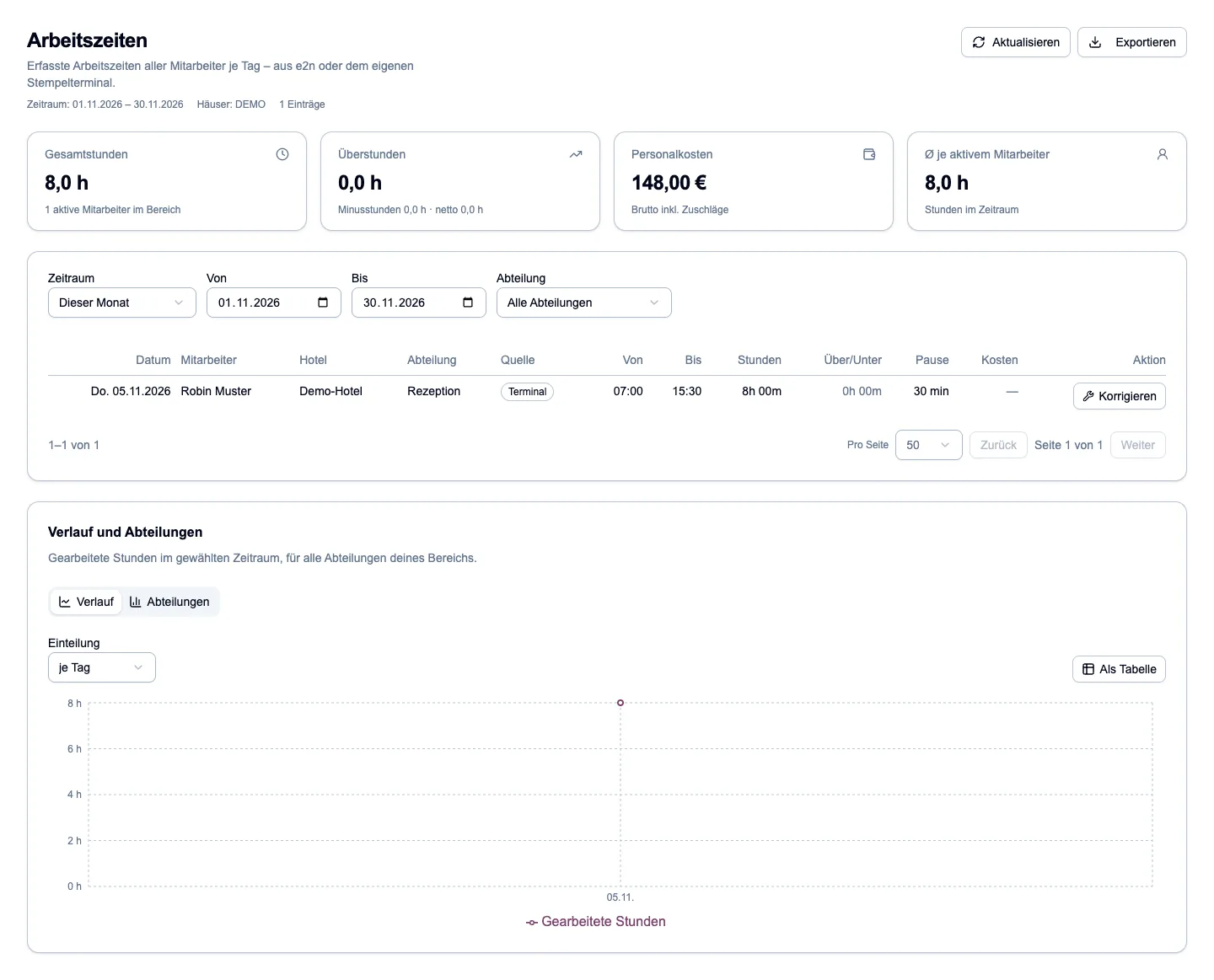
You compare clocking times, calculated working hours and target for the selected period.

  • Is & Should
  • Open stampings
  • Corrections

„Arbeitszeiten“

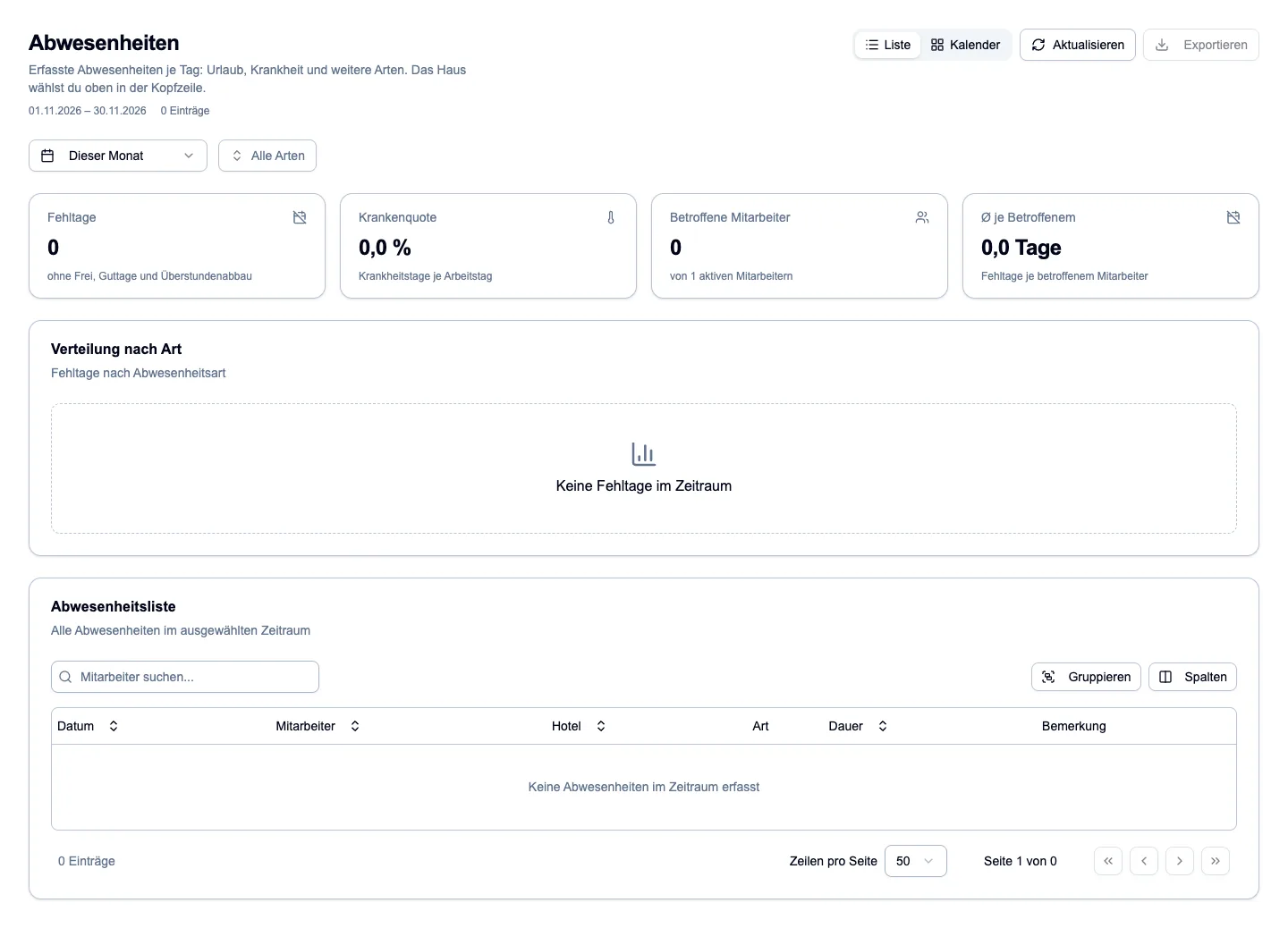
Absences in the demo hotel.

Which days are canceled?

Absences

Review approved absences and check the affected dates.

  • Type & period
  • Overview
  • Recording and approval

„Abwesenheiten“

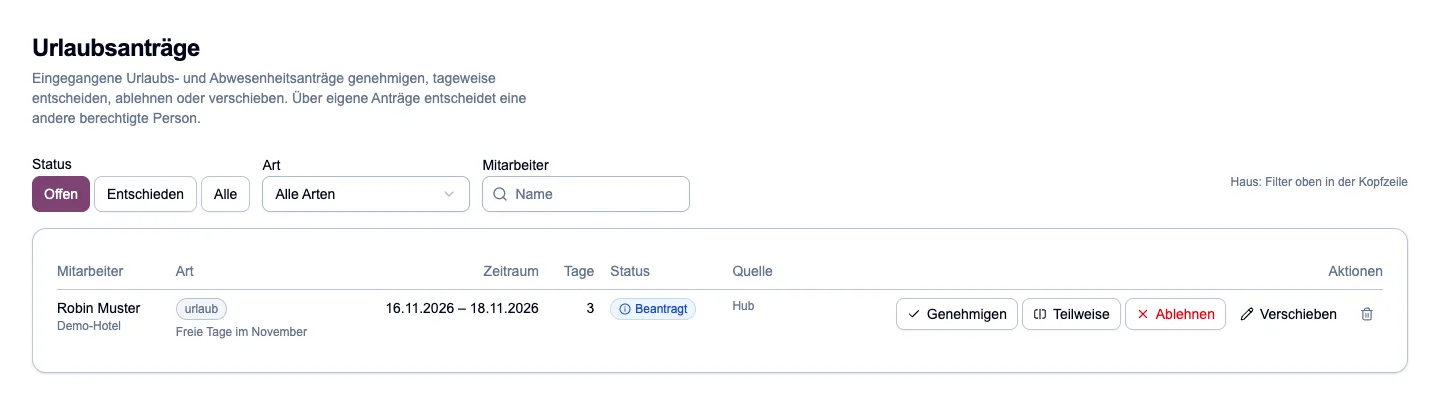
Vacation requests in the demo hotel.

What decision is still pending?

Vacation requests

You clearly approve or reject received requests.

  • Open & decisive
  • Approve in part
  • Justification

„Abwesenheiten“ → „Urlaubsanträge“

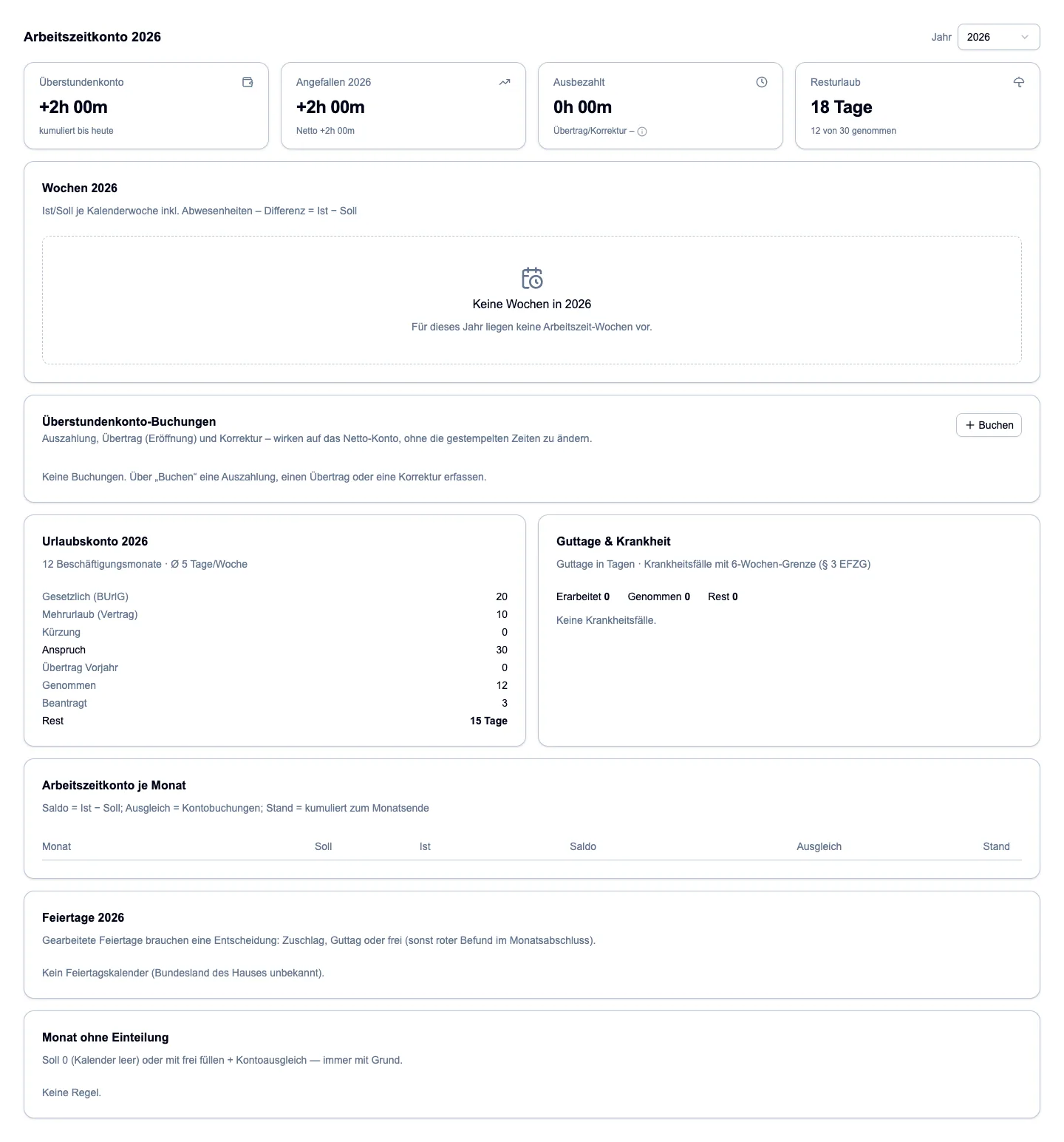
Accounts & Conflicts in the Demo Hotel.

What needs to be clarified before closing?

Accounts & Conflicts

You check time and vacation accounts as well as open conflicts in a professional context.

  • Annual account
  • Conflicts
  • Compliance

Personnel file → „Jahreskonto“ · „Arbeitszeiten“ → „Konflikte“

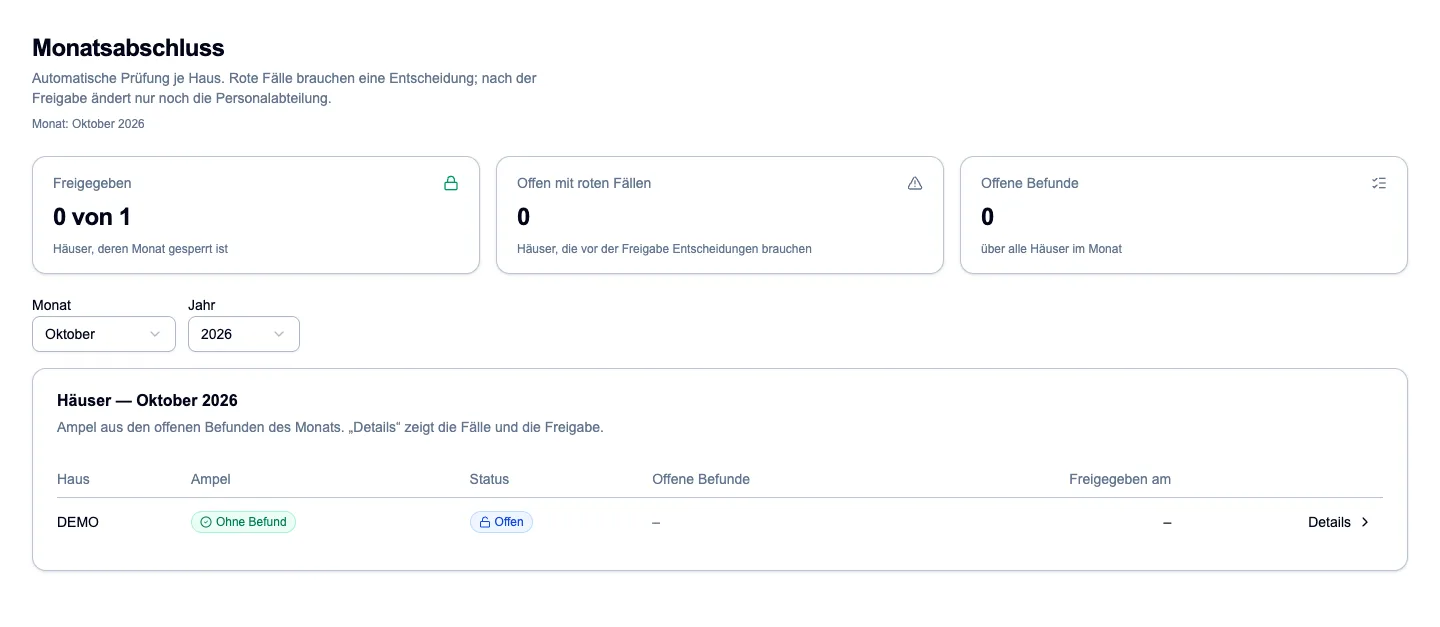
Monthly closing in the demo hotel.

Is the period ready for release?

Monthly closing

You check the month for each hotel and document its approval.

  • Test
  • Release
  • Open again

„Abschlüsse“ → „Monatsabschluss“

IN EVERYDAY LIFE

Step by step.

The examples accompany Mara Example and Robin Muster through their everyday work in the demo hotel.

Correct a missing clocking entry

Robin has forgotten how to walk; Mara clarifies the actual end times.

STEP 1 OF 3

Check person and day

Open „Arbeitszeiten“, select hotel and period and open the correction of the affected day. Compare the existing clocking entries with the clarified workflow.

The result
You know which entry is missing or incorrect.
1 / 3
Check person and day with fictitious personnel data.
Original product component · Demo dataEnlarge image

COMMON ERRORS

That's what matters.

These distinctions help ensure that personal information and decisions are handled correctly.

  1. Confusing planned shifts with recorded working time

    What happens
    A planned shift does not demonstrate the actual work performed.
    This is the right way
    Only correct clocking entries based on the clarified workflow. Instructions "Correct a missing clocking entry“ →
  2. Request treated as approved leave

    What happens
    An open request is not yet a final decision about the days off.
    This is the right way
    Review the decision and resulting absences together. Instructions "Decide on a vacation request“ →
  3. Decided request deleted only for cleanup

    What happens
    Deleting an approved request also removes its associated absence days.
    This is the right way
    Agree the cancellation with the responsible team, then check the affected absence dates. Instructions "Decide on a vacation request“ →
  4. Assuming that approval means there are no issues

    What happens
    One month can be released despite red cases.
    This is the right way
    Explicitly evaluate remaining cases before release. Instructions "Approve a completed working-time month“ →
  5. Completion of working hours is viewed as the transfer of wages

    What happens
    Approving the working-time month does not transfer payroll data to the payroll system.
    This is the right way
    Carry out the check and transfer of the payroll run separately under „Lohn-Export“. Instructions "Approve a completed working-time month“ →

QUESTIONS & ANSWERS

Answered briefly.

Why can't I change a day?

Check the hotel, your employee scope, your permissions and the month’s status. After approval, only HR can change protected working-time, absence and time-account records.

Can I approve my own vacation request?

Another authorized person decides on your own requests. This also applies to partial approval.

Why does the calculated time differ from the attendance?

Working time is calculated from clocking entries and break rules. Compare the daily details and employment terms before treating a difference as an error.

Can I release the current month already?

Release is only possible after the last calendar day of the month. You can check times and open cases during the month.

What belongs to the turn of the year?

Under „Abschlüsse“ → „Jahreswechsel“, first check the intended transfer in the preview. The authorized body compares people, starting year and values ​​with the agreed rules before carrying out the annual change and checking the new accounts.

Do the compliance instructions replace a review?

The views support the responsible team in examining working hours and employment. Clarify suspicious cases with the human resources department based on the agreements and applicable guidelines.

SETUP

Prepare for collaboration.

Clarify the basics before the team works with the area.

„Mitarbeiter“ · „Arbeitszeiten“ · „Abwesenheiten“

Prepare time recording and decision-making processes

Check card, employment details and responsibility per person.

Here's how to set it up

  1. Check card, employment details and responsibility per person.
  2. Determine who records absences, decides on requests and releases months.
  3. Agree on the process for corrections after a release.
Prepare time recording and decision-making processes in the demo hotel.
Original interface with demo data · Enlarge image

Done when...

… Times and requests reach the responsible people.

1 / 1
Checklist before release
  • Hotel, period and responsibility have been checked.
  • The required data is complete and current.
  • Releases and follow-up tasks are coordinated with those responsible.