The images show the German app. Captions in quotes remain as in the app.

Table of contentsOpen/close

ANALYTICS & FINANCE

Budget & Liquidity.
Plan next year before it starts.

You create budgets and forecasts for your hotel, plan rooms, rates and costs in the planning wizard or take over a plan from Excel. Mara Beispiel plans the 2027 budget for the Demo-Hotel this way.

To the overview

For hotel management and controlling

Planning editor with fictional plans for the Demo-Hotel.
Original product components with invented data · simplified demo framework
WHERE CAN I FIND THIS?

Management Hub → „Planung“ · „Finanzen“ → „Liquiditätsplanung“

Go to setup

OVERVIEW

Planning from one shared version.

Select the task you currently want to complete. The features you see depend on your hotel's activation and your role.

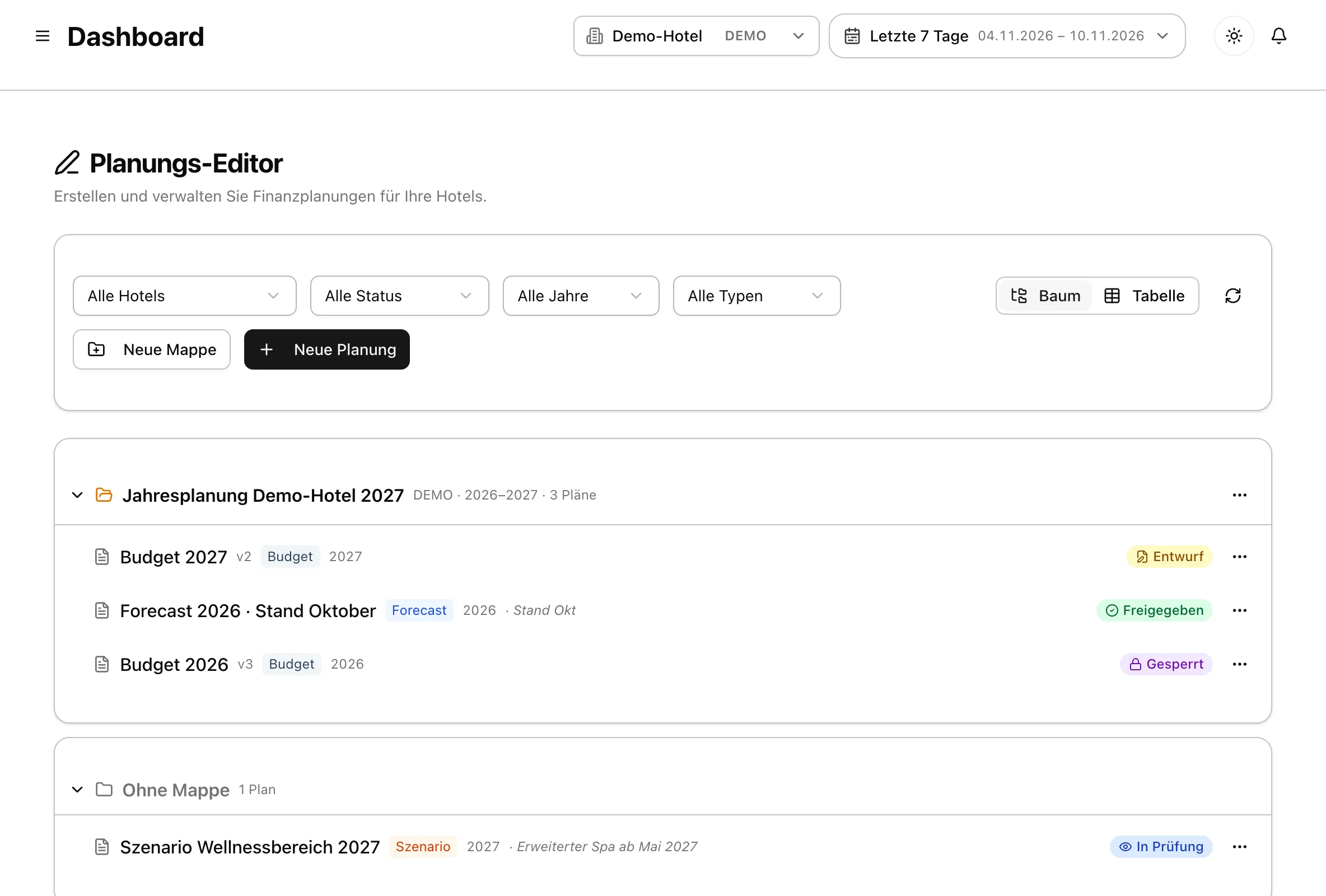
List of plans in a planning folder with status.

Which plan is currently valid?

Plans at a glance

You see all budgets, forecasts and scenarios of your hotels with year, version and status.

  • Filters
  • Folders
  • status

„Planung“ → „Planungswizard“

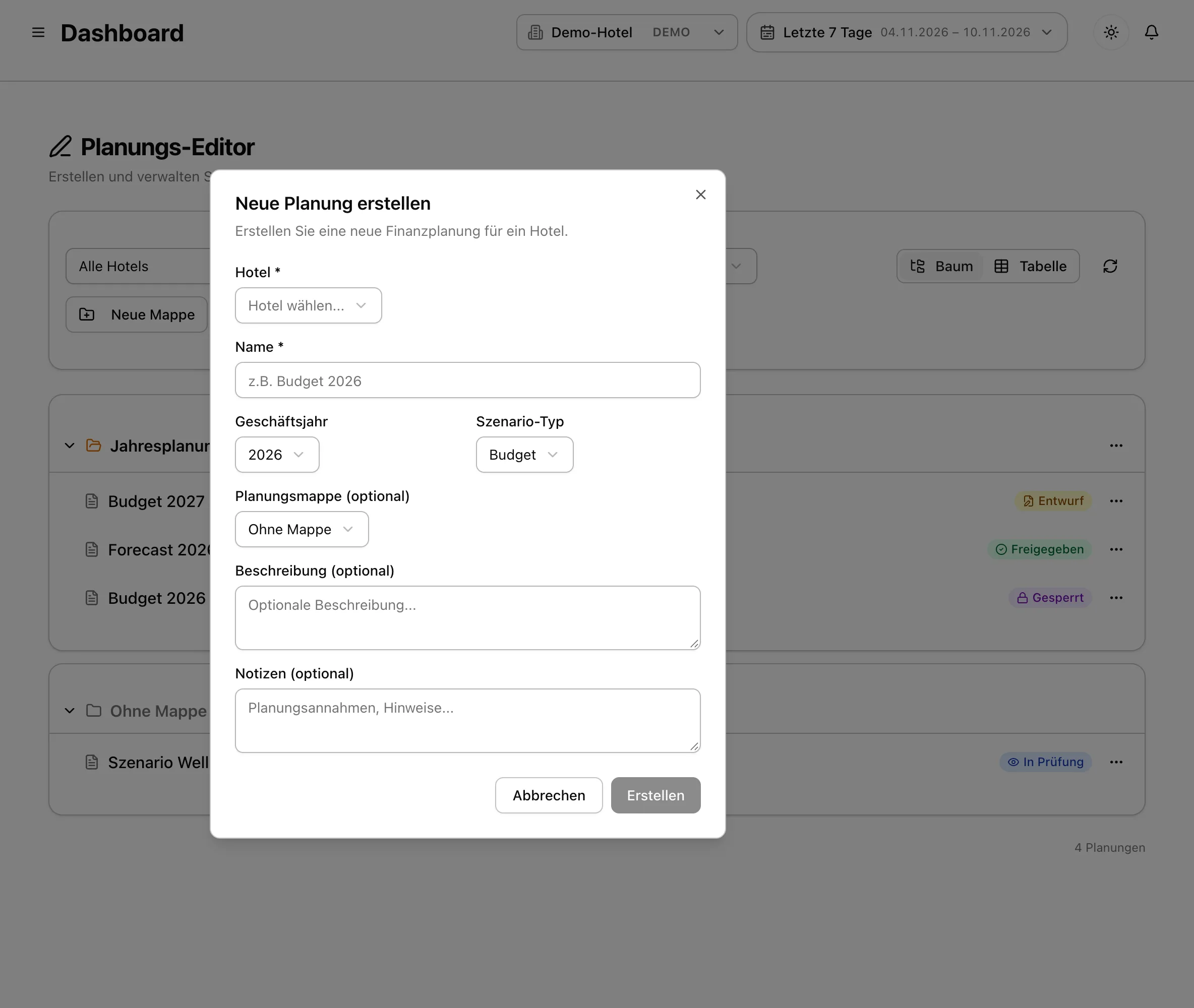
„Neue Planung erstellen“ dialog with hotel, name, financial year and scenario type.

How do I start the budget?

New plan

You create a plan for one hotel and one financial year and open it straight away.

  • Scenario type
  • Folder
  • Notes

„Planungswizard“ → „Neue Planung“

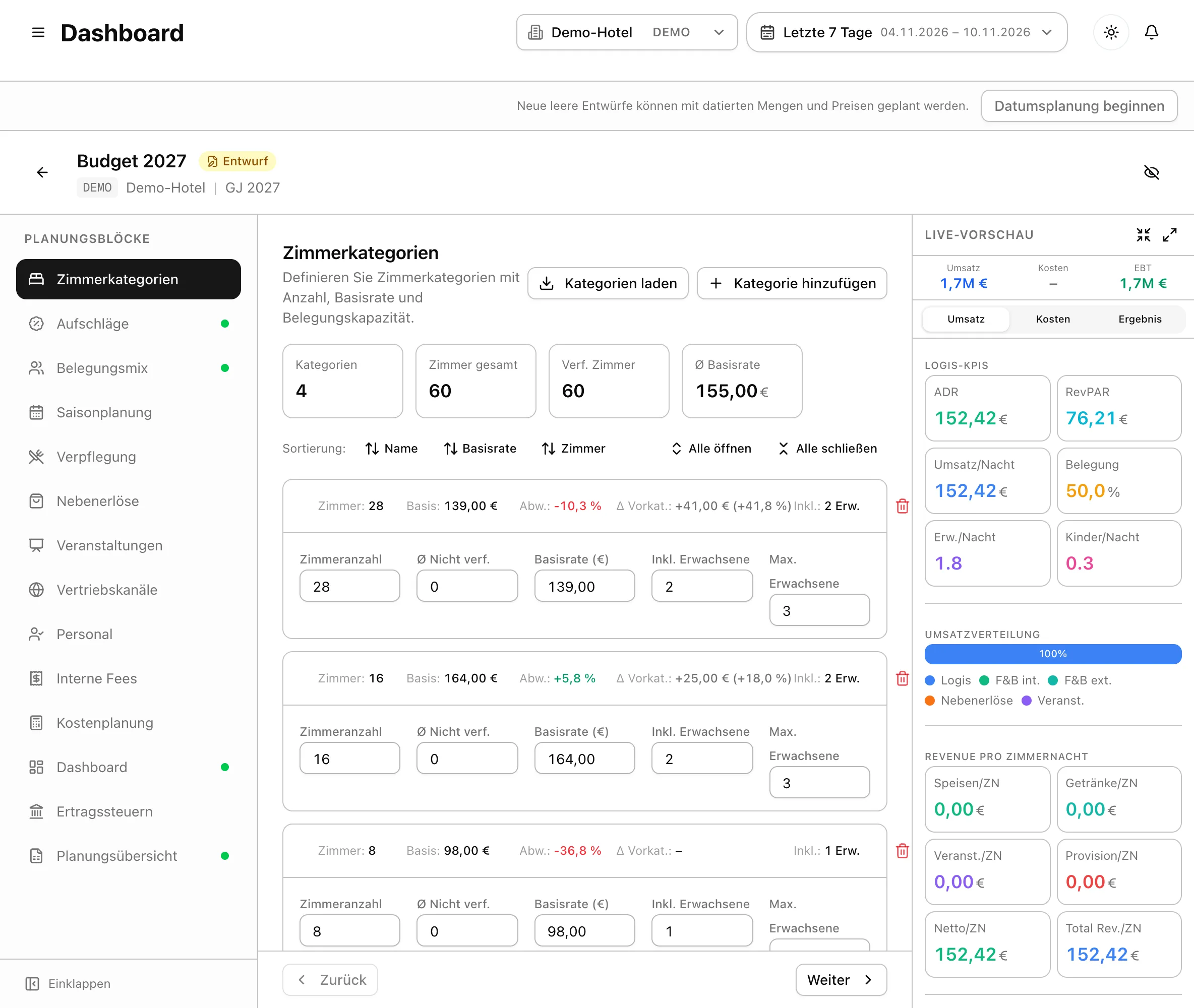
Planning wizard with planning blocks, room categories and live preview.

How is the revenue plan built?

Planning wizard

You plan block by block from the room categories to the costs and see the result live.

  • Planning blocks
  • Live preview
  • Save

Open the plan → „Planungsblöcke“

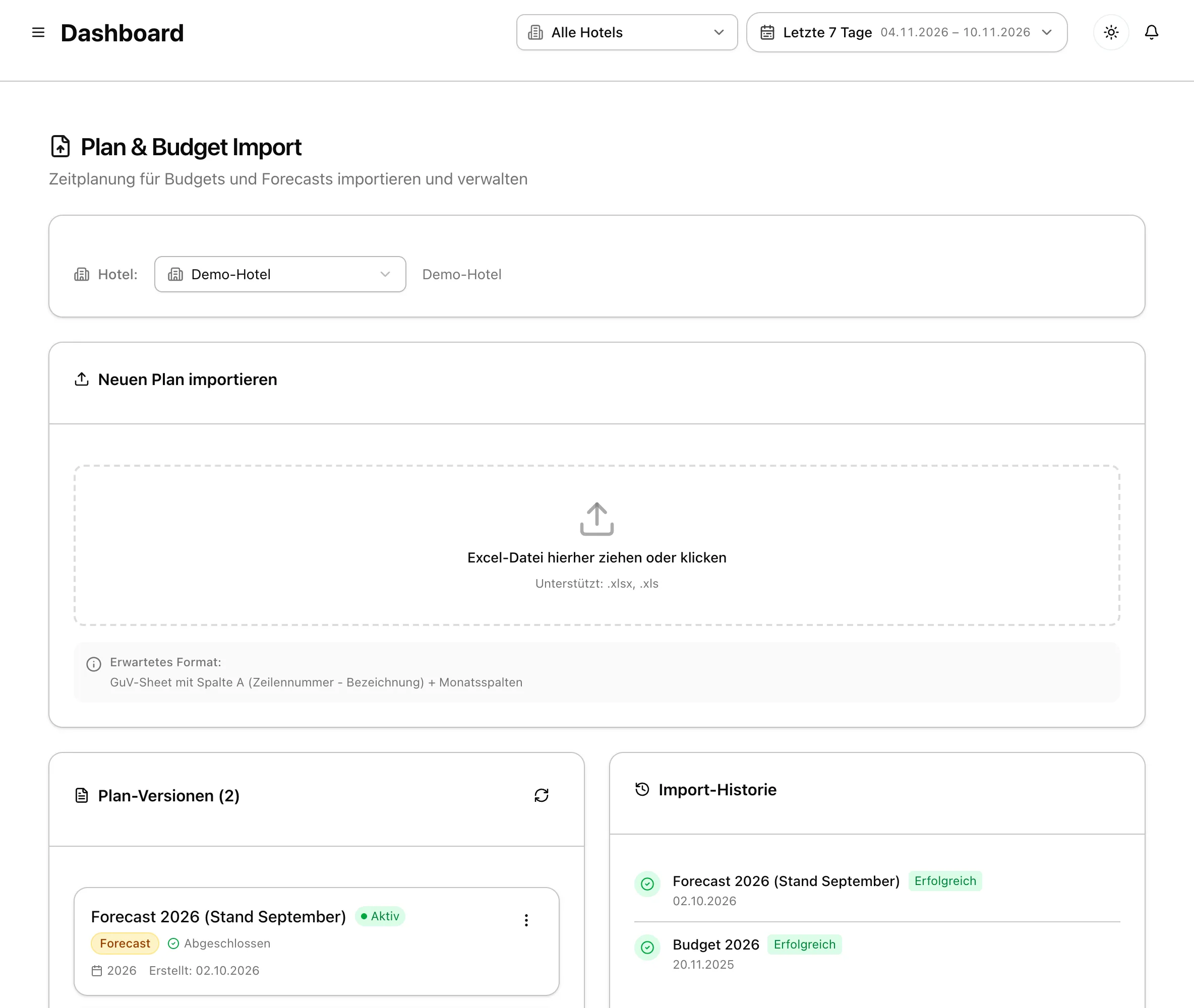
Plan & budget import with hotel, drop zone, plan versions and import history.

Our budget already exists in Excel.

Plan from Excel

You import a plan as an Excel file and then compare the BWA with this plan version.

  • Format
  • Plan versions
  • Import history

„Planung“ → „Upload“

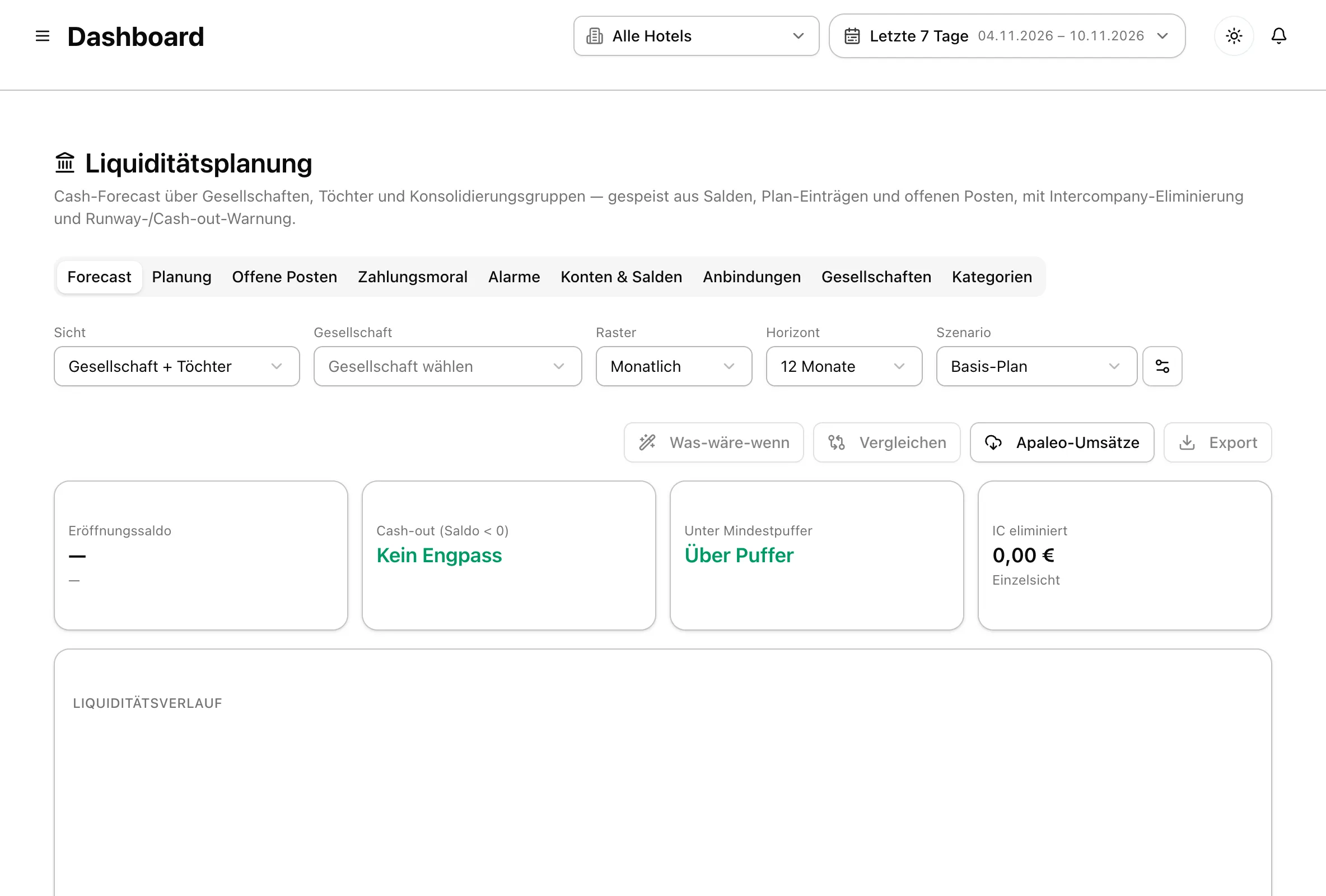
Liquidity planning with forecast selection and warning cards.

Will the money last over the next months?

Liquidity planning

You see the expected bank balance over the coming months and spot shortfalls early.

  • Forecast
  • Warnings
  • Basis

„Finanzen“ → „Liquiditätsplanung“

IN EVERYDAY LIFE

Step by step.

Mara Beispiel plans the 2027 budget for the Demo-Hotel.

Create a budget plan

Mara Beispiel creates the 2027 budget for the Demo-Hotel.

STEP 1 OF 3

Check existing plans

Open „Planung“ → „Planungswizard“ and filter by your hotel and the planning year.

The result
You see whether a budget already exists for this year.
1 / 3
Planning editor with filters and a planning folder.
Original product component · Demo dataEnlarge image

COMMON ERRORS

Avoid common mistakes

These mistakes cost planning work or lead to comparisons with the wrong figures.

  1. Left the wizard via the menu or the back arrow

    What happens
    Unsaved changes are lost without warning; you are only warned when closing or reloading the tab.
    This is the right way
    Choose „Speichern“ as soon as „ungespeicherte Änderung“ appears at the bottom. Instructions "Edit and save a plan in the wizard“ →
  2. Imported a plan into the hotel last selected in the BWA

    What happens
    The upload takes over the hotel selection from the BWA; the plan ends up with another hotel.
    This is the right way
    Check the hotel next to „Hotel:“ before you drop the file. Instructions "Import a plan from Excel“ →
  3. Created a second budget for the same year

    What happens
    Different people continue planning in different versions.
    This is the right way
    Filter by hotel and year before creating a plan and continue working in the existing one. Instructions "Create a budget plan“ →

QUESTIONS & ANSWERS

Answered briefly.

What is the difference between budget, forecast and scenario?

The budget is the plan for the financial year. A forecast re-estimates the year while it is running. A scenario calculates an alternative, such as a new spa area.

Does „Weiter“ save my entries?

No. „Weiter“ and „Zurück“ only switch the planning block. „Speichern“ saves; „Verwerfen“ discards all unsaved changes.

What does „Datumsplanung beginnen“ mean?

For a new, empty draft you can plan with dated quantities and prices instead of the wizard. Agree with controlling which planning method your hotel uses before you switch.

How do I change the status of a plan?

In the list, open the plan's „…“ menu and choose „Status ändern“. Choose the „Neuer Status“ and add a comment if needed.

Why does liquidity planning show no data?

The forecast needs companies that have been set up with balances, plan entries or open items. As long as nothing can be selected under „Gesellschaft“, contact your controlling team.

SETUP

Prepare the planning.

Before the first budget, decide who plans, who reviews and how plans are organised.

„Planung“ → „Planungswizard“

Define the planning process

Everyone involved works in the same plan and knows the next step.

Here's how to set it up

  1. Decide who creates and edits plans and who reviews and approves them.
  2. Use „Neue Mappe“ to create a planning folder for the planning year if several plans belong together.
  3. Agree which statuses your plans go through until approval.
Planning folder with plans in different statuses.
Original interface with demo data · Enlarge image

Done when...

… Done when every plan for the year is in the right folder and its status describes where it stands.

1 / 2
Checklist before release
  • Responsibilities for planning, reviewing and approving are defined.
  • There is exactly one valid budget per hotel and year.
  • Excel templates use the line numbers of the BWA schema.