The images show the German app. Captions in quotes remain as in the app.

Table of contentsOpen/close

ANALYTICS & FINANCE

BWA & Plan vs. Actual.
Month by month: actual, plan and variance.

You read your hotel's BWA (monthly management accounts) and compare it with plan, forecast or the previous year. Mara Beispiel uses it to prepare the monthly review for the Demo-Hotel.

To the overview

For hotel management, controlling and accounting

BWA of the Demo-Hotel with fictional monthly values.
Original product components with invented data · simplified demo framework
WHERE CAN I FIND THIS?

Management Hub → „Finanzen“ → „BWA“

Go to setup

OVERVIEW

Understand your hotel's result.

Select the task you currently want to complete. The features you see depend on your hotel's activation and your role.

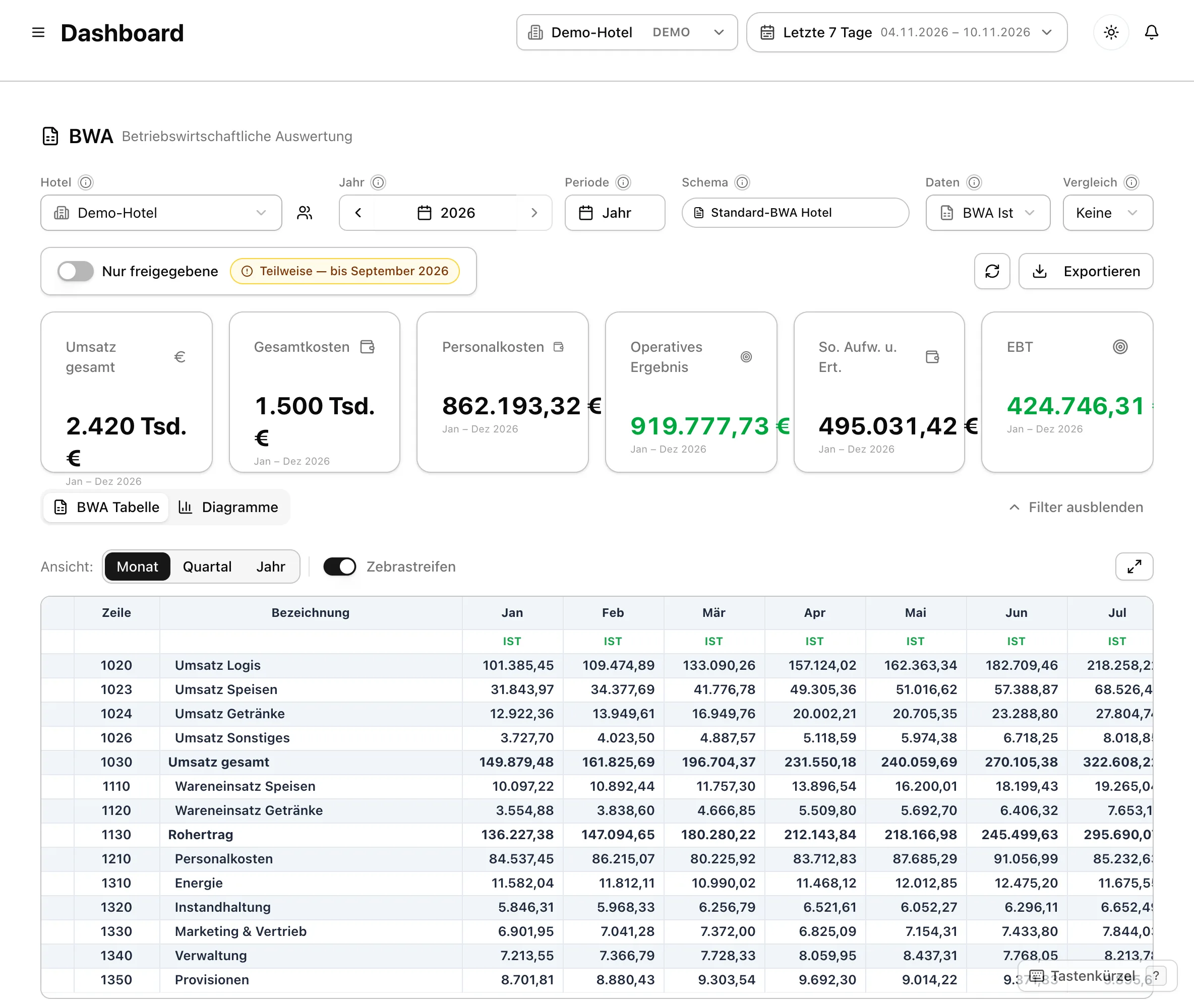
BWA table with line numbers, descriptions and monthly values.

Where does the hotel stand this year?

Read the BWA

You see your hotel's revenue, costs and result line by line and month by month.

  • Hotel & year
  • KPI cards
  • View

„Finanzen“ → „BWA“

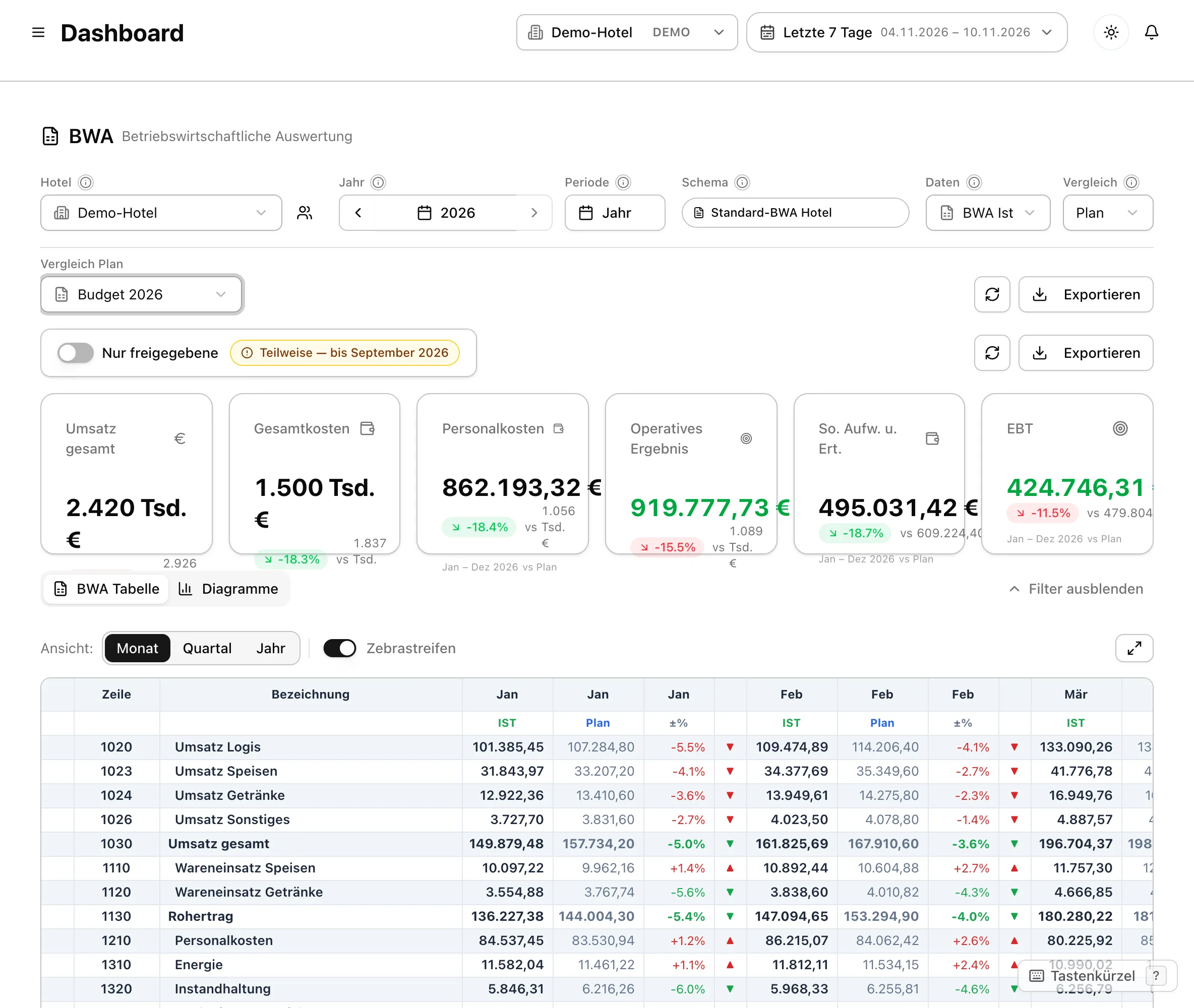
BWA with actual, plan and variance columns per month.

Are we above or below plan?

Plan vs. actual comparison

You compare the actuals with a plan, a forecast or the previous year.

  • Comparison type
  • Plan version
  • Variance

„BWA“ → „Vergleich“

„Nur freigegebene“ switch with the status „Teilweise — bis September 2026“.

May I pass on these figures?

Approval status

You see at a glance up to which month the actuals are checked and approved.

  • status
  • Approved only
  • Groups

„BWA“ → next to „Nur freigegebene“

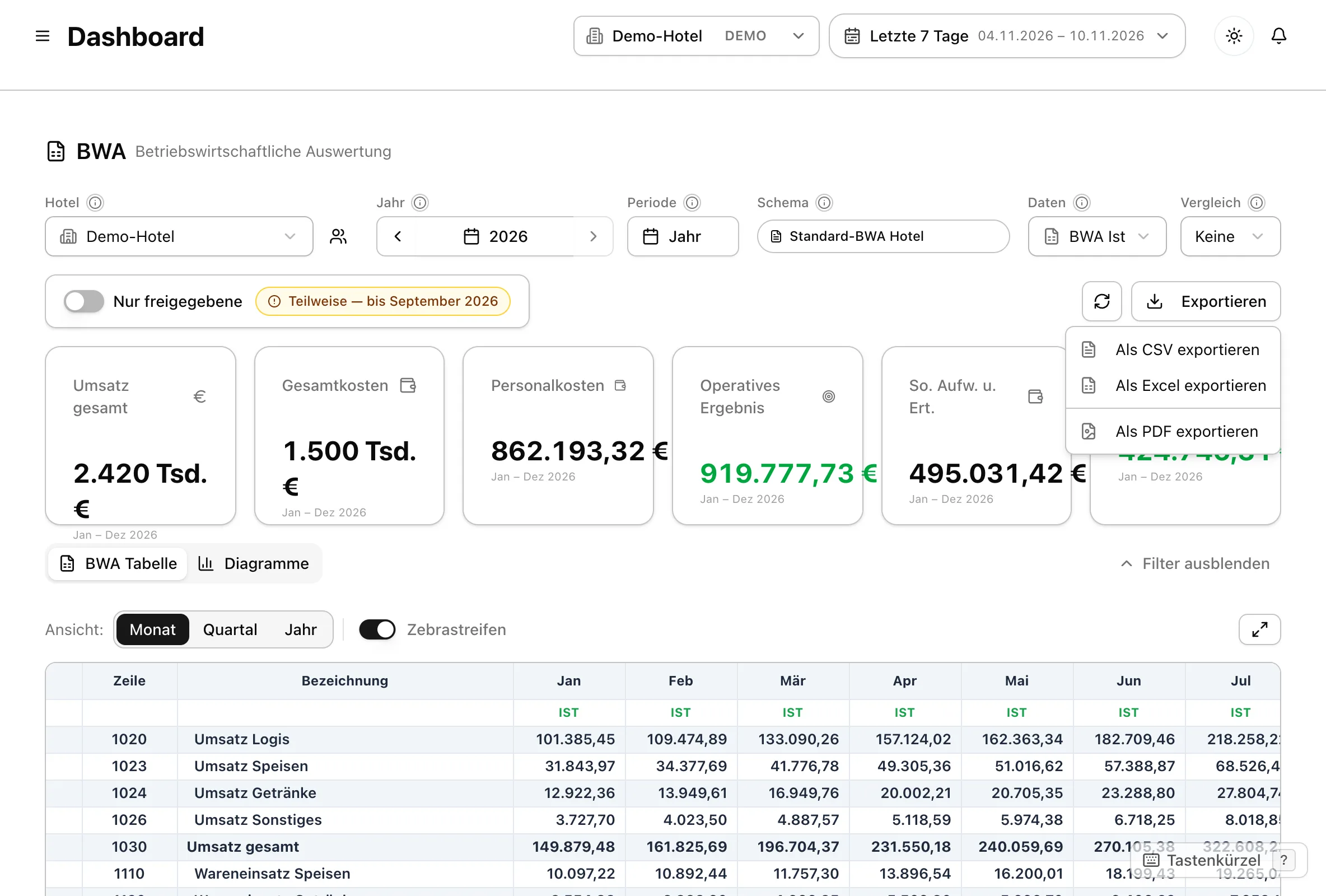
Open „Exportieren“ menu with CSV, Excel and PDF.

How does the bank get the figures?

Pass on the BWA

You save the displayed BWA as a PDF, Excel or CSV file.

  • Formats
  • Current selection
  • Directly in the browser

„BWA“ → „Exportieren“

IN EVERYDAY LIFE

Step by step.

Mara Beispiel prepares the monthly review at the Demo-Hotel.

Open a hotel's BWA

Mara Beispiel wants to see the Demo-Hotel's actuals for the current year.

STEP 1 OF 3

Choose hotel and year

Open „Finanzen“ → „BWA“. Choose your hotel under „Hotel“ and the financial year under „Jahr“.

The result
Your hotel's BWA schema appears under „Schema“; the table fills.
1 / 3
BWA header area with hotel, year, period, schema, data and comparison.
Original product component · Demo dataEnlarge image

COMMON ERRORS

Avoid common mistakes

These mistakes are not noticed when reading and lead to wrong figures for the bank, owner or management.

  1. Gave months that are not approved to the bank or owner

    What happens
    With „Teilweise“ or „Entwurf“ the file contains provisional figures that can still change.
    This is the right way
    Check the status before exporting and turn on „Nur freigegebene“ if needed. Instructions "Export an approved BWA“ →
  2. Compared with the automatically chosen plan version

    What happens
    The newest version is preselected; that can be a forecast instead of the budget.
    This is the right way
    Check the name under „Vergleich Plan“ and choose the version you want explicitly. Instructions "Compare actuals with the budget“ →
  3. Changed the hotel only in the header bar

    What happens
    The BWA has its own hotel selector and still shows the previously chosen hotel or consolidation.
    This is the right way
    Check the „Hotel“ field in the BWA itself before you read or export figures. Instructions "Open a hotel's BWA“ →
  4. Chose a month in „Freigabe“ just to look

    What happens
    The selection is saved immediately; the BWA then reports these months as approved.
    This is the right way
    Only change the approval after the check is complete and then check the status in the BWA. Instructions "Open a hotel's BWA“ →

QUESTIONS & ANSWERS

Answered briefly.

Why can't I select a plan?

There is no plan version for this hotel and year; the selector then reports „Keine Planversionen für 2026 gefunden“. Create a plan or import one, see „Budget & Liquidity“.

Why does it say „Kein Schema zugewiesen“?

No BWA schema has been assigned to the hotel for this year yet; the lines then stay empty. Controlling assigns it in „BWA-Verwaltung“.

What does the approval status mean for a consolidation?

For a group of several hotels, the lowest approval status of all hotels included applies. Individual hotels may already be approved further.

What does „Vorjahr“ compare with?

With the same hotel's actuals for the same months of the previous year.

Does the export change anything in the BWA?

No. The file is created from the current view and downloaded. Export again if you change hotel, period or comparison.

SETUP

Provide the BWA.

Controlling sets up schema, data and approval once and maintains the approval every month.

„Finanzen“ → „BWA-Verwaltung“ → „Schemata“

Assign the schema

Every hotel calculates with the right BWA schema.

Here's how to set it up

  1. Open „BWA-Verwaltung“ and check under „Schemata“ which schema applies to your hotels.
  2. Assign the schema to the hotel with a start date.
  3. Then open the hotel's BWA and check the entry under „Schema“.

Done when...

… Done when the BWA shows the right name under „Schema“ and the lines are filled.

1 / 3
Checklist before release
  • Every hotel has a schema for the current year.
  • Actuals are loaded up to the last closed month.
  • The approval is at the checked month.
  • Plan versions for the comparison are available.