The images show the German app. Captions in quotes remain as in the app.

Table of contentsOpen/close

TEAM & STAFF

Employee data.
One person. A reliable personnel file.

Find employees, update their details and manage contracts, access and supporting documents. For Robin’s arrival, start with the correct hotel and an existing or new personnel record.

To the overview

For department management, hotel management and human resources departments

Employee data with fictitious data.
Original product components with invented data · simplified demo framework
WHERE CAN I FIND THIS?

Personal → „Mitarbeiter“

Go to setup

OVERVIEW

Accompany the team well.

Select the task you currently want to complete. The features you see depend on your hotel's activation and your role.

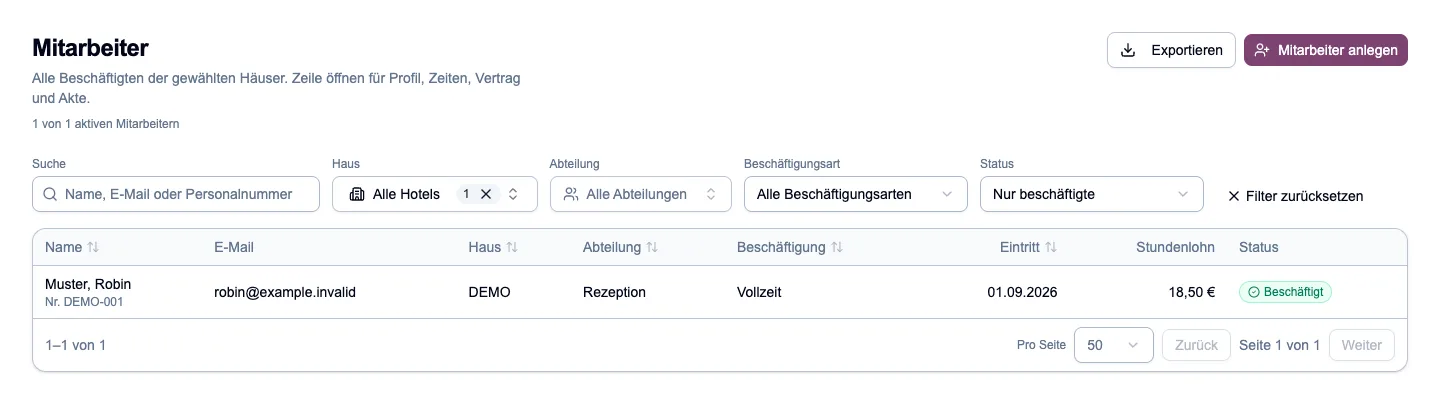
Find employees in the demo hotel.

Which person and which hotel?

Find employees

You open the correct personnel file and keep an eye on joiners and leavers.

  • Search & Filters
  • Personnel file
  • Entry & Exit

„Mitarbeiter“

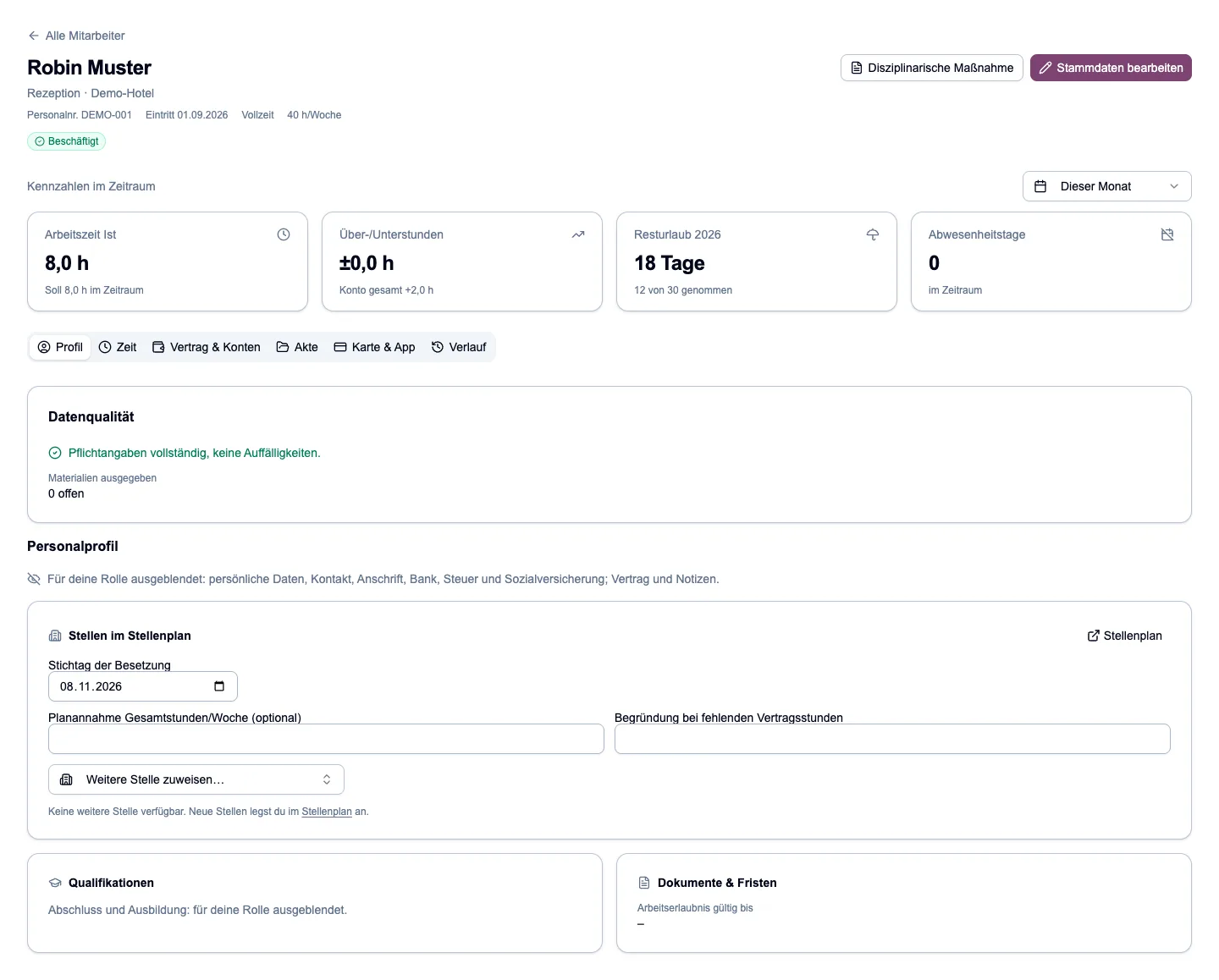
Profile & data maintenance in the demo hotel.

What information is still missing?

Profile & data maintenance

You keep contact and personnel information up to date and identify open audit tasks.

  • Master data
  • Data quality
  • Deadlines

„Mitarbeiter“ → „Profil“ · „Datenpflege“

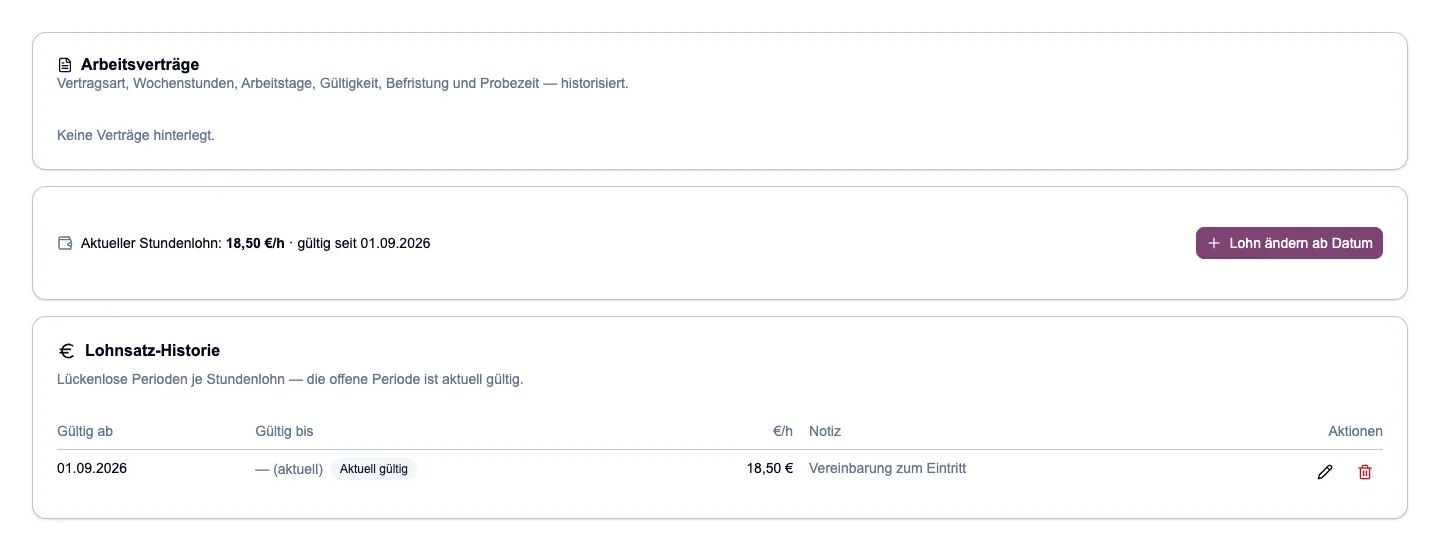
Contract & accounts in the demo hotel.

When does the agreement apply?

Contract & Accounts

You maintain working hours and remuneration with the appropriate validity period.

  • Contract & Wages
  • Annual account
  • History

Personnel file → „Vertrag & Konten“

Map & app in the demo hotel.

How does the person obtain their own data?

Map & App

You assign the time clock card and existing app account to the correct person.

  • Time clock card
  • App account
  • Check assignment

Personnel file → „Karte & App“

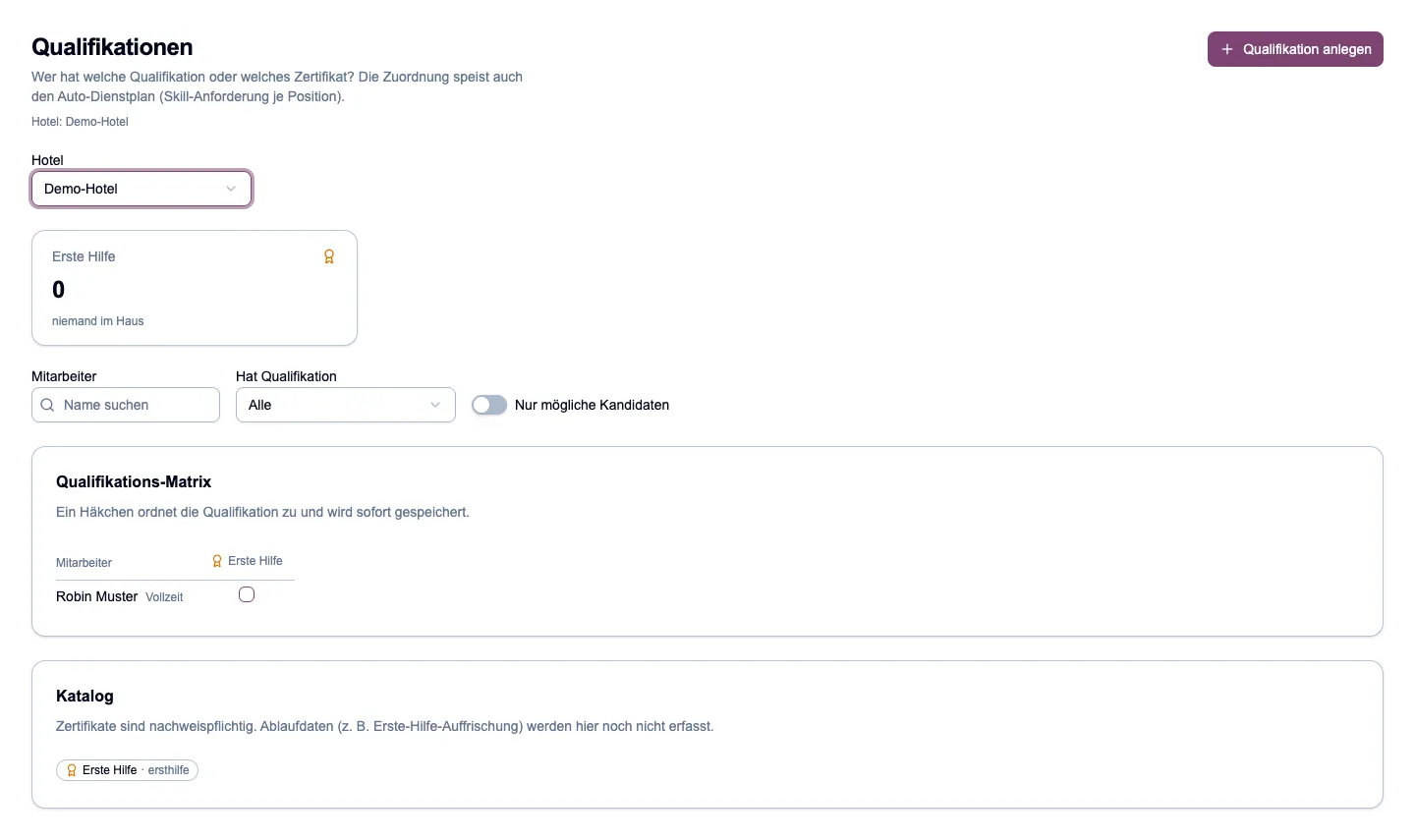
Qualifications & files in the demo hotel.

What does the team need for the mission?

Qualifications & Files

Keep qualifications, documents and issued equipment together in the employee’s record.

  • Qualifications
  • Documents
  • Materials & Deadlines

„Qualifikationen“ · Personnel file → „Akte“

IN EVERYDAY LIFE

Step by step.

The examples accompany Mara Example and Robin Muster through their everyday work in the demo hotel.

Create a person

Robin Muster begins in the demo hotel; Mara first checks whether a personnel file already exists.

STEP 1 OF 3

Find existing person

Open „Mitarbeiter“ and search Robin with advanced status filter too. Check hotel and employment records.

The result
You can see whether you are continuing to maintain an existing file.
1 / 3
Search for an existing person with fictitious personal data.
Original product component · Demo dataEnlarge image

COMMON ERRORS

That's what matters.

These distinctions help ensure that personal information and decisions are handled correctly.

  1. An existing person was recreated

    What happens
    Times, documents and access can be distributed across several personnel files.
    This is the right way
    Before creating a personnel record, look for people who have left and check the hotel and period. Instructions "Create a person“ →
  2. New wage rate entered in the old period

    What happens
    A retroactive change can change payroll bases that have already been checked.
    This is the right way
    Check the agreed validity and coordinate retroactive corrections with the human resources department. Instructions "Maintain a wage rate correctly in a timely manner“ →
  3. App account assigned to wrong person

    What happens
    The assignment determines access to personal data in the employee app.
    This is the right way
    Clearly match the account holder with the personnel file before linking. Instructions "Link an existing app account“ →
  4. Hidden information treated as missing

    What happens
    Role-dependent protected information may exist even though you do not see it.
    This is the right way
    Have the data status checked by the authorized body instead of entering sensitive information again or elsewhere. Instructions "Update personnel information“ →

QUESTIONS & ANSWERS

Answered briefly.

Are personnel files, time cards and app accounts the same thing?

They fulfill different tasks: The personnel file describes the employment, the card is used to record time and the app link assigns an existing user account. Check each assignment separately.

What happens when you remove the app shortcut?

The user account still exists. Access through that account to the employee’s own personnel data, working times and rosters requires a suitable link to the personnel record.

Where do I edit a personnel questionnaire?

Under „Dokumente“ → „Personalfragebögen“. Compare the information received with the profile and expressly confirm sensitive changes; The instructions can be found under Documents & Wage Handover.

What does an open pay rate period mean?

It has no fixed end date. Its beginning is also crucial: an open period that only begins in the future is not yet valid today.

Where can I find the position plan?

Under „Stellenplan“ with the associated tab „Freigaben“. It describes staffing plans; A planned position does not replace the personnel file or a specific roster shift.

How do I deal with an exit?

Maintain confirmed exit date and coordinate open times, vacation, documentation, and return of materials. Check your card and account details separately; A date alone does not result in a documented blocking of all access.

SETUP

Prepare for collaboration.

Clarify the basics before the team works with the area.

„Mitarbeiter“ · „Abteilungen“

Clarify hotel, areas and responsibilities

Determine who maintains and releases which personnel information.

Here's how to set it up

  1. Determine who maintains and releases which personnel information.
  2. Check hotel, departments and existing personnel files.
  3. Match employment, card and app account to the correct person.
Clarify hotel, areas and responsibilities in the demo hotel.
Original interface with demo data · Enlarge image

Done when...

… The person can be clearly found and edited in the designated area.

1 / 1
Checklist before release
  • Hotel, period and responsibility have been checked.
  • The required data is complete and current.
  • Releases and follow-up tasks are coordinated with those responsible.