The images show the German app. Captions in quotes remain as in the app.

Table of contentsOpen/close

ORGANIZE HOTEL OPERATIONS

Vouchers.
Give the gift of joy. Keep an eye on the remaining balance.

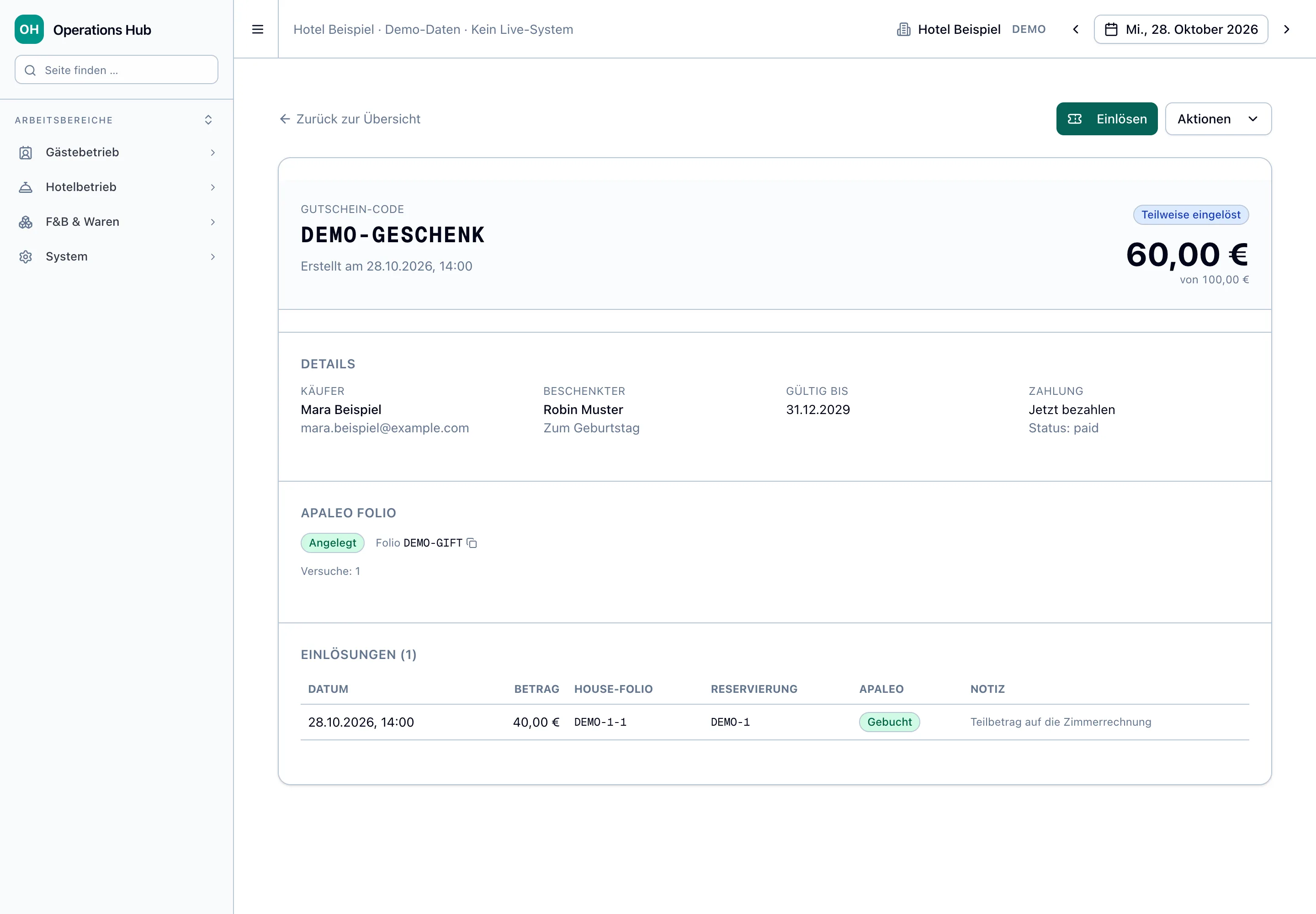
You sell vouchers and redeem them on an open invoice at your hotel. Mara Beispiel gives away 100 euros; Robin Muster initially uses 40 euros and keeps 60 euros for later.

To the overview

For reception, event planning and hotel management

Find vouchers with fictitious data in the demo hotel.
Original product components with invented data · simplified demo framework
WHERE CAN I FIND THIS?

Operations → „Gutscheine“

Go to setup

OVERVIEW

From the offer to the visible result.

Find the right start for your daily task. The features you see depend on your hotel's activation and your role.

Find vouchers with fictitious data in the demo hotel.

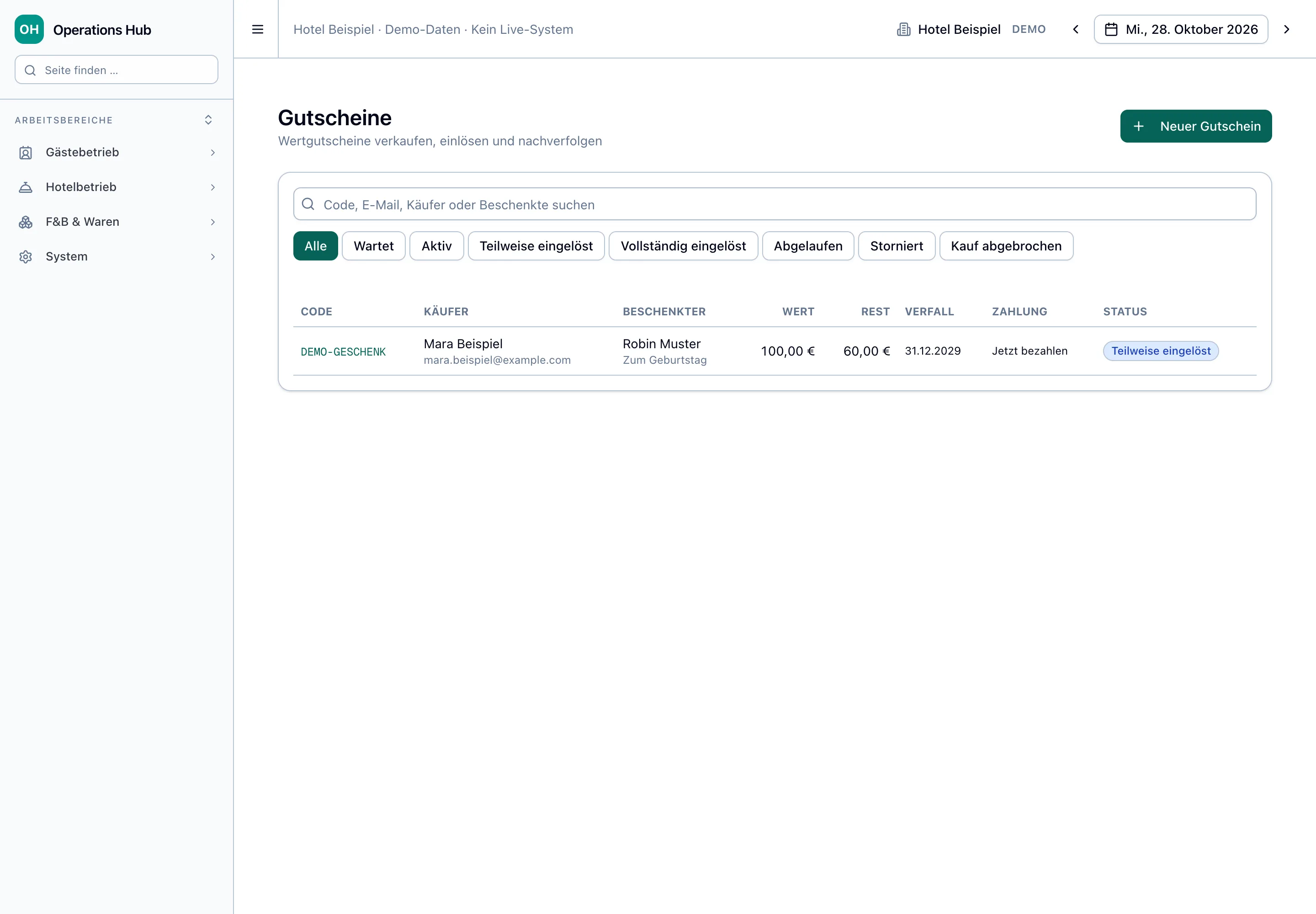
Which voucher is available?

Find vouchers

You can find the voucher and see its status, original value and available credit.

  • Search
  • status
  • Details

„Gutscheine“

Selling with fictitious data in the demo hotel.

How does the guest receive their voucher?

Sell

You record the value, the person receiving the gift and the buyer and choose the appropriate payment method.

  • Value
  • Buyer
  • payment

„Gutscheine“ → „Neuer Gutschein“

Redeem with fictitious data in the demo hotel.

How much can the guest use today?

Redeem

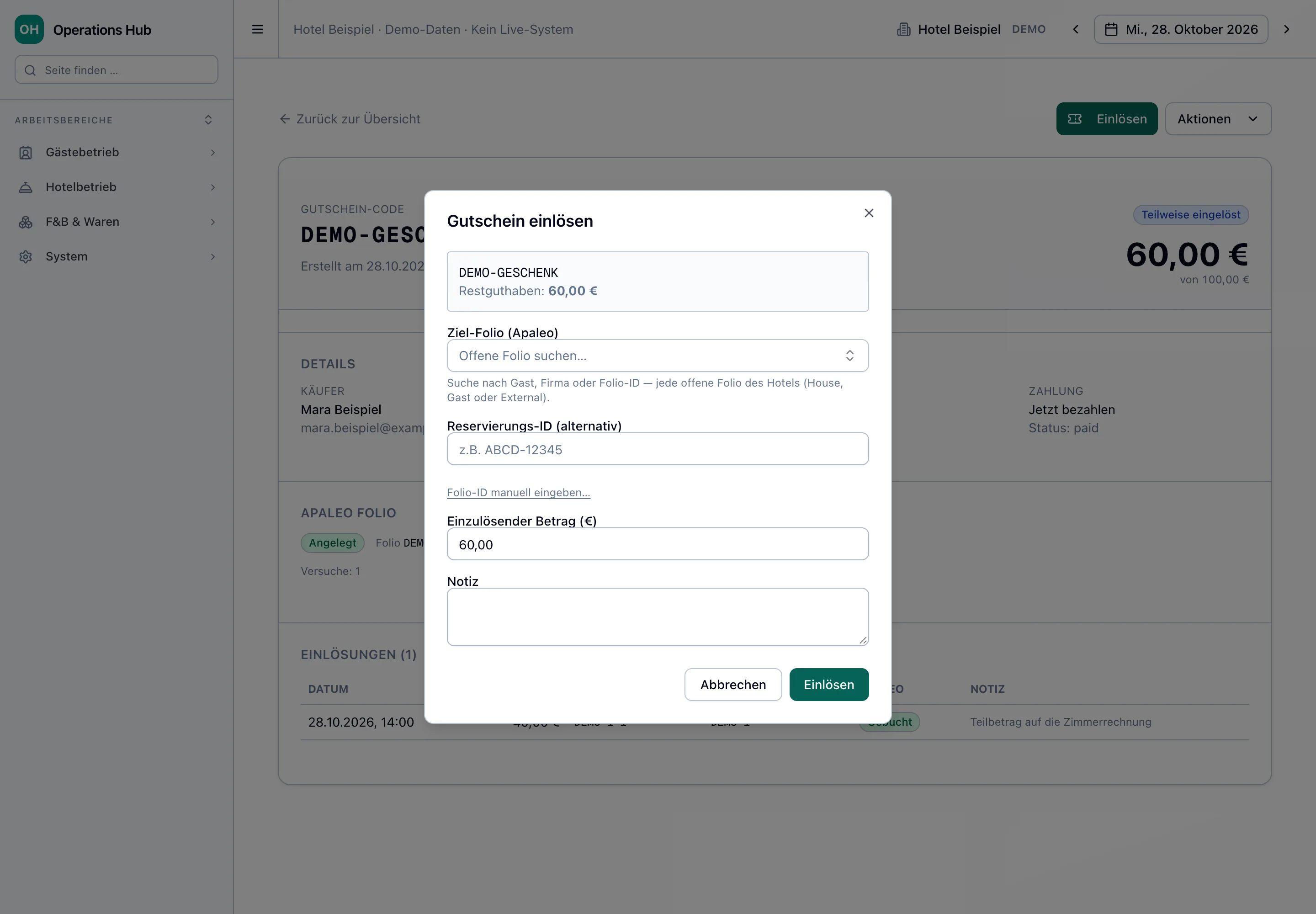
You apply the voucher to an open invoice and then see the remaining value.

  • Target calculation
  • partial amount
  • remaining balance

Open voucher → „Einlösen“

Receipts & history with fictitious data in the demo hotel.

What has already been used?

Receipts & history

You review individual redemptions and provide the voucher PDF again.

  • History
  • PDF
  • apaleo

Open voucher

IN EVERYDAY LIFE

Step by step.

Mara Beispiel and Robin Muster accompany you through the processes in the demo hotel.

Sell ​​a voucher

Mara Beispiel buys a voucher for Robin Muster.

STEP 1 OF 4

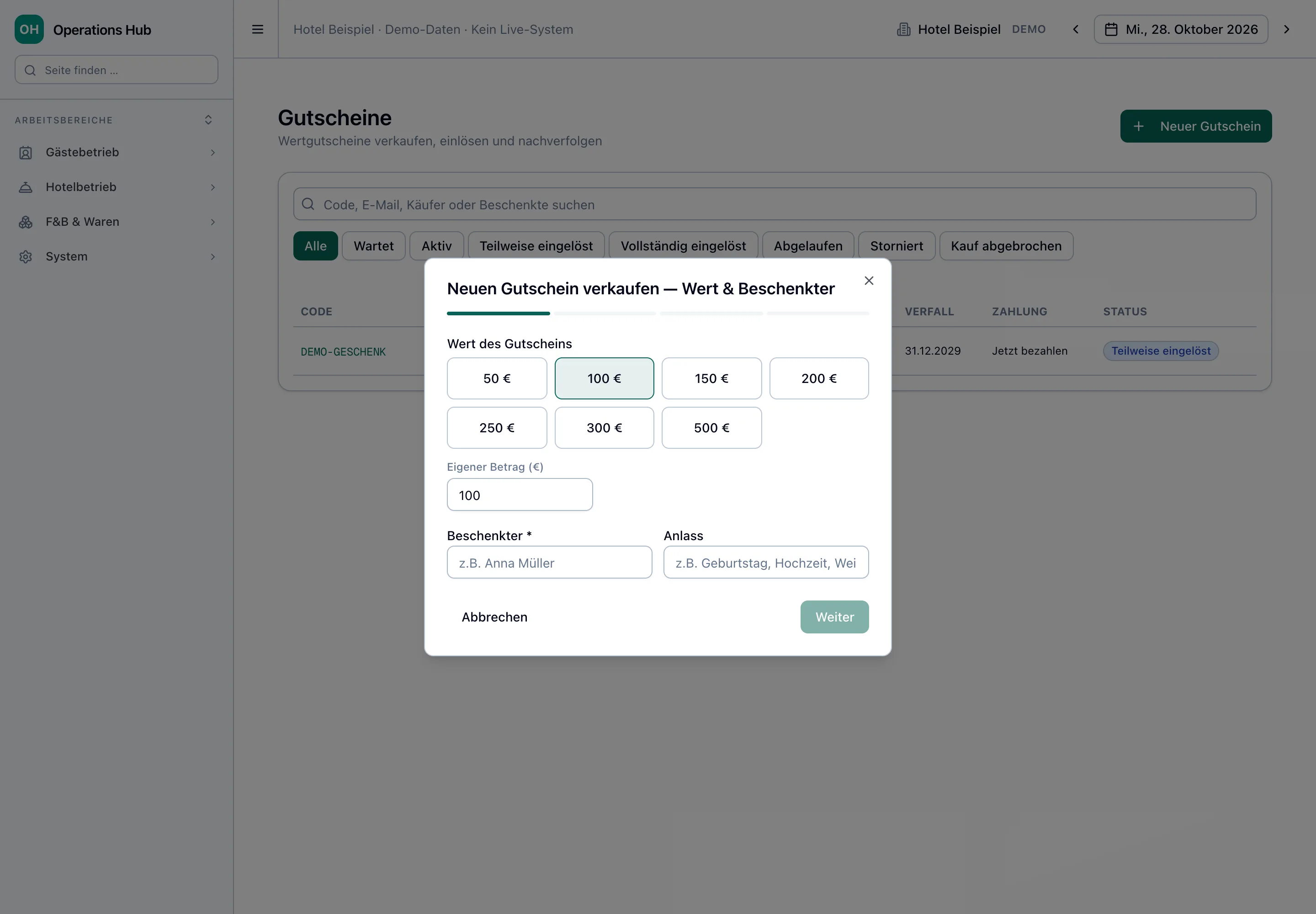
Capture value and name

Open „Neuer Gutschein“ and fill out „Wert & Beschenkter“. Go to buyer details using „Weiter“.

The result
The value and person receiving the gift are fixed.
1 / 4
Record value and name with fictitious data.
Original product component · Demo dataEnlarge image

COMMON ERRORS

That's what matters.

These mix-ups can involve money or a booking.

  1. Trying to clear an outstanding payment status by collecting payment again

    What happens
    The buyer may be charged twice.
    This is the right way
    First check the existing apaleo account and the payment actually posted. Instructions "Clarify an outstanding voucher payment“ →
  2. Correct voucher redeemed against the wrong account

    What happens
    The balance decreases even though another invoice was settled.
    This is the right way
    Check the guest, hotel, target invoice and outstanding amount together before confirming. Instructions "Redeem a voucher partially or completely“ →
  3. Voucher use at another till recorded only verbally

    What happens
    The credit may still appear available in the hub.
    This is the right way
    Coordinate such cases with the responsible billing department; the normal dialog requires an open apaleo invoice. Instructions "Redeem a voucher partially or completely“ →
  4. A charge to the room account treated as money already collected

    What happens
    The outstanding room bill can be overlooked upon departure.
    This is the right way
    Check the sales item and collect the room bill in the regular billing process. Instructions "Sell ​​a voucher“ →

QUESTIONS & ANSWERS

Answered briefly.

What happens when you sell in apaleo?

With „Jetzt bezahlen“, a separate account is created for the voucher sale; collect payment using „Kassieren“. With „Auf Folio des Gastes“, the sale is posted to the selected room account; the voucher can already be used.

What happens when you redeem in apaleo?

The amount used is posted as a voucher payment to the selected open account. The remainder stays on the voucher; check both results in „Einen Gutschein teilweise oder vollständig einlösen“.

Can I only redeem a portion?

Yes. Choose a partial amount; If the outstanding invoice is smaller than the credit, the unused remainder remains on the voucher.

Can a voucher be redeemed at another hotel?

The redemption dialog requires an open invoice from the same hotel. Please clarify any differing agreements with the responsible billing department before redeeming them.

Where do guests buy online?

On the voucher page of your hotel website. The integration with „Voucher Sale Wizard“ and „Voucher Showcase“ is described under „Website & Medien“.

SETUP

Prepare for the sale.

Agree on the offer, responsibilities and billing before the first sale.

Operations → „Gutscheine“

Coordinate sales and billing

Your team knows the sales route, validity and proof of successful redemption.

Here's how to set it up

  1. Get access to vouchers and the necessary payment methods set up for your hotel.
  2. Coordinate validity, buyer confirmation, and redemption handling with management.
  3. Check the apaleo allocation and the document method used with the billing.
Coordinate sales and billing in the demo hotel.
Original interface with demo data · Enlarge image

Done when...

… Your team knows the sales route, validity and proof of successful redemption.

1 / 1
Checklist before release
  • Hotel and responsibilities are correct.
  • Prices and sales conditions are agreed.
  • Payment method and result have been checked.