The images show the German app. Captions in quotes remain as in the app.

Table of contentsOpen/close

ORGANIZE HOTEL OPERATIONS

Kitchen & Service.
Well prepared through every meal

You plan meal covers and dishes, take your guests’ wishes into account and coordinate kitchen and service teams using separate task boards.

To the overview

For employees, shift managers and area managers

Kitchen & service in the demo hotel.
Original product components with invented data · simplified demo framework
WHERE CAN I FIND THIS?

F&B & Goods → F&B · Service · Menu Plan

Go to setup

OVERVIEW

What can you do here?

You plan meal covers and dishes, take your guests’ wishes into account and coordinate kitchen and service teams using separate task boards. The features you see depend on your hotel's activation and your role.

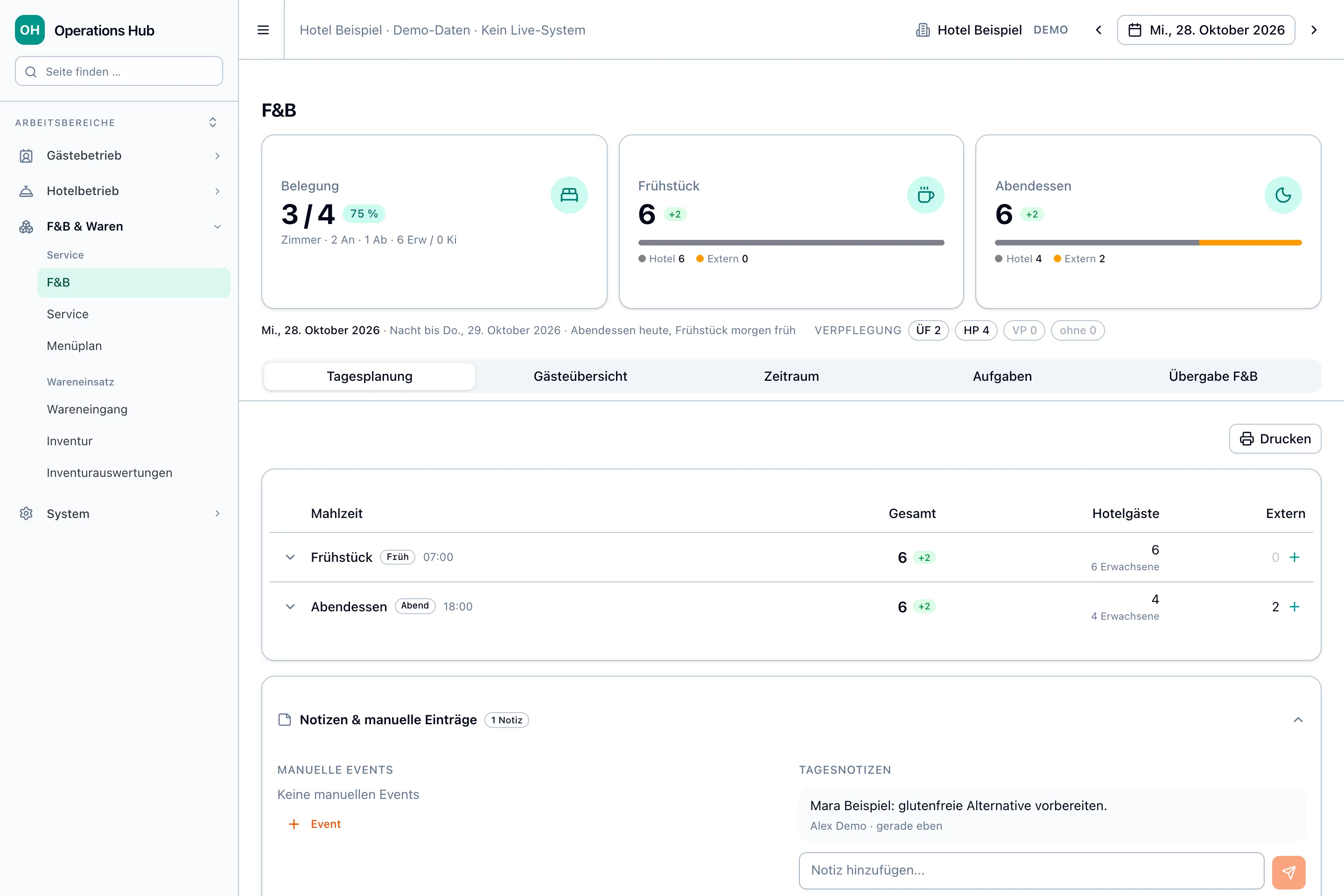
Daily planning in the demo hotel.

How many covers do we prepare?

Daily planning

You can see the planned covers for each meal and their distribution for the selected overnight stay.

  • Select night
  • View the cover breakdown
  • Daily arrangements

„F&B“ → „Tagesplanung“

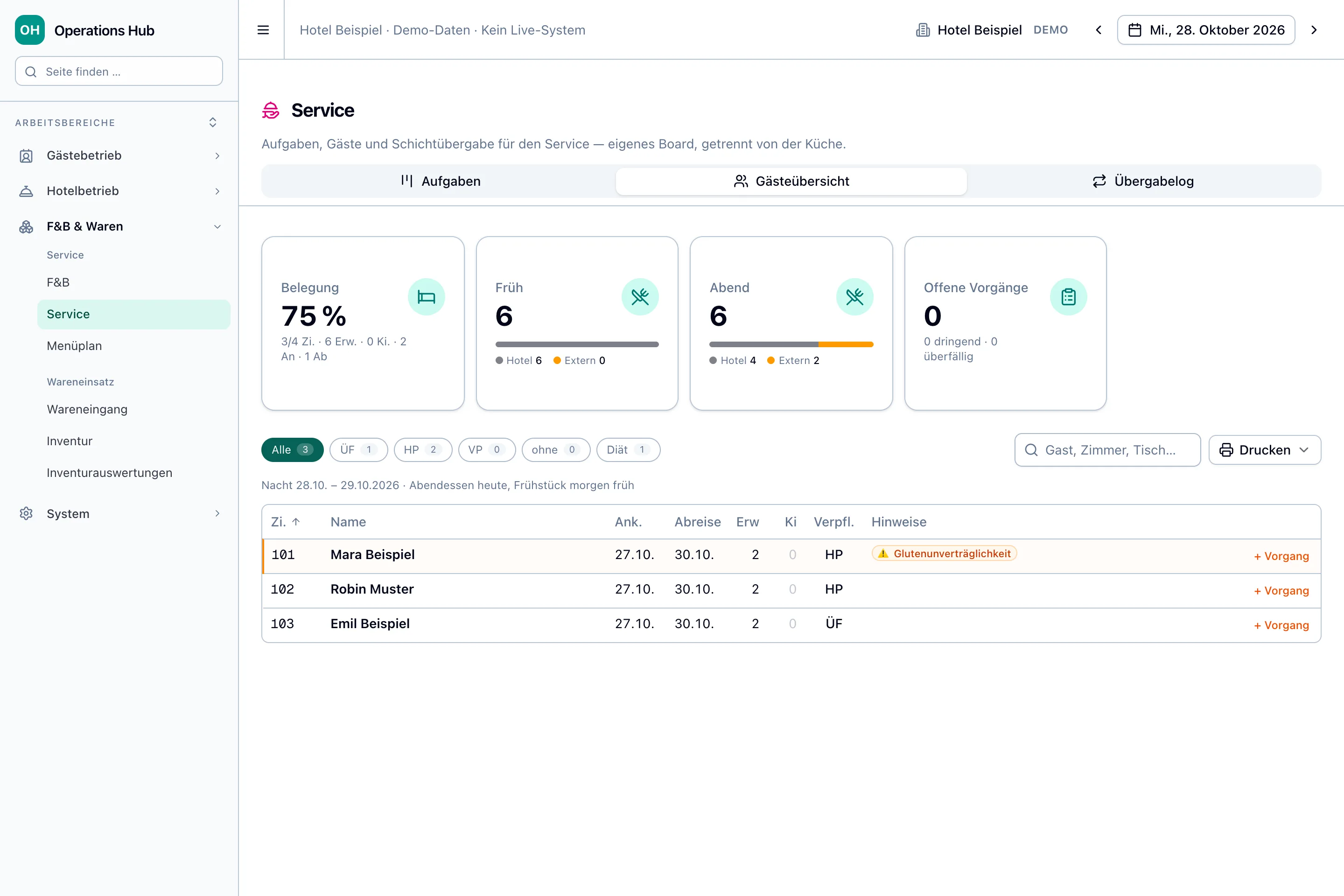
Guest overview in the demo hotel.

Which wishes do we take into account when providing service?

Guest overview

You can find catering, dietary information and assigned tasks directly with the guests.

  • Search specifically
  • Suitable tasks
  • Take the list with you
  • See tables

„F&B“ or „Service“ → „Gästeübersicht“

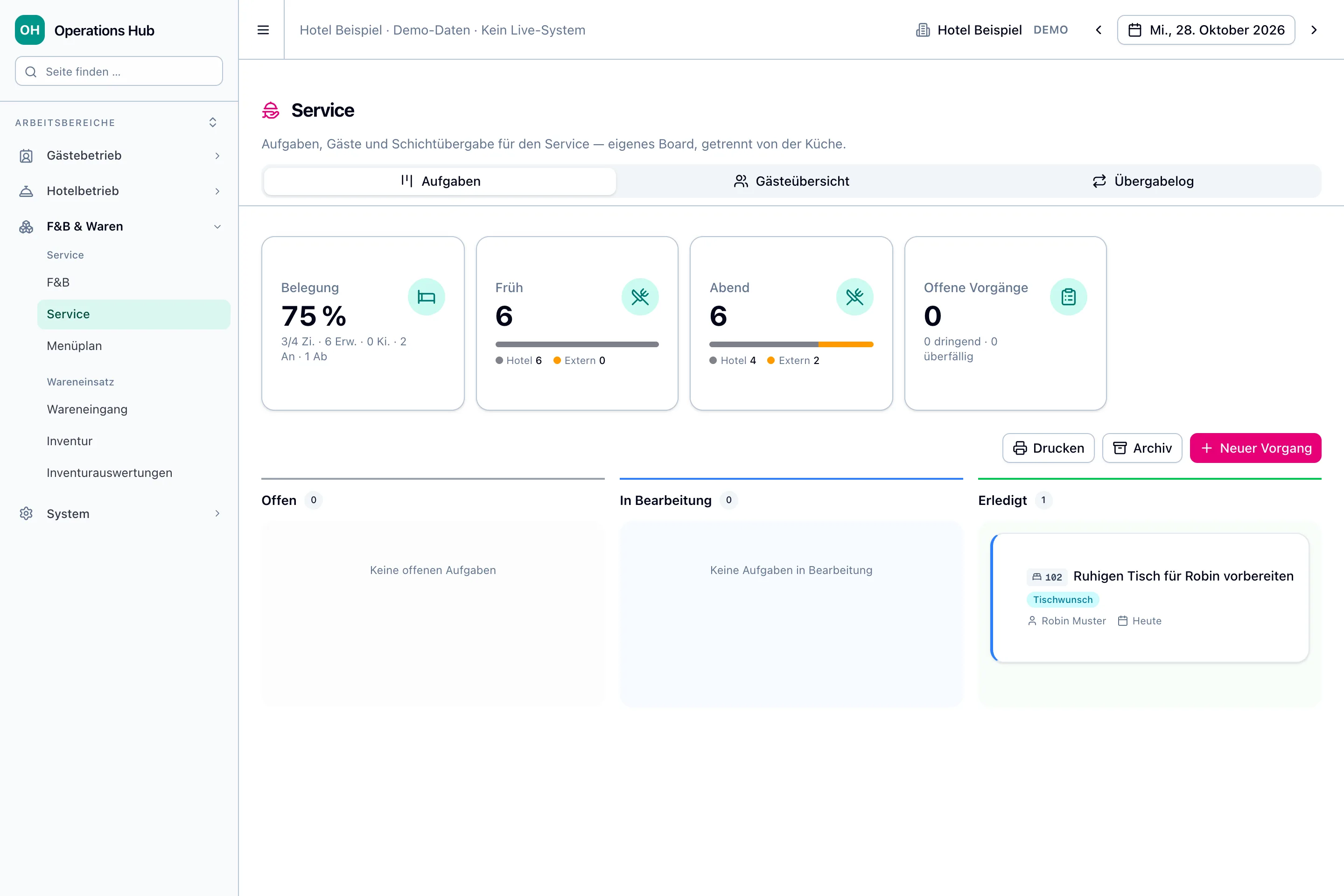
Tasks per department in the demo hotel.

Who handles the request?

Tasks per department

You work on kitchen and service tasks on separate boards and hand over outstanding work to the next shift.

  • Show work status
  • Start with the guest
  • Collaborate

„F&B“ → „Aufgaben“ · „Übergabe F&B“; „Service“ → „Aufgaben“ · „Übergabelog“

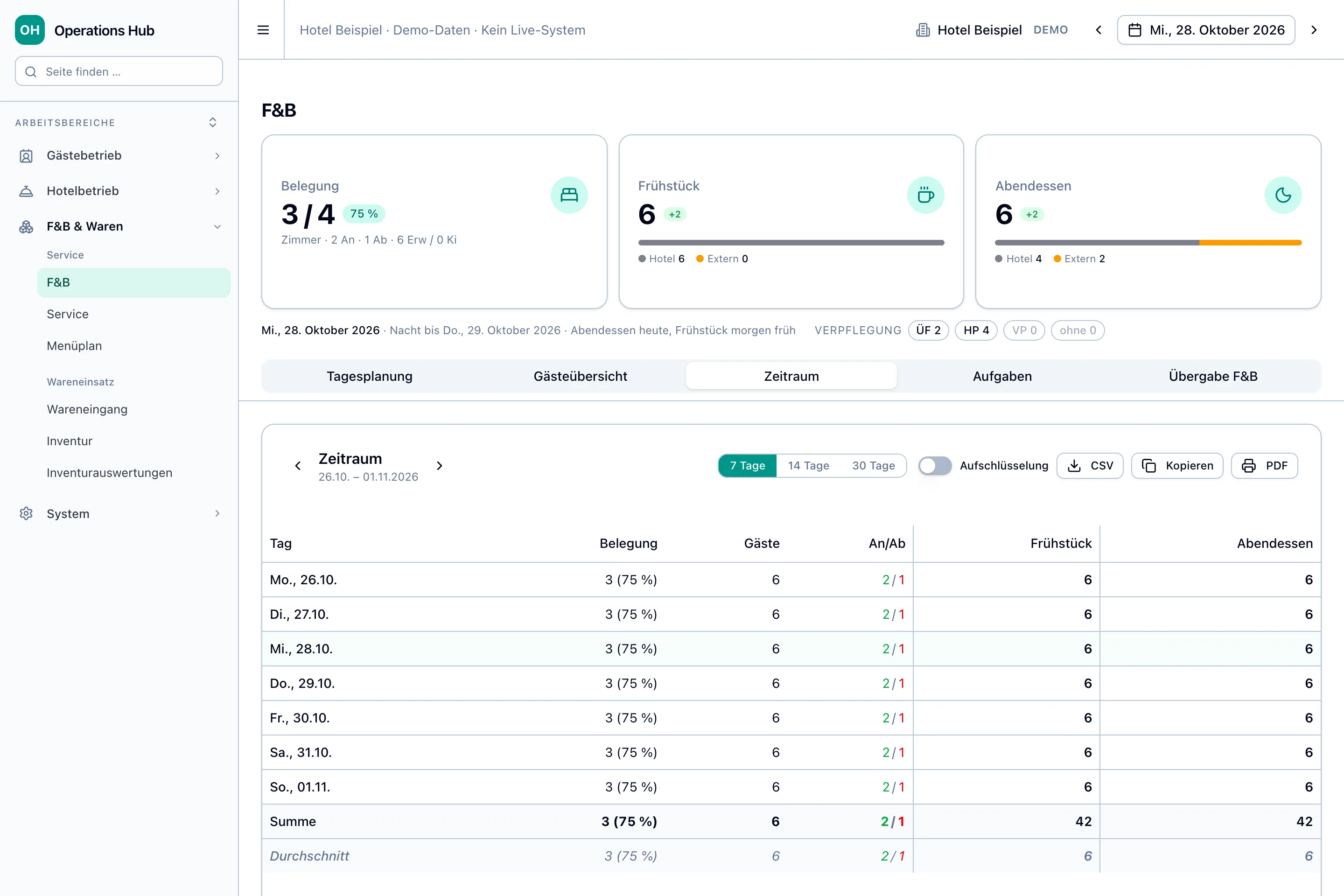
Preview in the demo hotel.

What's in store for us in the next few weeks?

Foresight

You compare the expected covers over several days and prepare staff and purchasing accordingly.

  • Choose horizon
  • Recognize peaks
  • Take advantage of the house offer

„F&B“ → „Zeitraum“

IN EVERYDAY LIFE

Step by step.

This is how you guide your team safely through their daily tasks.

Prepare the right breakfast list

For Mara Beispiel and the other guests, prepare breakfast on October 29, 2026.

STEP 1 OF 3

Choose the overnight stay

Open „F&B“ and select the reference date 10/28/2026. Check the night information above the planning.

The result
The breakfast number belongs to the morning of October 29th, 2026.
1 / 3
Select the overnight stay using fictitious example data.
Original product component · Demo dataEnlarge image

COMMON ERRORS

Common mistakes

These differences help you get reliable results.

  1. Choose the morning as the reference date for breakfast

    What happens
    The list may contain the wrong guests and covers.
    This is the right way
    For breakfast, select the preceding night and check the displayed overnight period. Instructions "Prepare the right breakfast list“ →
  2. Only give the service request to the kitchen

    What happens
    The service does not see the task on its board.
    This is the right way
    Create the task in the service guest overview or explicitly assign the department to „Service“. Instructions "Send a guest request to the correct department“ →
  3. Confusing a fixed list with the filtered view

    What happens
    The printout may contain different guests than the selection on the screen.
    This is the right way
    Select „Aktuelle Ansicht“ if you want your search and filters to determine the output. Instructions "Prepare the right breakfast list“ →
  4. Mixing up recipe quantity and serving base

    What happens
    The calculated requirement can be significantly too high or too low.
    This is the right way
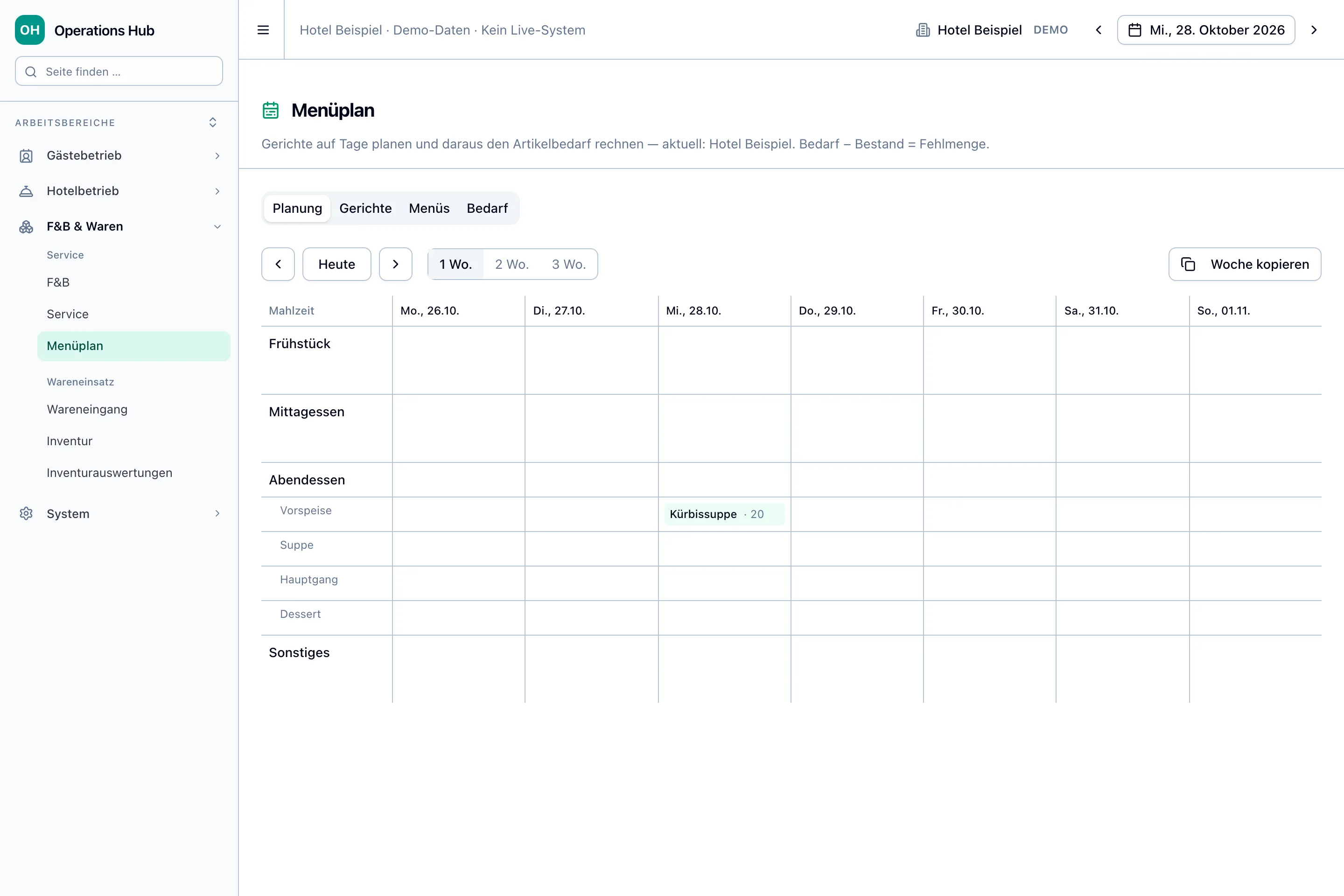
    Check the recipe quantities and portion basis, and the number of planned portions, before using the shortfall to plan purchases. Instructions "Check shopping requirements from the menu plan“ →
  5. Treat the book inventory as freshly counted inventory

    What happens
    An incorrect inventory basis can obscure necessary purchases.
    This is the right way
    Review inventory and notes with the inventory team; Compare any unusual quantities before ordering. Instructions "Check shopping requirements from the menu plan“ →

QUESTIONS & ANSWERS

Answered briefly.

What makes „F&B“ different from „Service“?

„F&B“ is the planning space for meals and kitchen tasks. „Service“ bundles the service tasks, the guest overview with service tasks and your own handover log. The cover numbers refer to the same overnight stay chosen.

What do ÜF, HP and VP mean?

„ÜF“ stands for overnight stay with breakfast, „HP“ for breakfast and dinner, „VP“ also for lunch. The HP selection also includes VP guests. An additional snack does not change this classification.

Why is a guest missing from the overview?

The overview depends on the allocated catering services for the selected night. First check the overnight stay and then the service allocation with the area manager.

Does „Bedarf“ automatically become an order?

You will receive a basis for your purchase. You place the order via your company's agreed ordering channel.

When do we use the table list?

Once you have set up a table plan, assign guests to tables. For an overview of all guests including dietary information and tasks, use the guest overview.

SETUP

Set up the area

Prepare the basics so the team can get started right away.

„Einstellungen“ → „F&B Konfiguration“

Assign the catering offer

The maintained meals and service assignments determine covers and guest overview.

Here's how to set it up

  1. Check meals and ages of your house.
  2. Assign the services used to the appropriate meal and age group.
  3. Compare a known stay with daily planning and guest overview.

Done when...

… Done when the expected guests and meals show up on the correct reference date.

1 / 2
Checklist before release
  • Breakfast was checked based on the previous night.
  • Kitchen and service know their task boards.
  • A sample recipe was compared with ingredients, portions and missing quantities.