The images show the German app. Captions in quotes remain as in the app.

Table of contentsOpen/close

PRICES & SALES OFFERS

Packages & Services.
Make a coherent offer out of services

You maintain accommodation packages, assign included services and set extra-service prices for your hotel.

To the overview

For reception, reservations and sales management

Maintain packages with sample data from the demo hotel.
Original product components with invented data · simplified demo framework
WHERE CAN I FIND THIS?

Sales → „Pakete“ · „Extras & Preise“ · „Extras Katalog“

Go to setup

OVERVIEW

What can you do here?

You maintain accommodation packages, assign included services and set extra-service prices for your hotel. The features you see depend on your hotel's activation and your role.

Maintain packages with sample data from the demo hotel.

What do we offer the guest?

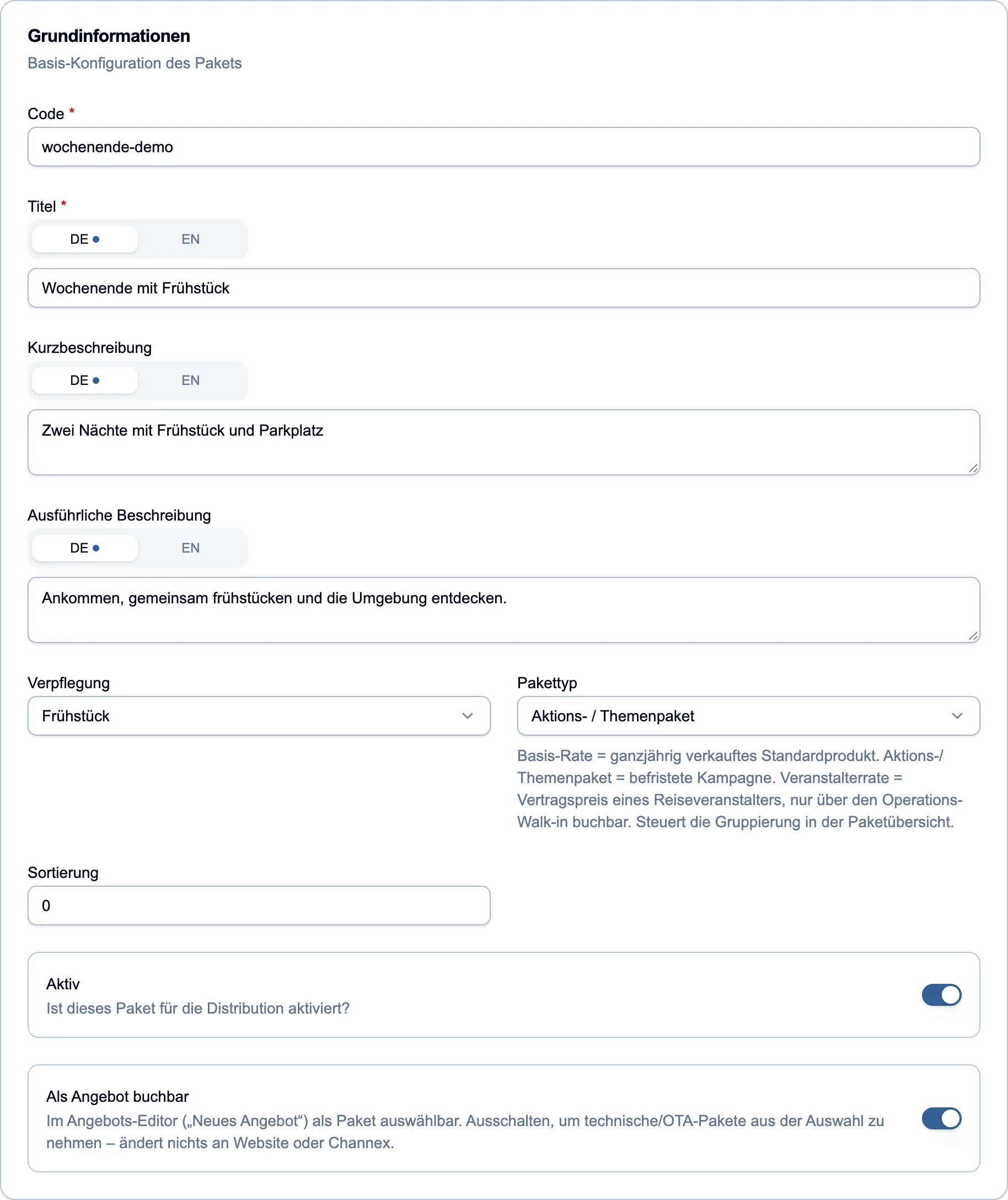
Maintain packages

You combine the description, meal plan, pricing basis and booking rules in one package.

  • Describe content
  • Select pricing basis
  • Prepare for sale

„Pakete“ → Open package

Included services with sample data from the demo hotel.

What is included in the package price?

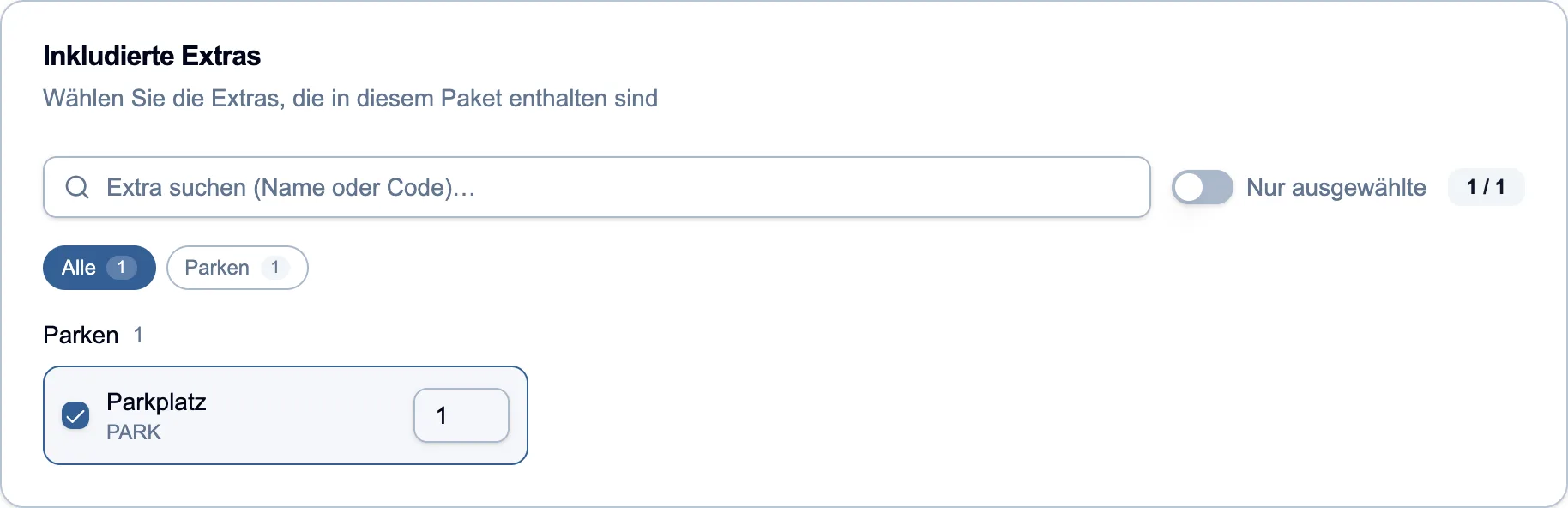
Services included

You assign the promised extras to the package along with their quantity.

  • Select extra
  • Set quantity
  • Check price

Package → „Inkludierte Extras“

Additional prices with sample data from the demo hotel.

How much does an additional service cost?

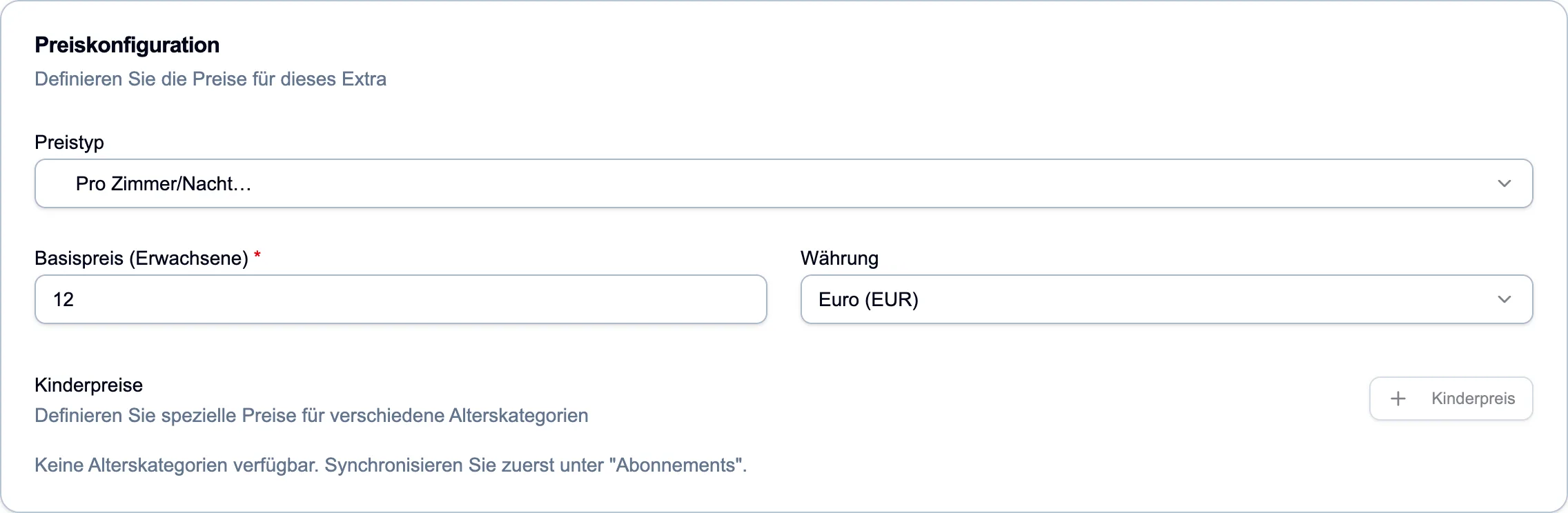
Additional prices

You determine the price and calculation unit for a service for your hotel.

  • Select calculation
  • Take children into account
  • Maintain requirements

„Extras & Preise“ → Open extra

Sales and visibility with sample data from the demo hotel.

Where should the package be offered?

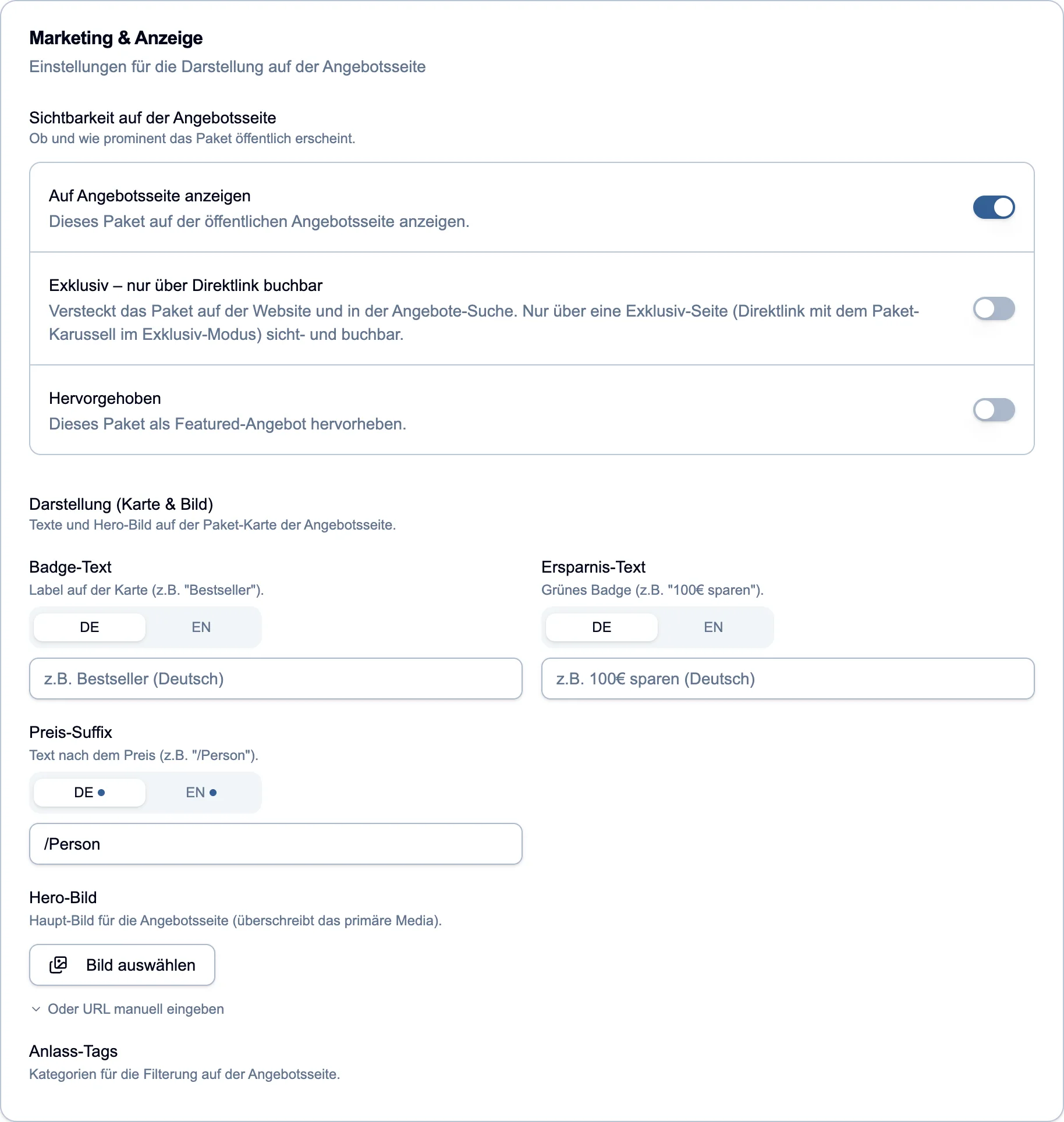
Sales and visibility

You distinguish availability in the offer editor from display on the hotel website.

  • Arrange package
  • Control offers
  • Maintain website

Package → „Grundinformationen“ · „Marketing & Anzeige“

IN EVERYDAY LIFE

Step by step.

Start with the selected hotel and check the result for a specific stay.

Prepare a package of services

The demo hotel adds an included service to a weekend package.

STEP 1 OF 3

Open package

In „Pakete“, open the relevant package and check its title, description and meal plan.

The result
You are editing the intended package.
1 / 3
Open the package in the demo hotel.
Original product component · Demo dataEnlarge image

COMMON ERRORS

Avoid these mistakes.

Pay particular attention to the scope, time period and price impact of your change.

  1. One-time price maintained as a nightly price

    What happens
    If you stay for several nights, the total price will be unexpectedly high.
    This is the right way
    Choose the correct charging unit for the service and check the price for a stay of several nights. Instructions "Maintain the price of an additional service“ →
  2. Package service promised without active hotel price

    What happens
    An unassigned or inactive service may be missing from the calculated service list and price.
    This is the right way
    Check the active assignment under „Extras & Preise“ and check the services included in the result. Instructions "Prepare a package of services“ →
  3. Included service added again

    What happens
    The guest receives an additional price for a service already included in the package.
    This is the right way
    Compare the services included before adding additional extras to the offer. Instructions "Prepare a package of services“ →
  4. Missing child price understood as free

    What happens
    For extras charged per person, the basic price can be charged without a suitable child price.
    This is the right way
    Maintain the desired children's prices explicitly and check the actual children's ages. Instructions "Maintain the price of an additional service“ →

QUESTIONS & ANSWERS

Answered briefly.

What is the difference between Extras Catalog and Extras & Prices?

The „Extras Katalog“ describes the service. Under „Extras & Preise“, assign it to your hotel and configure its prices and requirements.

Does included mean that the service is free?

The service is part of the package offered. Your price configuration and quantity are included in the package calculation; so check the full package price.

Why are some parcel fields blocked?

Derived non-refundable rates may inherit content and booking rules from the parent package. Maintain the common specifications in the parent package and then check both variants.

Are hotel packages and spa packages the same?

Here you describe accommodation offers and the services they include. You can maintain treatment packages and appointments in the „Spa & Wellness“ area.

SETUP

Prepare for the sale.

Coordinate your company's specifications and then check a specific booking example.

„Extras Katalog“ → „Extras & Preise“ → „Pakete“

Connect catalog, hotel price and package

The service needs a suitable description and an active price configuration in-house.

Here's how to set it up

  1. Create a missing service in the „Extras Katalog“ or use an existing one.
  2. Assign them to the house at „Extras & Preise“ and save the price, unit and requirements.
  3. Select it in the package under „Inkludierte Extras“, save the package and check a sample stay.
Connect catalog, hotel price and package in the demo hotel.
Original interface with demo data · Enlarge image

Done when...

… The promised service appears in the calculated package with the expected total price.

1 / 1
Checklist before release
  • Description and included services match.
  • Hotel prices, quantities and calculation units have been checked.
  • The desired package variant can be found in the intended sales channel.