The images show the German app. Captions in quotes remain as in the app.

Table of contentsOpen/close

PRICES & SALES OFFERS

Booking conditions.
Clear promises before booking

You determine when a package can be booked, what cancellation conditions apply and what payment or security is required.

To the overview

For reception, reservations and sales management

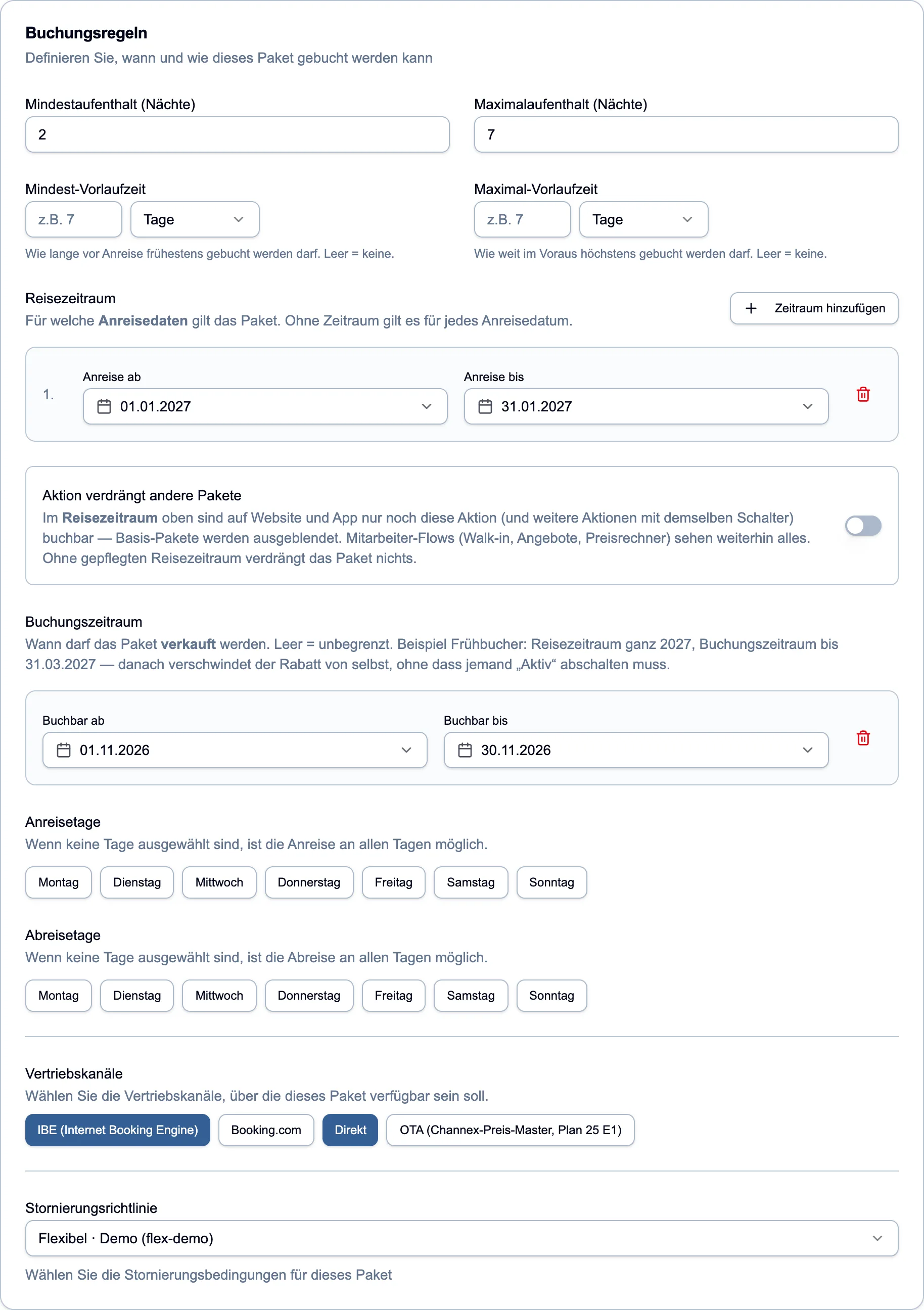
Booking periods with sample data from the demo hotel.
Original product components with invented data · simplified demo framework
WHERE CAN I FIND THIS?

Vertrieb → „Pakete“ · „Stornierungsrichtlinien“

Go to setup

OVERVIEW

What can you do here?

You determine when a package can be booked, what cancellation conditions apply and what payment or security is required. The features you see depend on your hotel's activation and your role.

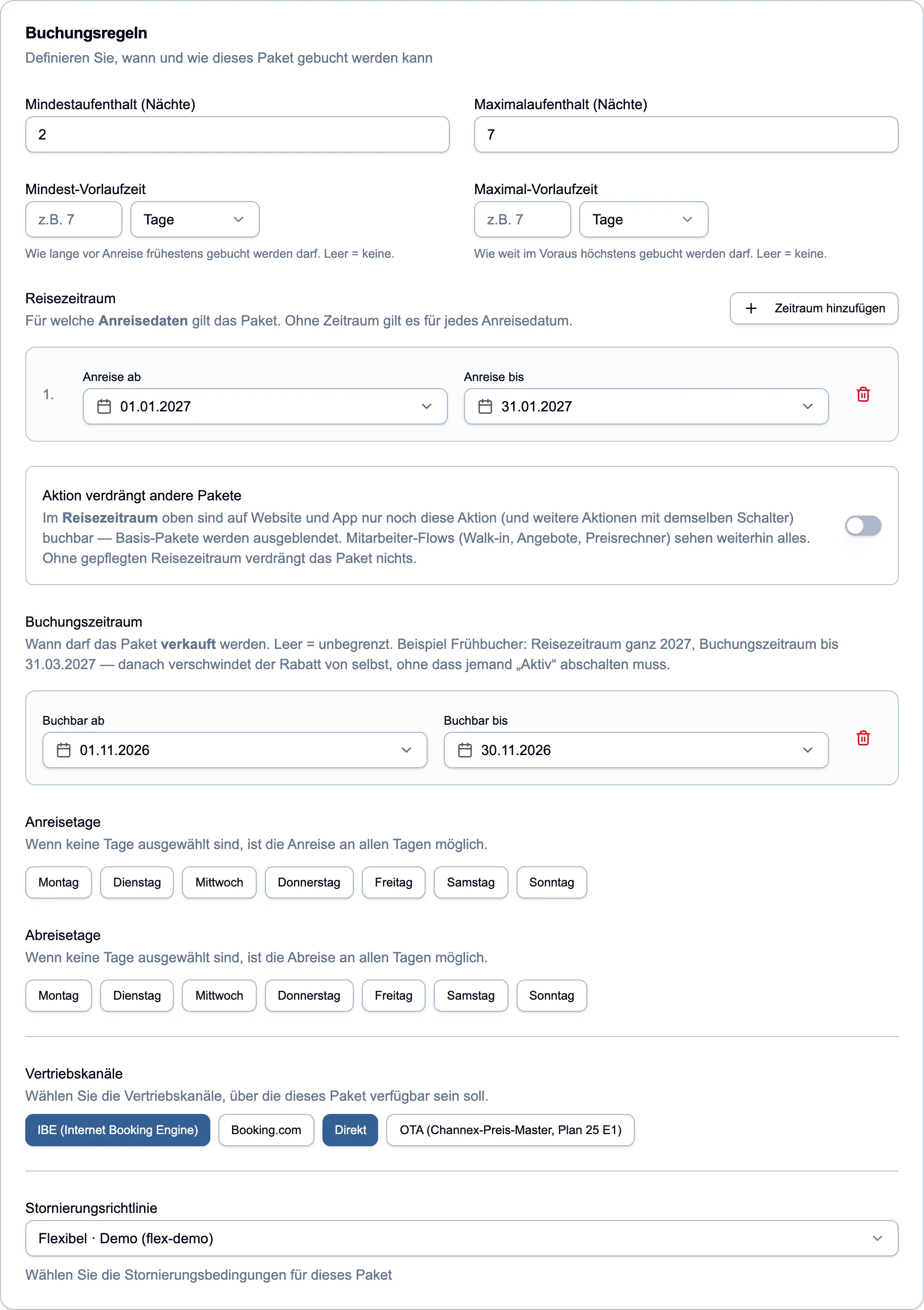
Booking periods with sample data from the demo hotel.

When can the guest book and arrive?

Booking periods

You distinguish the sales period from permitted arrival dates and the length of stay.

  • Travel period
  • Booking period
  • Limit stay

Package → „Buchungsregeln“

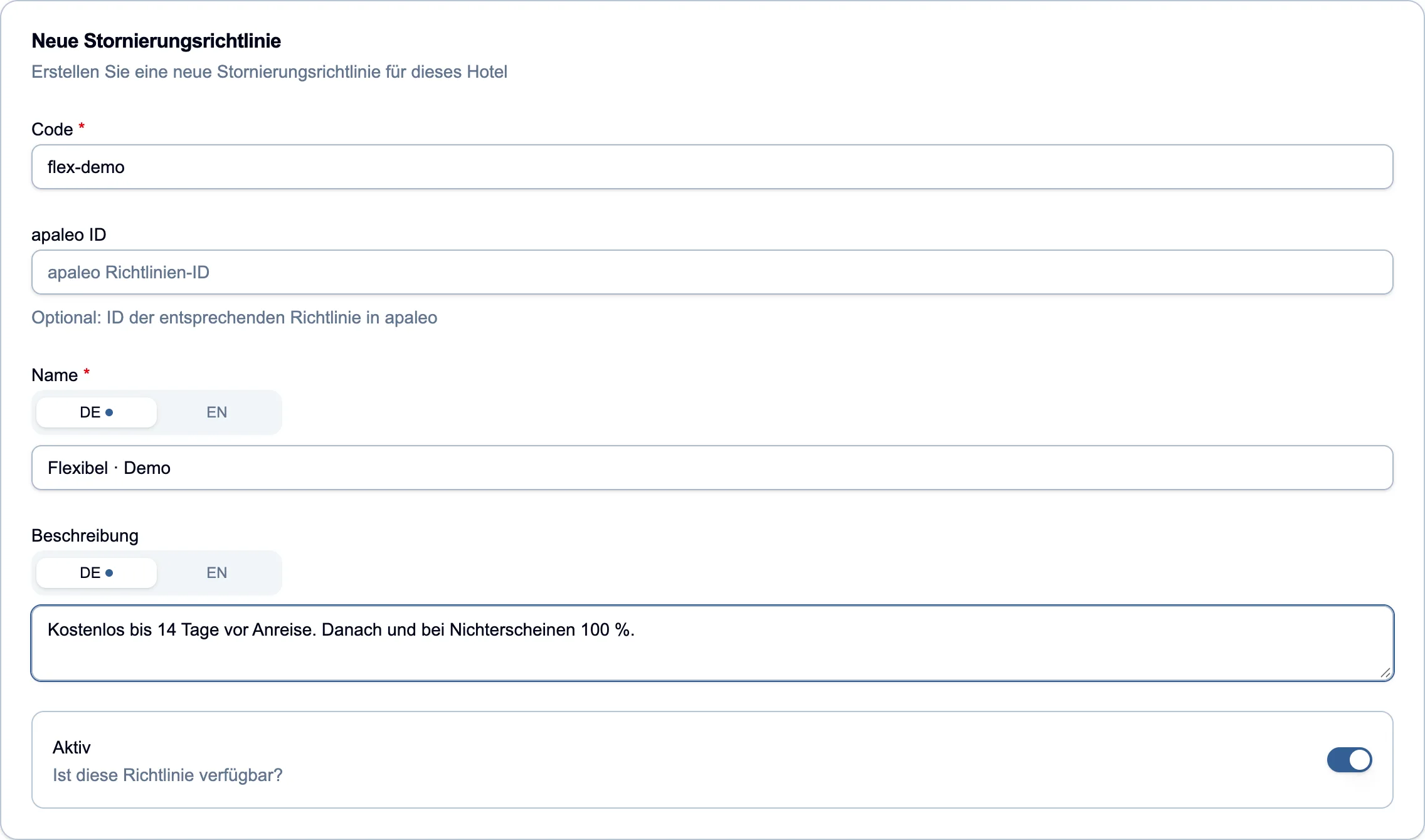
Cancellation policy with sample demo hotel data.

What conditions do we promise the guest?

Cancellation Policy

You maintain description, deadlines and fees and assign the policy to the package.

  • Formulate a commitment
  • Record deadlines
  • Check assignment

„Stornierungsrichtlinien“

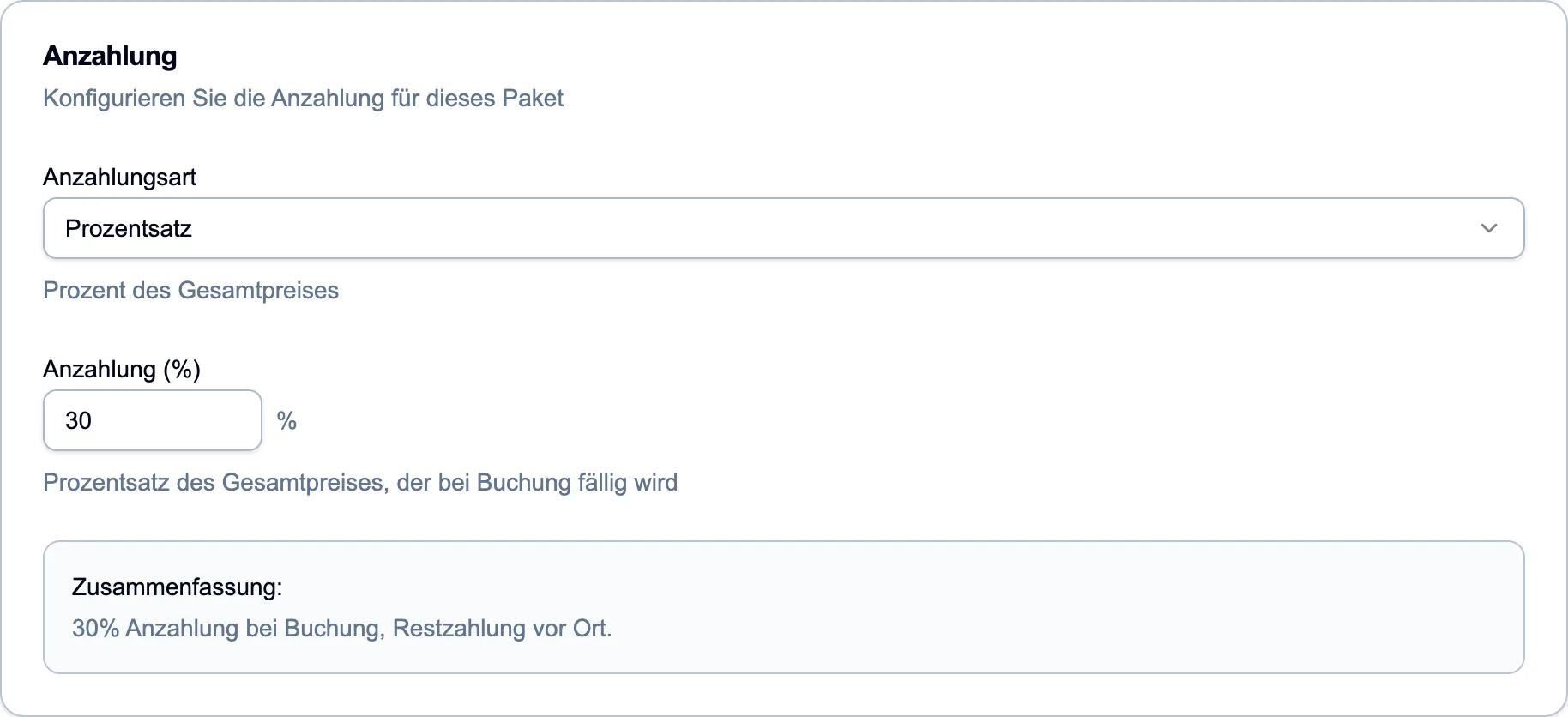
Deposit with sample data of the demo hotel.

What amount is due when booking?

deposit

You choose a deposit as a percentage or fixed amount for each package.

  • Choose type
  • Maintain amount
  • Read summary

Package → „Anzahlung“

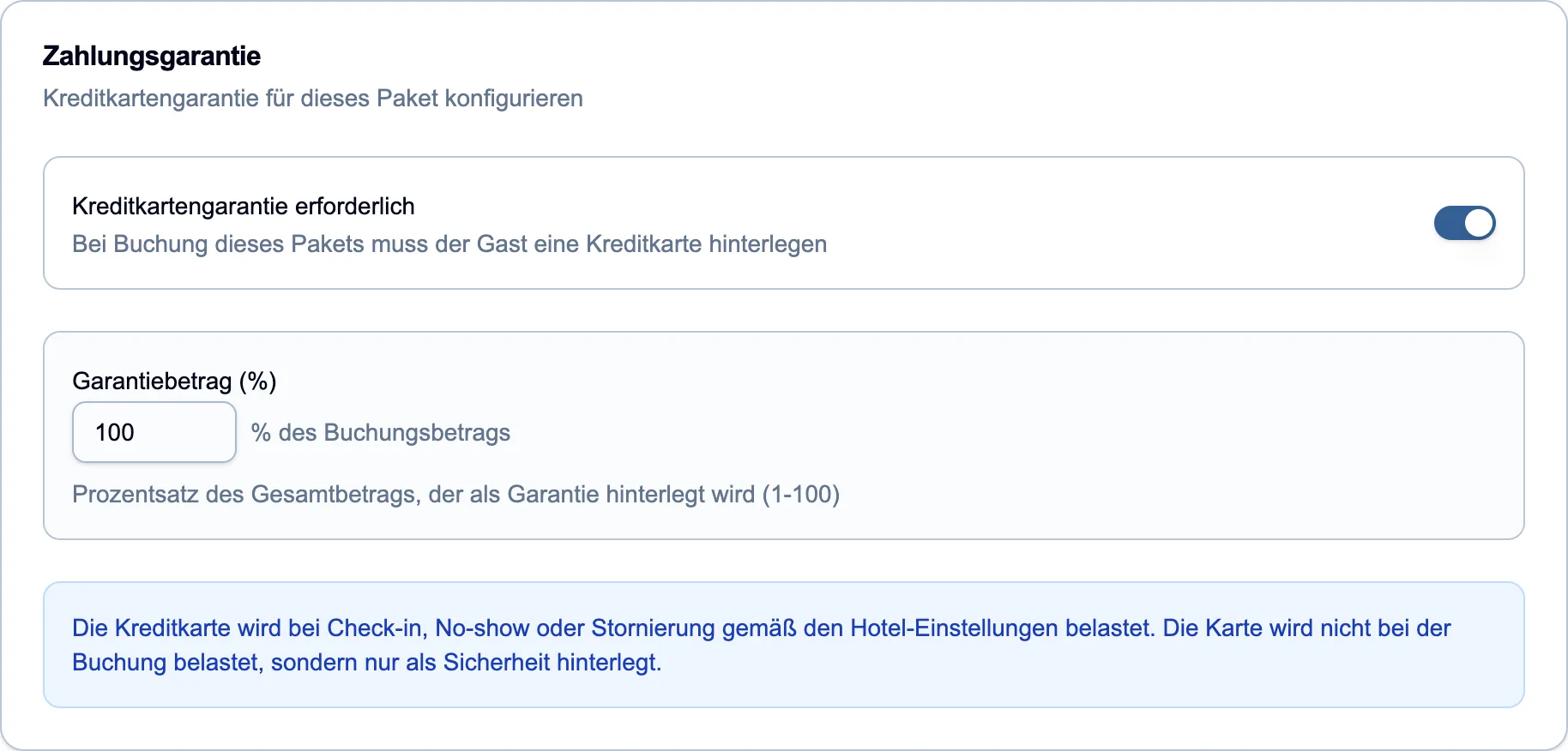
Payment guarantee with sample data of the demo hotel.

What security do we need?

Payment guarantee

You can require a credit card to be stored as a booking guarantee.

  • Have the card deposited
  • Determine scope
  • Different payment

Package → „Zahlungsgarantie“

IN EVERYDAY LIFE

Step by step.

Start with the selected hotel and check the result for a specific stay.

Put a time limit on a seasonal package

The demo hotel sells a package in November for arrivals in January.

STEP 1 OF 3

Determine arrival

Open the package and enter January as „Reisezeitraum“ under „Buchungsregeln“.

The result
The package is valid for the desired arrival dates.
1 / 3
Arrange your arrival at the demo hotel.
Original product component · Demo dataEnlarge image

COMMON ERRORS

Avoid these mistakes.

Pay particular attention to the scope, time period and price impact of your change.

  1. Sales month entered as travel period

    What happens
    The package is offered for different arrivals than intended.
    This is the right way
    Maintain the sales window under „Buchungszeitraum“ and the arrival dates under „Reisezeitraum“. Instructions "Put a time limit on a seasonal package“ →
  2. Text and fees contradict each other

    What happens
    Guests see a commitment that does not fit the maintained deadlines.
    This is the right way
    Compare each fee threshold with the approved description and explicitly enter 0 for any free-cancellation period. Instructions "Assign a cancellation policy“ →
  3. Price modifier understood as mere display text

    What happens
    The „Preismodifikator (%)“ is included in regular package prices despite the form note „nur Anzeige“.
    This is the right way
    Change it only for an intended markup or discount and then check the full package price. Instructions "Assign a cancellation policy“ →
  4. Shared policy overridden

    What happens
    The change affects several packages; existing reservation views can also display the current policy.
    This is the right way
    Create your own policy for new conditions and consciously assign them to the intended packages. Instructions "Assign a cancellation policy“ →
  5. Card guarantee treated as deposit received

    What happens
    The card on file does not provide evidence of receipt of payment.
    This is the right way
    Check the actual payment status and treat the guarantee as security. Instructions "Agree on deposit and guarantee“ →

QUESTIONS & ANSWERS

Answered briefly.

How do I read the days before arrival?

Each threshold applies from that number of days up to the next higher threshold. Example: 14 days at 0% and 1 day at 90% mean free cancellation at least 14 days before arrival, and a 90% fee 13 to 1 day before arrival. This explains the fields; use your hotel’s approved conditions.

Is the preview in the form alone sufficient?

Additionally check the saved values and the description. The last deadline line in the preview currently shows a flat rate of 100%; if the rules differ, it is not a reliable confirmation.

Does a new policy automatically apply to all packages?

Associate the policy in the relevant package and save the package. However, a policy that has already been used can affect several packages at the same time.

Is a credit card guarantee an instant payment?

For a guarantee, the guest provides a card as security. A deposit is the payment agreed at booking; check that payment has been received in the payments area.

SETUP

Prepare for the sale.

Coordinate your company's specifications and then check a specific booking example.

„Stornierungsrichtlinien“ · Package → „Buchungsregeln“ · „Anzahlung“ · „Zahlungsgarantie“

Share conditions together

A coordinated template keeps text, deadlines and payment requirements together.

Here's how to set it up

  1. Let the relevant management determine the description, fees, deposit and guarantee.
  2. Maintain the required policies and language texts before assigning them to packages.
  3. Use a sample stay to check the selected rate, the total price and the conditions presented to the guest.
Share conditions together in the demo hotel.
Original interface with demo data · Enlarge image

Done when...

… Description, saved rules and presented offer match.

1 / 1
Checklist before release
  • Sales windows and arrival dates are checked separately.
  • Description, fee levels and package assignment are correct.
  • Deposit, guarantee and price effect are coordinated.