The images show the German app. Captions in quotes remain as in the app.

Table of contentsOpen/close

TEAM & STAFF

Documents & wage handover.
Assign documents securely. Payroll handed over in a comprehensible manner.

Assign personnel documents, review completed questionnaires and track payroll handover through to the result. Mara starts with a document for Robin and checks that it belongs to his personnel file before releasing it.

To the overview

For department management, hotel management and human resources departments

Documents & wage handover with fictitious data.
Original product components with invented data · simplified demo framework
WHERE CAN I FIND THIS?

Personal → „Dokumente“ · „Lohn-Export“

Go to setup

OVERVIEW

Accompany the team well.

Select the task you currently want to complete. The features you see depend on your hotel's activation and your role.

Storage & allocation in the demo hotel.

Who does the document belong to?

Storage & allocation

You find documents and check whether they are assigned to the right person.

  • Storage
  • Checklist
  • Personnel file

„Dokumente“ → „Ablage“ · „Prüfliste“
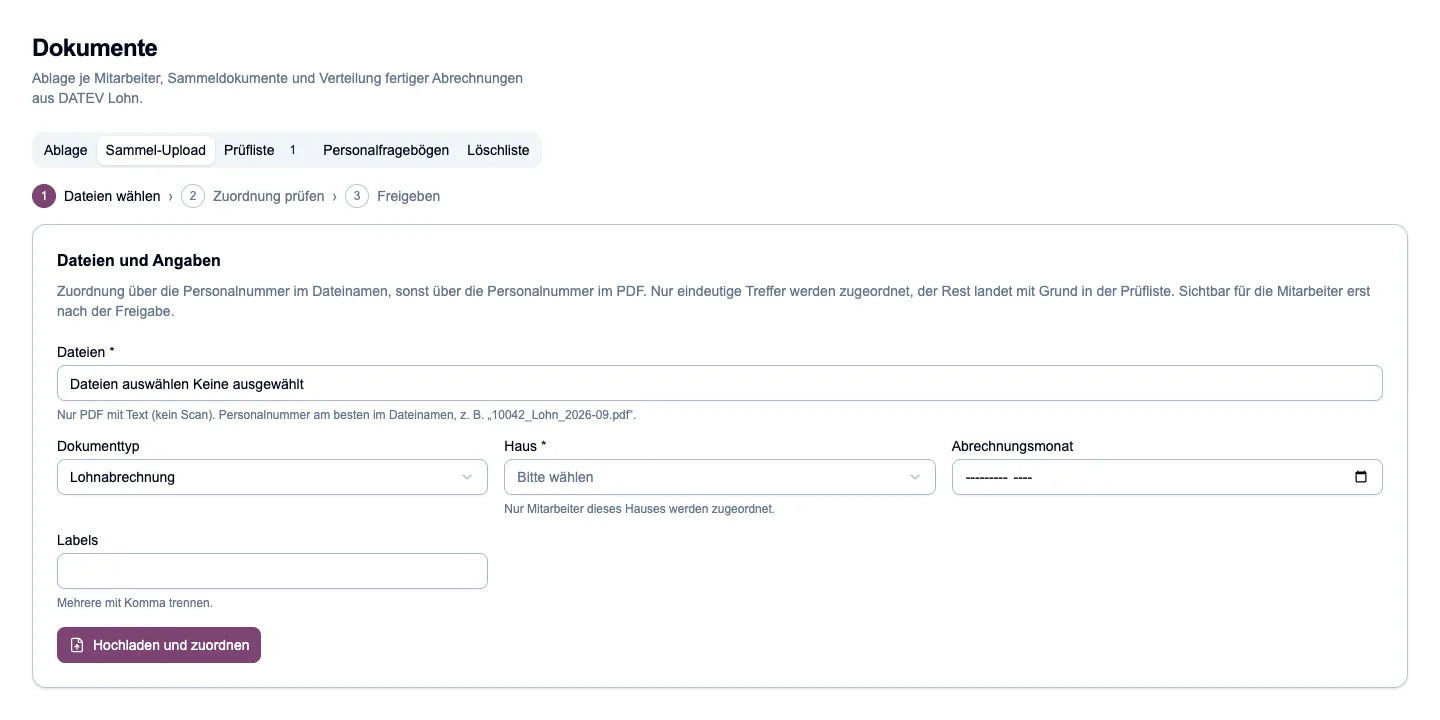
Collective upload & release in the demo hotel.

When can the person see the document?

Bulk upload & sharing

You upload documents and consciously release correctly assigned documents.

  • Upload
  • Assignment
  • Release

„Dokumente“ → „Sammel-Upload“

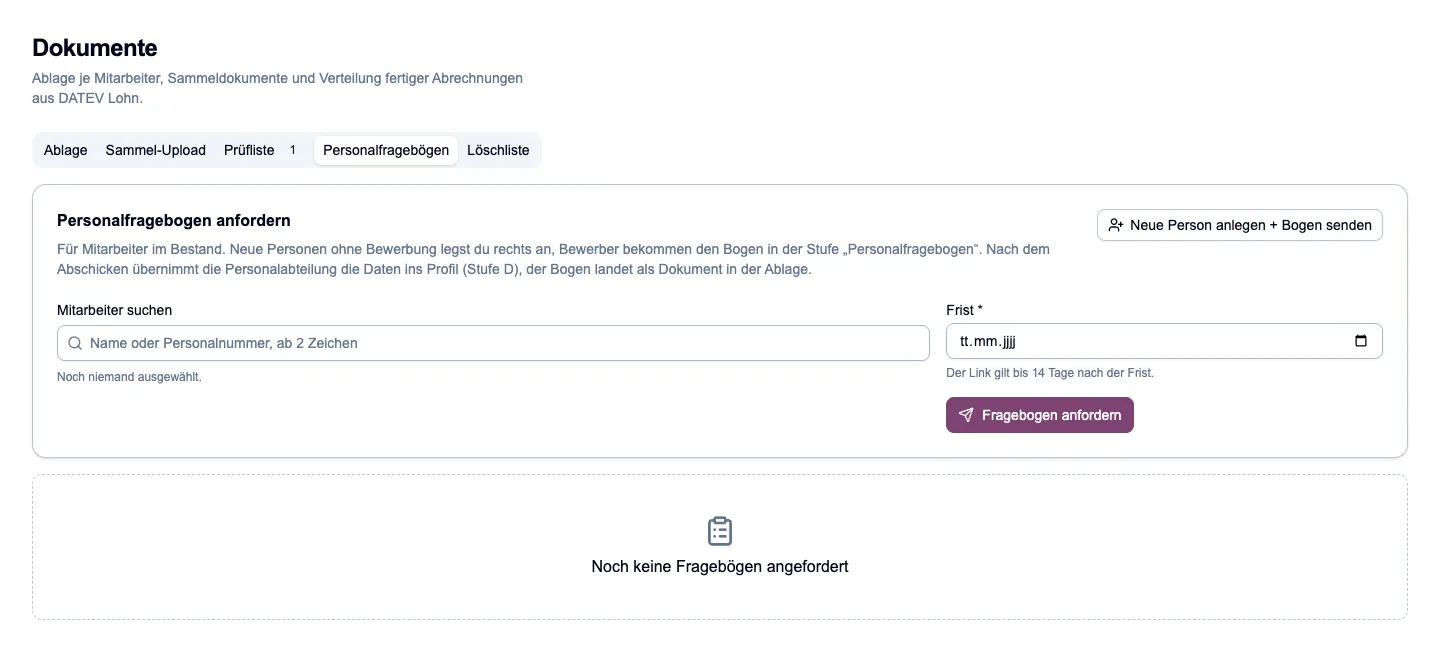
Personnel questionnaires in the demo hotel.

What information should be included in the profile?

Personnel questionnaires

You compare the information received and transfer confirmed changes to the personnel file.

  • Request
  • Compare
  • Confirm

„Dokumente“ → „Personalfragebögen“

Check payroll run in the demo hotel.

Is the foundation for this month complete?

Check wage run

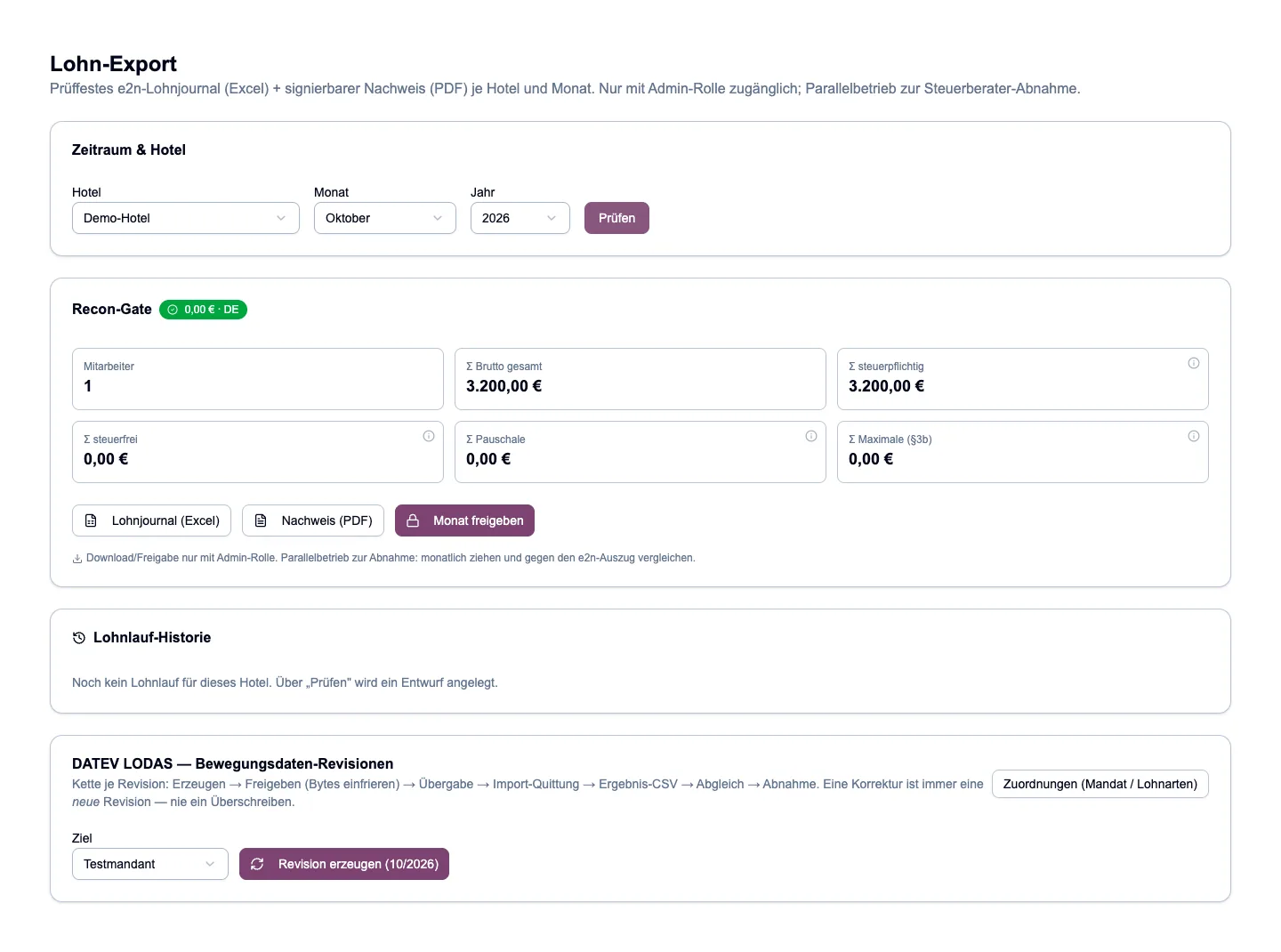
You check the payroll basis per hotel and month before releasing it.

  • Check
  • Payroll journal & proof
  • Release

„Lohn-Export“

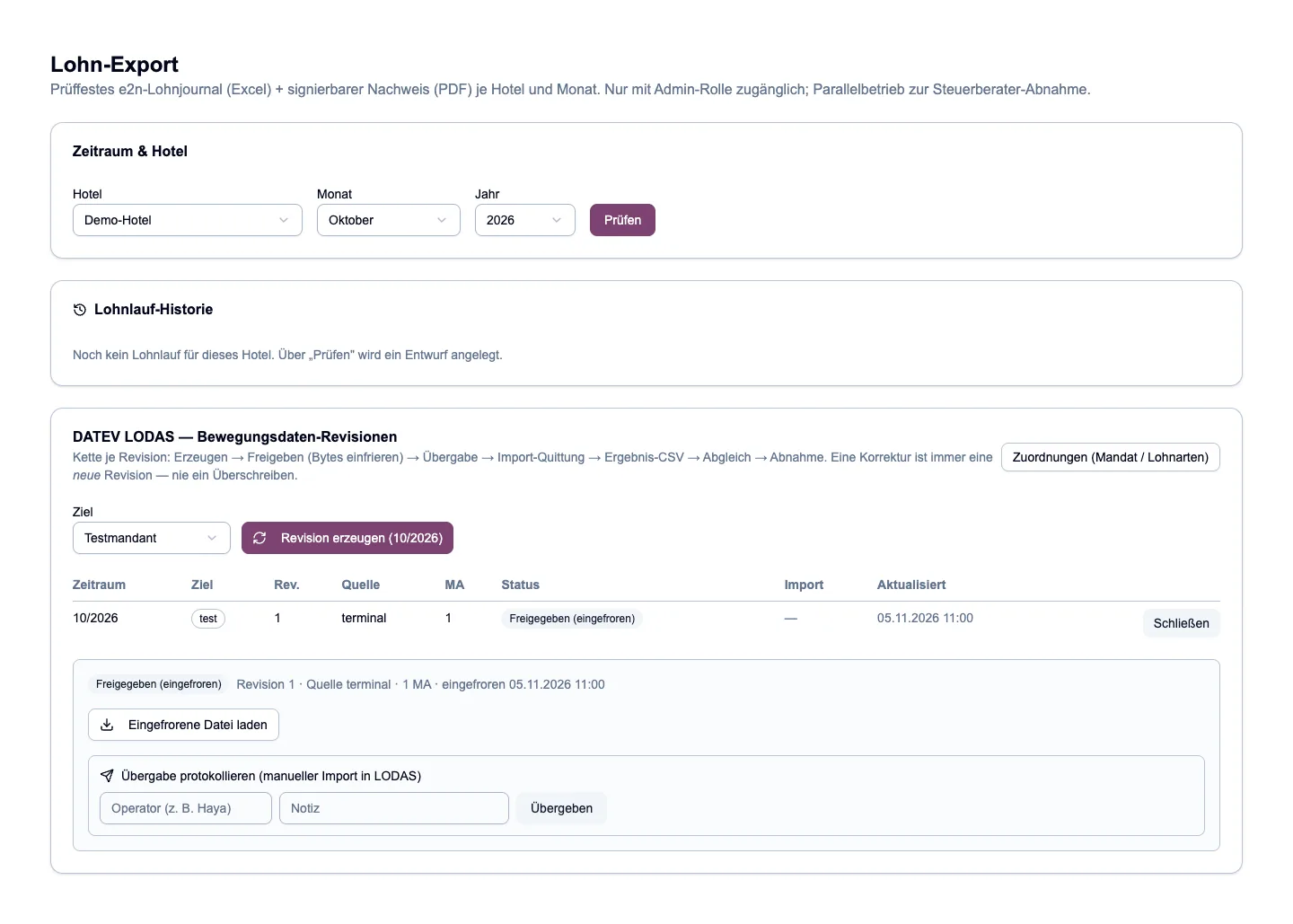
LODAS handover in the demo hotel.

How far along is the handover really?

LODAS handover

You track file release, handover and feedback until verified acceptance.

  • Revision
  • Frozen file
  • Feedback

„Lohn-Export“ → LODAS

IN EVERYDAY LIFE

Step by step.

The examples accompany Mara Example and Robin Muster through their everyday work in the demo hotel.

Find and check a document

Mara is looking for proof of Robin.

STEP 1 OF 2

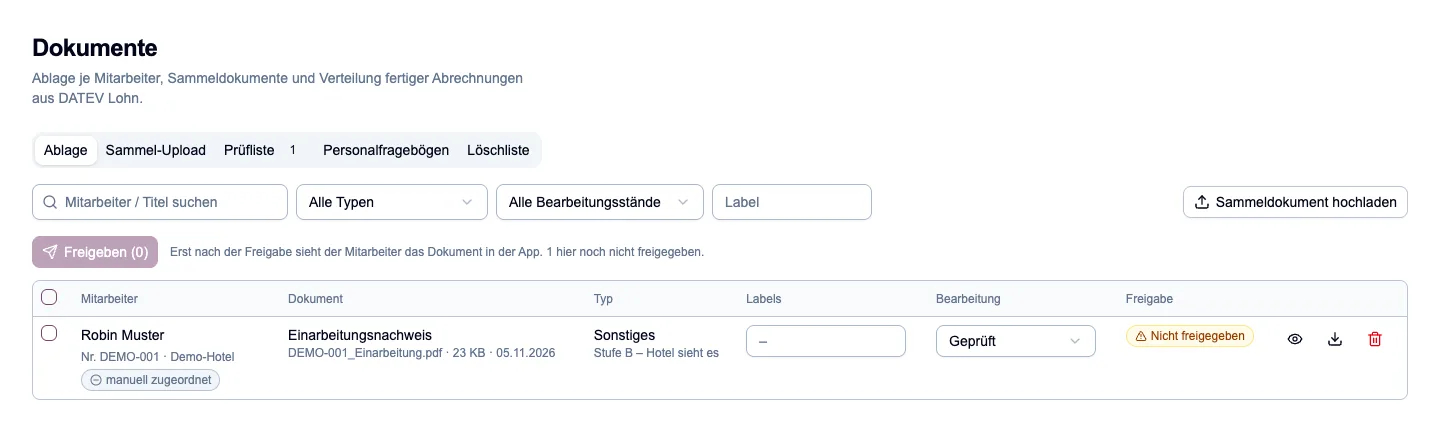
Limit storage

Open „Dokumente“ → „Ablage“ and filter hotel, person and, if necessary, document type or time period.

The result
The list shows the appropriate context.
1 / 2
Limit filing with fictitious personnel data.
Original product component · Demo dataEnlarge image

COMMON ERRORS

That's what matters.

These distinctions help ensure that personal information and decisions are handled correctly.

  1. Document released without content review

    What happens
    Assigning a document to the wrong employee can expose confidential information to that person.
    This is the right way
    Compare document content and personnel files before each release. Instructions "Upload and share multiple documents“ →
  2. Upload considered a release

    What happens
    An uploaded or assigned document is not yet automatically available to the person.
    This is the right way
    Check the explicit release status after the assignment. Instructions "Upload and share multiple documents“ →
  3. New information adopted without checking

    What happens
    Unverified banking or identification information can falsify personnel and payroll data.
    This is the right way
    Compare old and new and consciously confirm sensitive changes. Instructions "Review and adopt a personnel questionnaire“ →
  4. Download or „Übergeben“ treated as proof of import

    What happens
    The file output and the transfer protocol do not yet prove a successful import into LODAS.
    This is the right way
    Enter the actual import confirmation and then check the results comparison. Instructions "Submit and track a LODAS revision“ →
  5. Replacing payroll data after handover without a recorded correction

    What happens
    A new file without a clear reference can make the previous payroll status unclear.
    This is the right way
    Use an assigned correction for periods that are already binding and coordinate the procedure with the payroll office. Instructions "Submit and track a LODAS revision“ →

QUESTIONS & ANSWERS

Answered briefly.

Who can view and share personnel records?

Access depends on role, hotel and personal responsibility. Upload, mapping and sharing are separate tasks; Only release documents to the right person after review.

What happens to a questionnaire without changes?

Even without changed profile values, the checked questionnaire is stored as a document through the transfer. Therefore, check the completion in the questionnaire area and in the personnel file.

What is the delete list?

The deletion list collects documents intended for review. The authorized body checks storage, allocation and purpose before deletion; Open questions will be clarified before confirmation.

Are working time release, wage release and document release the same thing?

Closing the working-time month protects its records; approving payroll freezes the payroll data; releasing a document makes it available to the assigned employee. Check each status in its own area.

What to do if the LODAS import is unclear or partial?

Record the actual response and clarify with the payroll team which data was imported. Do not repeat the same handover without checking; agree any correction run with reference to the existing revision.

Does an approved revision mean that the wages have been paid?

Acceptance records the reviewed outcome of the handover. It is not proof of payment; payment and its verification follow the separate payroll process.

Where can I find evaluations and the BRAWO report?

The available reports, the BRAWO report and comparisons are available at „Auswertungen“. Check hotel, period and data basis; a report does not replace the release of the payroll run.

SETUP

Prepare for collaboration.

Clarify the basics before the team works with the area.

„Dokumente“ · „Lohn-Export“

Coordinate document and payroll channels

Establish responsibilities for allocation, release and payroll.

Here's how to set it up

  1. Establish responsibilities for allocation, release and payroll.
  2. Check document types, hotel assignment and required personnel information.
  3. At LODAS, coordinate the assignments and a verified test run with the payroll office.
Coordinate document and payroll methods in the demo hotel.
Original interface with demo data · Enlarge image

Done when...

… Those responsible know the releases, handover route and required feedback.

1 / 1
Checklist before release
  • Hotel, period and responsibility have been checked.
  • The required data is complete and current.
  • Releases and follow-up tasks are coordinated with those responsible.