The images show the German app. Captions in quotes remain as in the app.

Table of contentsOpen/close

ANALYTICS & FINANCE

Reports & Exports.
Take the figures with you without retyping them.

You create Excel reports with actuals, plan and previous years for one or several hotels. Mara Beispiel uses this to send the Demo-Hotel's quarterly report to the owner.

To the overview

For hotel management, controlling and accounting

Data export with fictional hotels, BWA schema and approval status.
Original product components with invented data · simplified demo framework
WHERE CAN I FIND THIS?

Management Hub → „Berichte“ → „Exports & Reports“

Go to setup

OVERVIEW

Reports for owners, bank and team.

Select the task you currently want to complete. The features you see depend on your hotel's activation and your role.

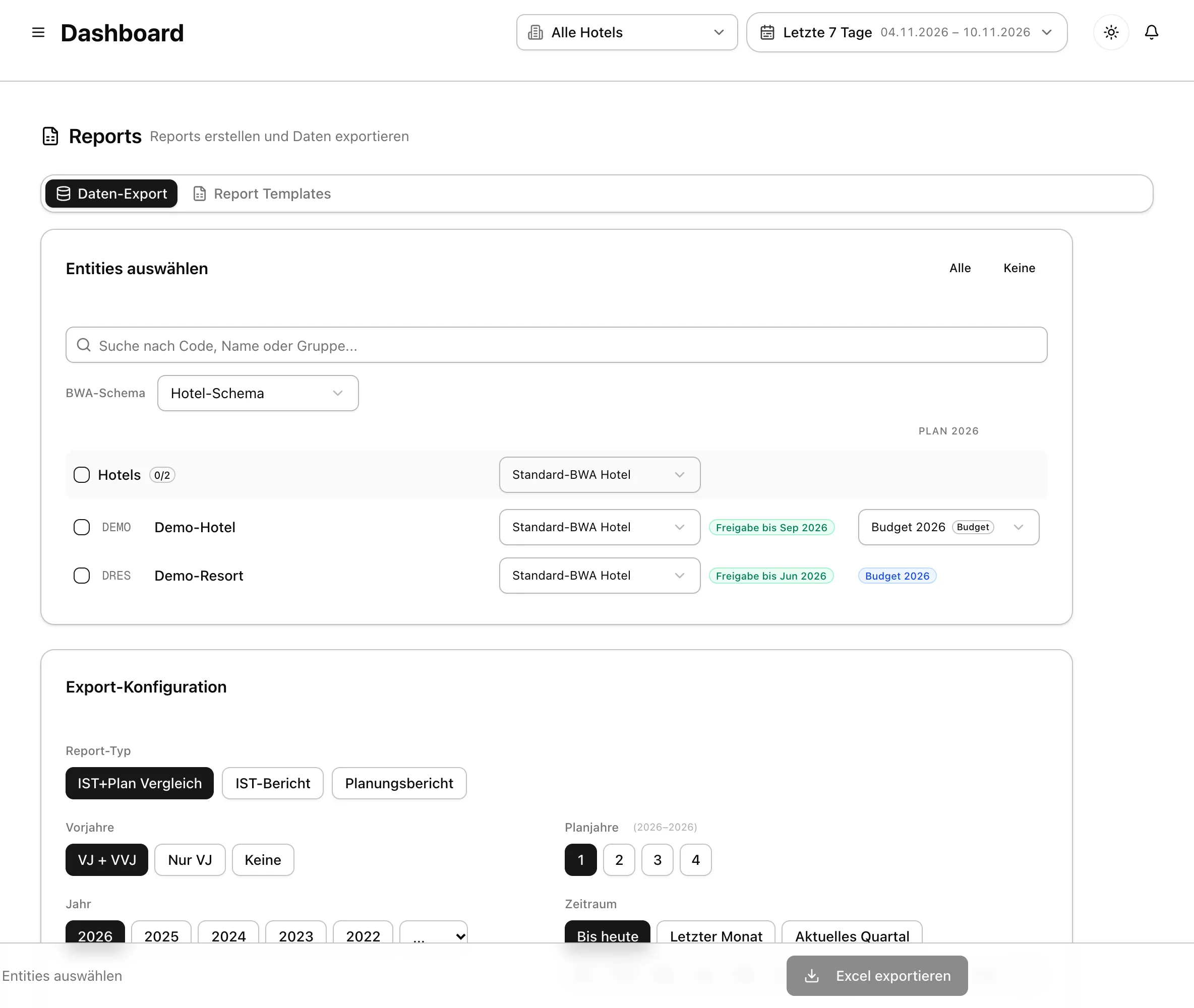
List of selectable hotels with schema, approval and plan version.

Which properties do I need the report for?

Select hotels

You select the hotels for the report and see each property's schema, approval status and plan version.

  • Search
  • Release
  • Plan version

„Exports & Reports“ → „Daten-Export“ → „Entities auswählen“
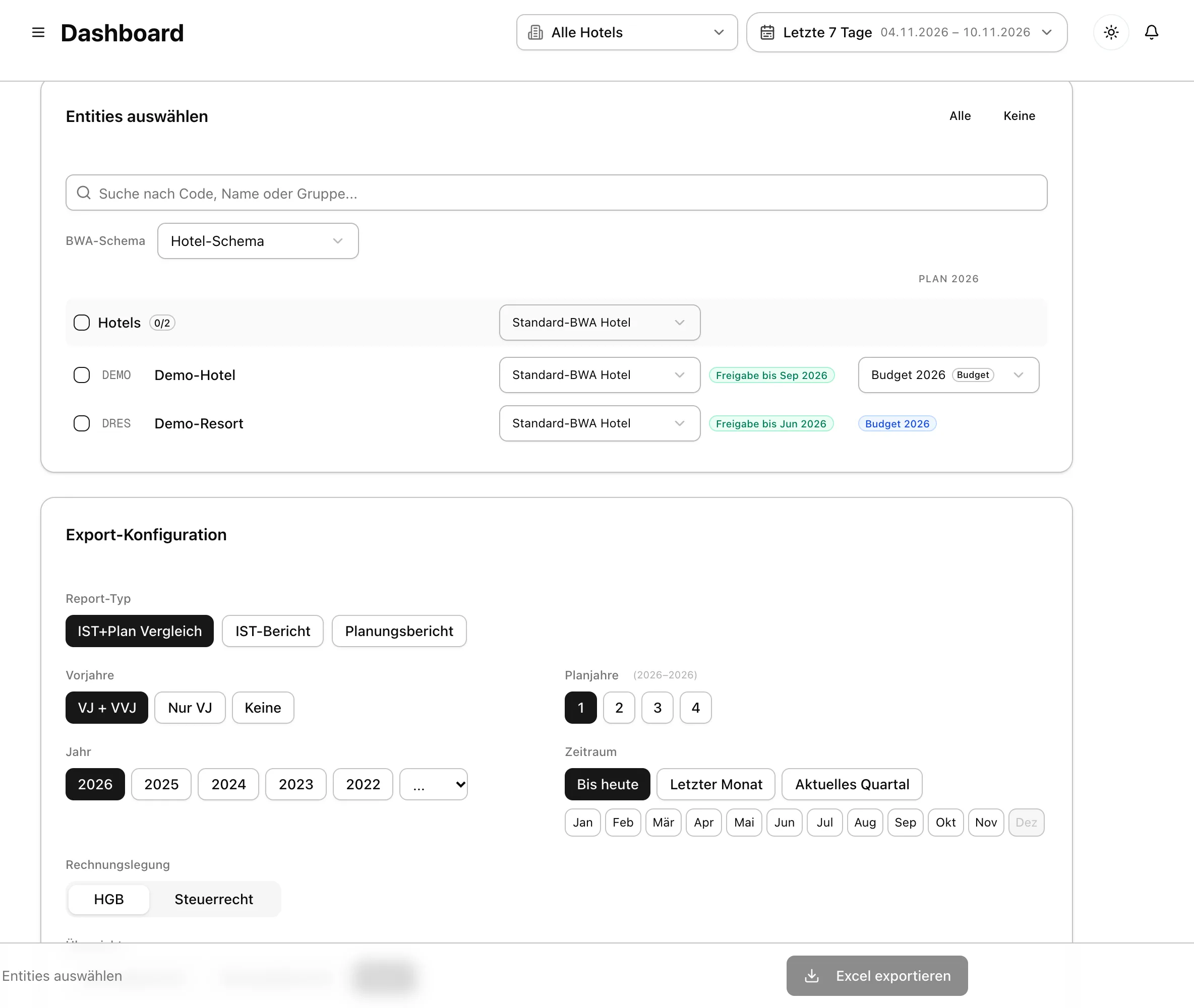
Export configuration with report type, previous years, plan years, year and period.

What should the report contain?

Configure the report

You set report type, years, period and accounting standard and receive an Excel file.

  • Report type
  • Years
  • Period
  • Accounting standard

„Daten-Export“ → „Export-Konfiguration“

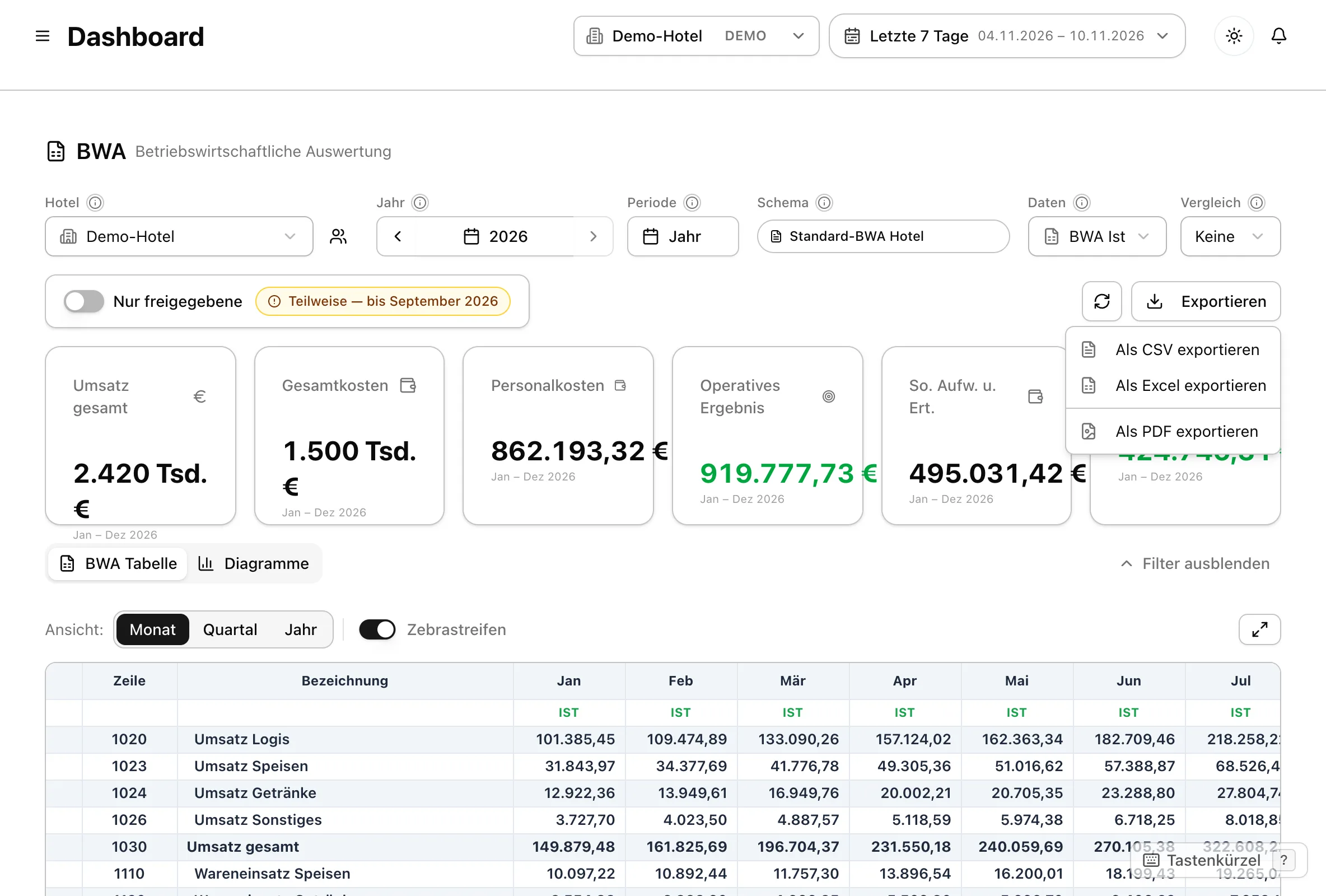
BWA „Exportieren“ menu with CSV, Excel and PDF.

I only need the BWA I am looking at.

BWA as a file

You save the displayed BWA directly from the BWA as a PDF, Excel or CSV file.

  • Quick
  • PDF
  • Guide

„Finanzen“ → „BWA“ → „Exportieren“

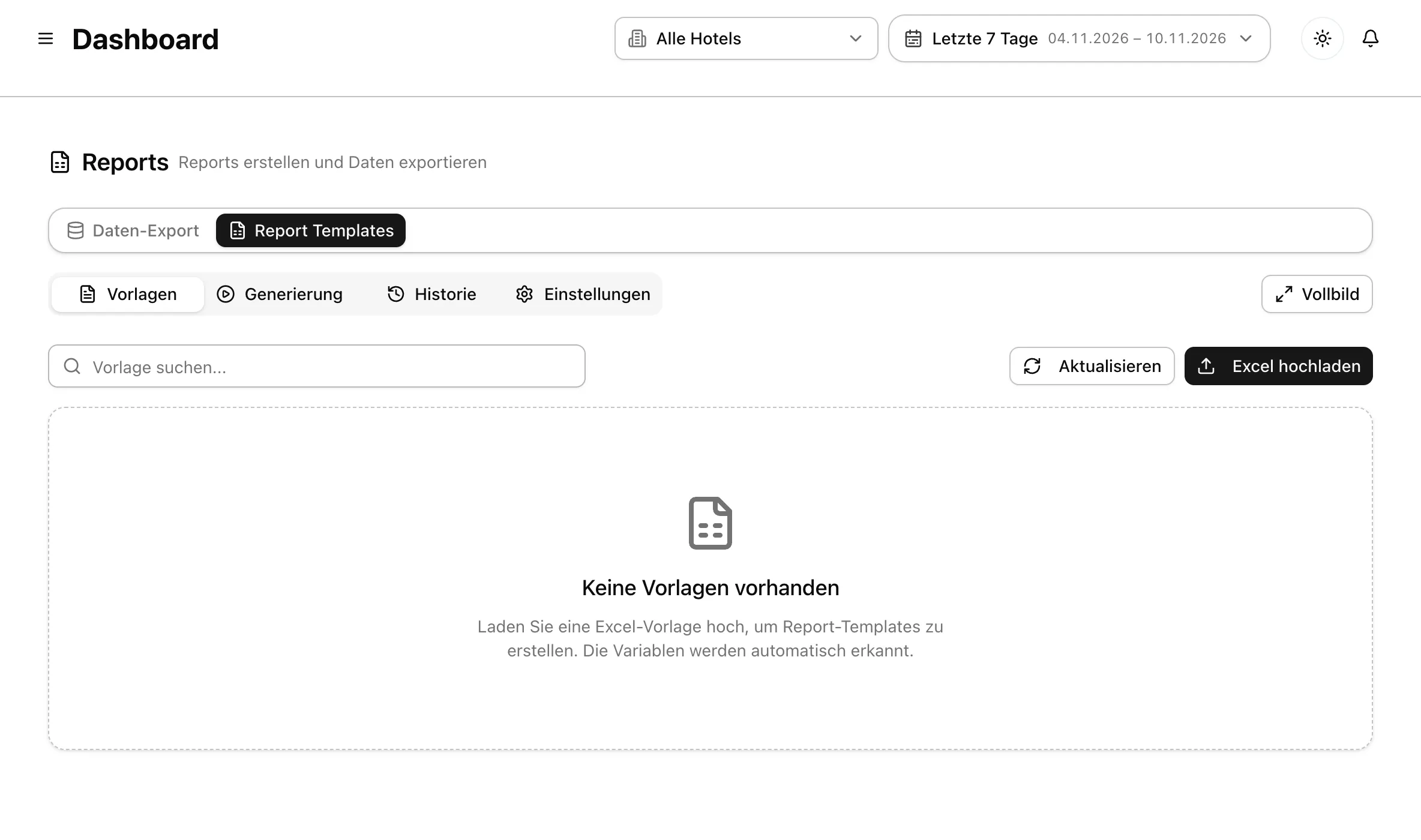
Report templates with the tabs Templates, Generation, History and Settings.

We have a fixed report format.

Report templates

You upload your own Excel template and have reports generated in that format.

  • Template
  • Generation
  • History

„Exports & Reports“ → „Report Templates“

IN EVERYDAY LIFE

Step by step.

Mara Beispiel creates the quarterly report for the owner of the Demo-Hotel.

Create an actual-versus-plan report in Excel

The owner wants to see the Demo-Hotel's actuals and budget up to last month.

STEP 1 OF 4

Select hotels

Open „Berichte“ → „Exports & Reports“ → „Daten-Export“ and tick your hotel under „Entities auswählen“.

The result
The hotel is ticked; „Bitte Entities auswählen“ no longer appears at the bottom.
1 / 4
Hotel list in the data export with checkboxes.
Original product component · Demo dataEnlarge image

COMMON ERRORS

Avoid common mistakes

These mistakes only become apparent to the recipient.

  1. Sent a report with months that are not approved

    What happens
    The recipient takes provisional actuals for checked figures.
    This is the right way
    Before exporting, check each hotel's approval status and choose the period accordingly. Instructions "Create an actual-versus-plan report in Excel“ →
  2. Did not check the suggested plan version

    What happens
    The report compares with a forecast or an older version instead of the valid budget.
    This is the right way
    Check the plan version in every hotel row before you export. Instructions "Create an actual-versus-plan report in Excel“ →
  3. Sent password and file in the same e-mail

    What happens
    Anyone who receives or forwards the e-mail can open the report.
    This is the right way
    Send the password separately, for example by phone or message. Instructions "Protect a report with a password“ →

QUESTIONS & ANSWERS

Answered briefly.

What is the difference between „Daten-Export“ and „Exportieren“ in the BWA?

„Exportieren“ in the BWA saves exactly the BWA on screen. „Daten-Export“ creates a configurable Excel report, also for several hotels and years.

Why can't I select „Excel exportieren“?

No hotel has been selected yet. Tick at least one hotel under „Entities auswählen“.

What do „HGB“ and „Steuerrecht“ mean?

They determine which accounting standard the figures in the report follow. Agree the choice with your accounting team.

What is the logo in the advanced options for?

The logo appears in the header of the Excel file. The save button next to the field stores it for future exports.

Why are there no report templates yet?

Templates only exist once someone uploads an Excel template under „Report Templates“. Until then, use „Daten-Export“.

SETUP

Prepare reports.

A report is only as good as the approval and plan versions behind it.

„Finanzen“ → „BWA-Verwaltung“ · „Planung“

Provide approvals and plan versions

Every report shows checked actuals and the valid budget.

Here's how to set it up

  1. Have the checked months approved in BWA administration.
  2. Create or import the valid budget for each hotel.
  3. Open „Daten-Export“ and check approval and plan version in every hotel row.

Done when...

… Done when every hotel row shows the current approval status and the valid budget.

1 / 1
Checklist before release
  • Approvals are at the checked month.
  • Every hotel has a valid plan version.
  • Passwords are shared separately from the files.