The images show the German app. Captions in quotes remain as in the app.

Table of contentsOpen/close

ORGANIZE HOTEL OPERATIONS

Guest management.
Together through everyday hotel life

You find guests again, maintain their profiles and connect personal information with the appropriate next step.

To the overview

For reception, departments and area managers

Guest management in the demo hotel.
Original product components with invented data · simplified demo framework
WHERE CAN I FIND THIS?

Guest tasks → Guest management

Go to setup

OVERVIEW

What can you do here?

You find guests again, maintain their profiles and connect personal information with the appropriate next step. The features you see depend on your hotel's activation and your role.

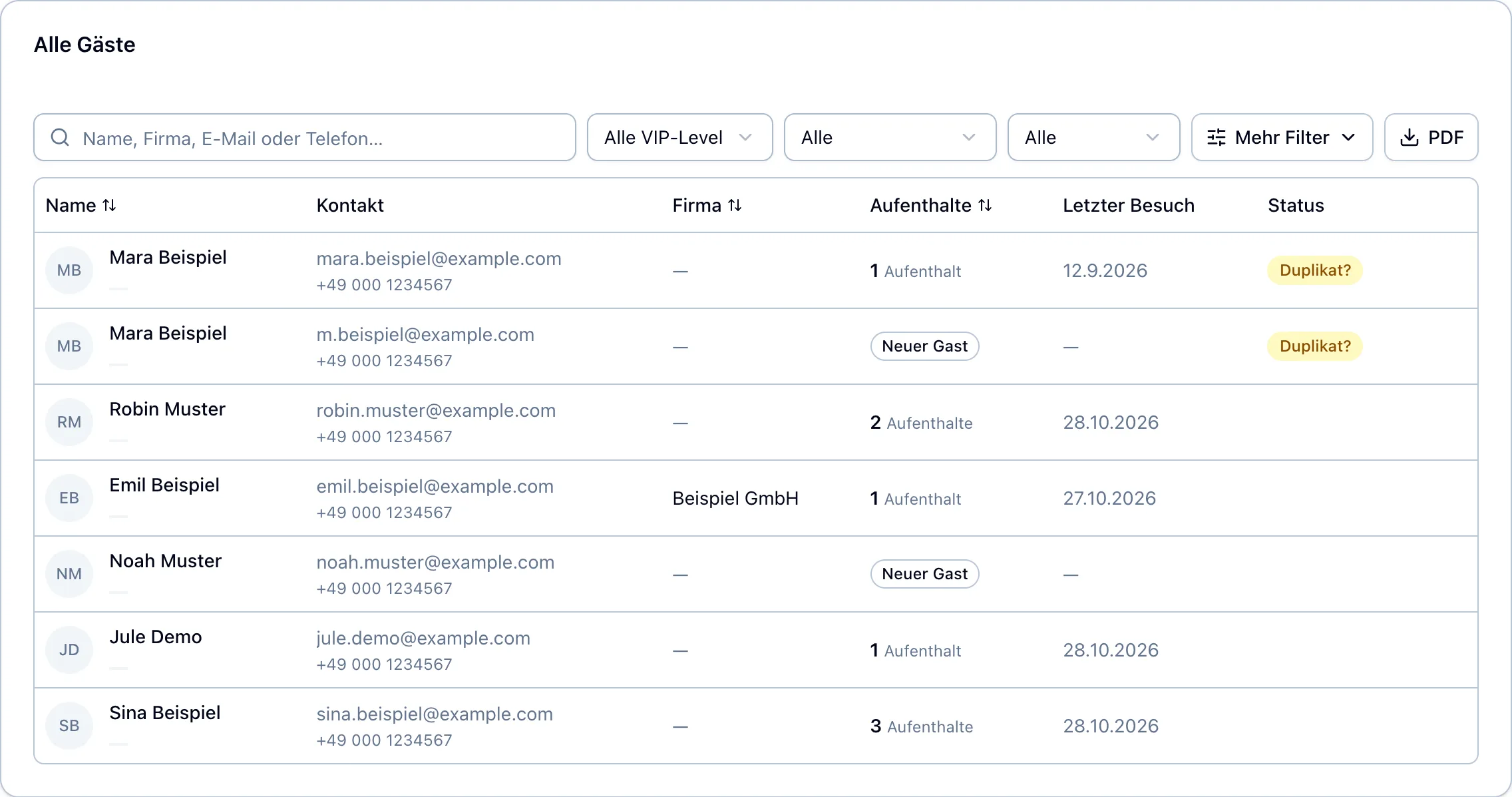
Guest search in the app with fictional sample data.

Which profile belongs to my guest?

Find guests

You can find the right profile using the search and narrow down your selection with filters.

  • Search
  • Filters
  • More filters

„Gästeverwaltung“ → „Alle Gäste“

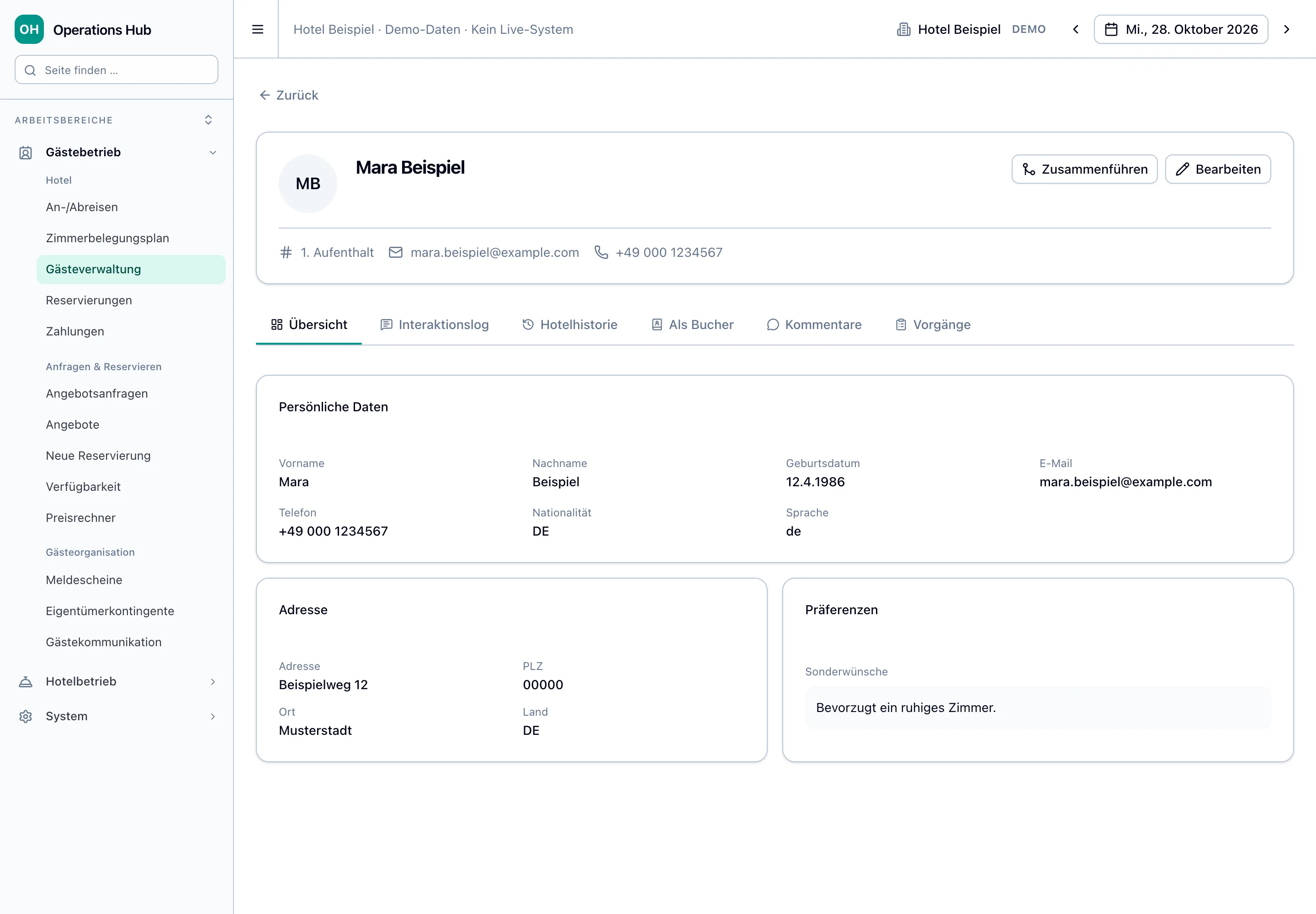
Profile and wishes in the app with fictitious sample data.

What should we know about the guest?

Profile and wishes

You keep contact details and personal wishes up to date in one place.

  • Master data
  • Requests
  • Interaction log

Guest profile → „Übersicht“

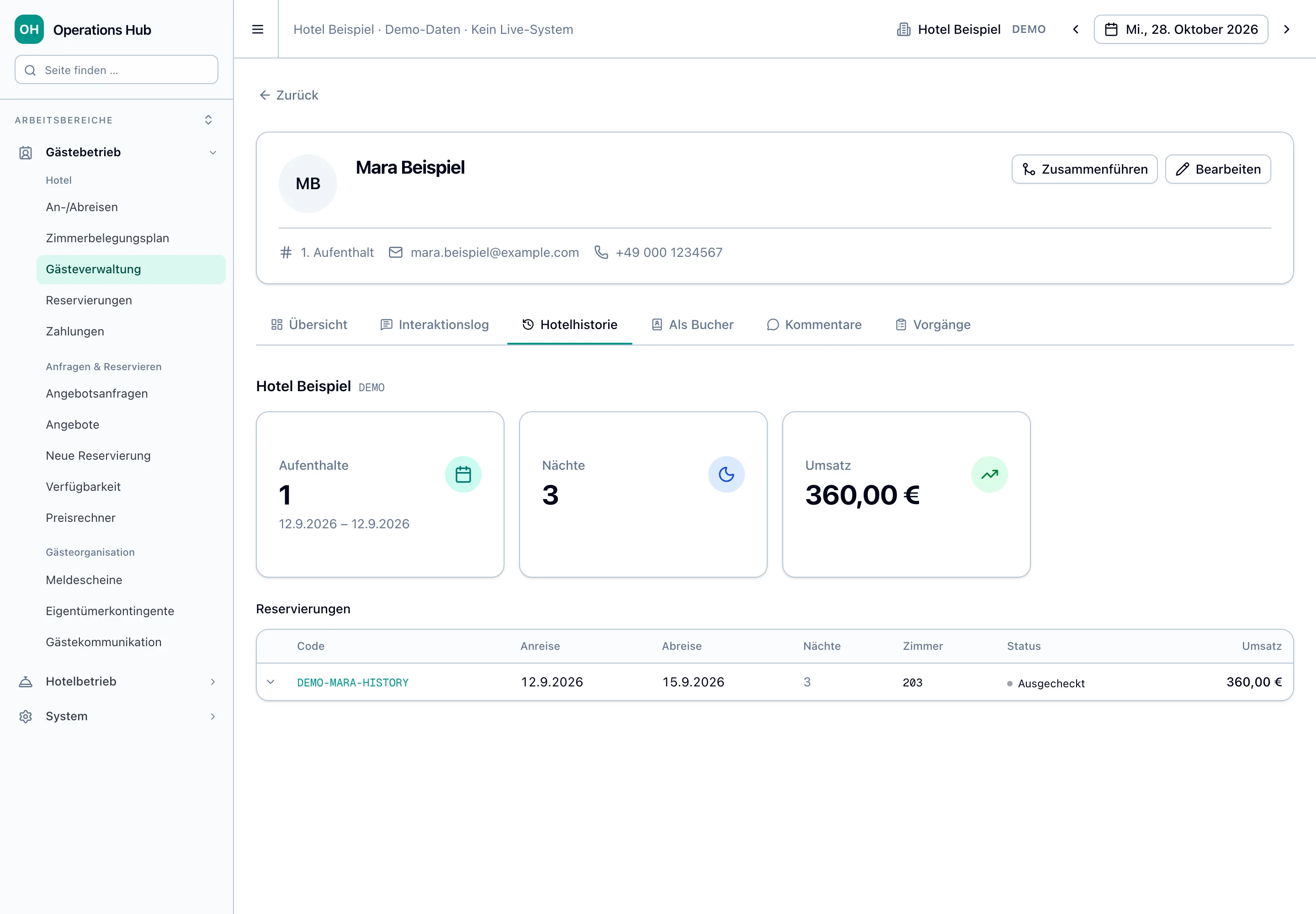
Stays and bookings in the app with fictitious sample data.

Was the guest already with us?

Stays and bookings

You distinguish the guest’s own stays from bookings they made for other people.

  • Hotel history
  • As a booker
  • Comments

Guest profile → „Hotelhistorie“ · „Als Bucher“

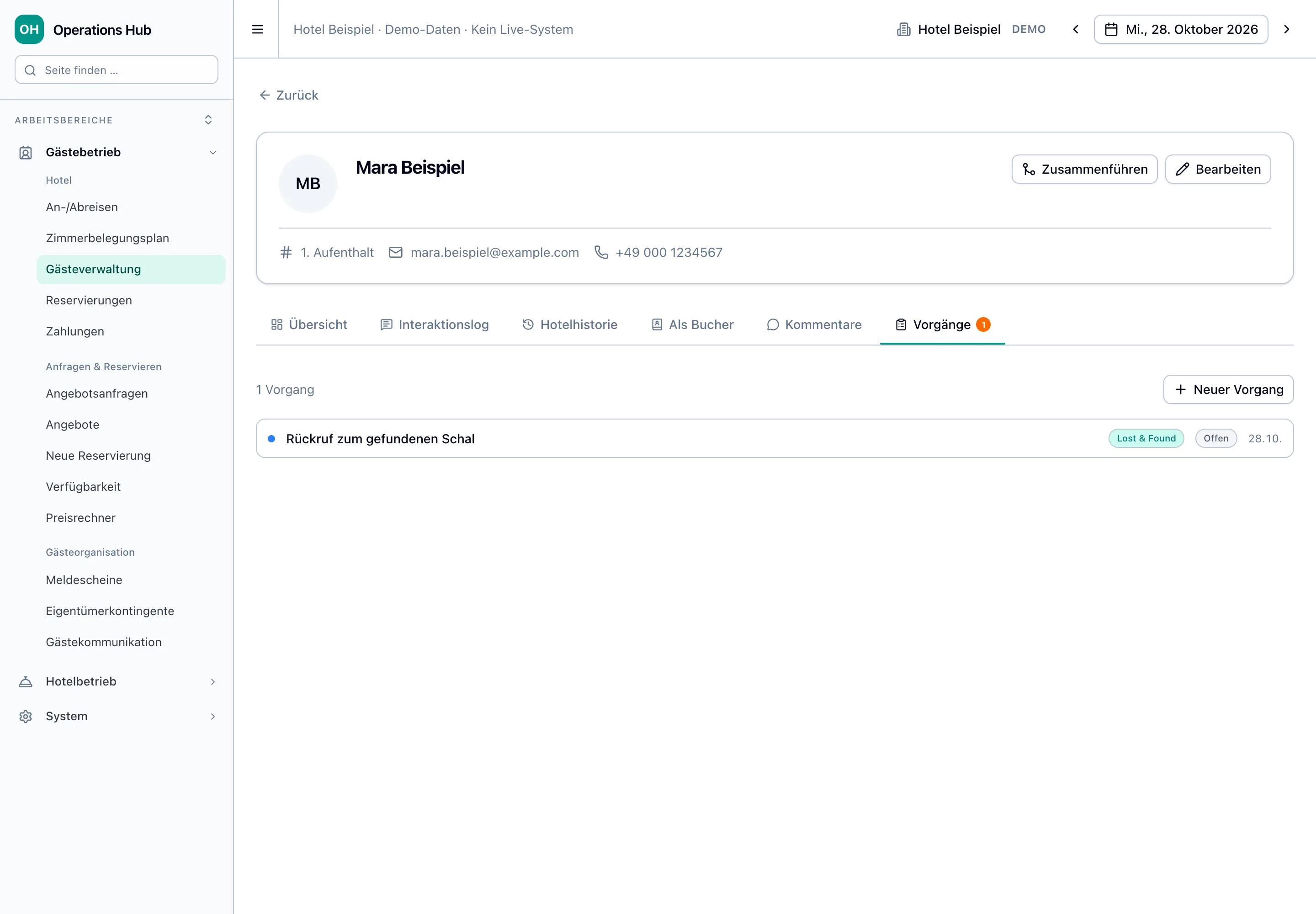
Guest-related tasks in the app with fictitious example data.

What feedback is still pending?

Guest related tasks

You see open tasks for the guest and plan the next action with a date and responsibility.

  • Start with the guest
  • Assign stay
  • Edit together

Guest profile → „Vorgänge“

IN EVERYDAY LIFE

Step by step.

This is how you implement the most important tasks step by step.

Open the correct guest profile

You want to find the right profile for Mara Beispiel before calling back.

STEP 1 OF 2

Search guest

Open „Gästeverwaltung“ and search for Mara Beispiel. Compare the contact details of the results.

The result
You can assign the appropriate profile based on further information.
1 / 2
Search for a guest with fictitious example data.
Original product component · Demo dataEnlarge image

COMMON ERRORS

Common mistakes

These differences help you correctly assign tasks and guest data.

  1. Two guests with the same name mixed up

    What happens
    Requests or feedback end up in the wrong profile.
    This is the right way
    In addition to the name, compare other information such as email address and date of birth before changing data. Instructions "Open the correct guest profile“ →
  2. An open callback is only stored as a note

    What happens
    The note has no assigned department and may be overlooked during shift handover.
    This is the right way
    Create a task with a date and department for the required action. Instructions "Schedule a callback linked to a guest“ →
  3. Searched for a guest using old filters

    What happens
    An existing profile remains hidden and may be created a second time.
    This is the right way
    Check active filters and expand the search before creating a new guest. Instructions "Narrow down a guest list“ →

QUESTIONS & ANSWERS

Answered briefly.

Is guest management the same as „An-/Abreisen“?

Guest management also bundles profiles outside of the current stay. „An-/Abreisen“ organizes work with the arriving, present and departing guests of the selected day.

When do I use a guest task?

If the next action belongs to the person, such as calling back after leaving. For a service during a specific overnight stay, you use a reservation task; the page „Vorgänge“ explains both references.

Does a booking under „Als Bucher“ mean the person was in the house?

The person may have booked for other guests. Check „Hotelhistorie“ for stays where they were a guest themselves.

What do I do with a possible duplicate?

Check the existing profiles and their information together. A similar name alone is not enough for a merger; the duplicate check is available in „Gästeverwaltung“.

Can I take the filtered list with me?

Use „PDF“ to export the filtered guest list. If you have more than 2,000 results, narrow down the selection further.

SETUP

Setup

Coordinate how the team works together.

„Gästeverwaltung“ · Guest profile

Coordinate access and profile maintenance

You agree who will maintain guest data and follow up on open concerns.

Here's how to set it up

  1. Verify list and guest profile access using a designated team account.
  2. Agree on which information will be maintained as profile information and which action requires a task.
  3. Use a sample profile to walk through the search, mapping, and callback task together.

Done when...

… The team finds the example profile and knows how an open task gets to the responsible department.

1 / 1
Checklist before release
  • The right hotel has been selected.
  • The team knows the responsibilities and has the appropriate access.